For Fewer Emptying Stops
If you want routine floor cleaning without frequently emptying the robot, its bagless auto-empty station collects the debris for you, making regular upkeep easier to manage.


The Eureka E20 Plus combines robot vacuuming and mopping to help keep everyday floors clean with less hands-on effort. Its 8,000 Pa suction, LiDAR navigation and bagless auto-empty station make routine cleaning easier to manage. Use the app to schedule runs, choose modes and set no-go zones; the robot lifts its mop by 10 mm on carpets and in no-mop areas. It suits busy households looking for scheduled floor care, with Alexa and Google Assistant control also available.
Choosing a robot vacuum and mop is easier when you match its cleaning system and navigation to your home, then check how much routine maintenance it will need. Consider your floor types, room layout and cleaning schedule before comparing features.
These practical criteria can help you find a model that suits everyday cleaning in your home.
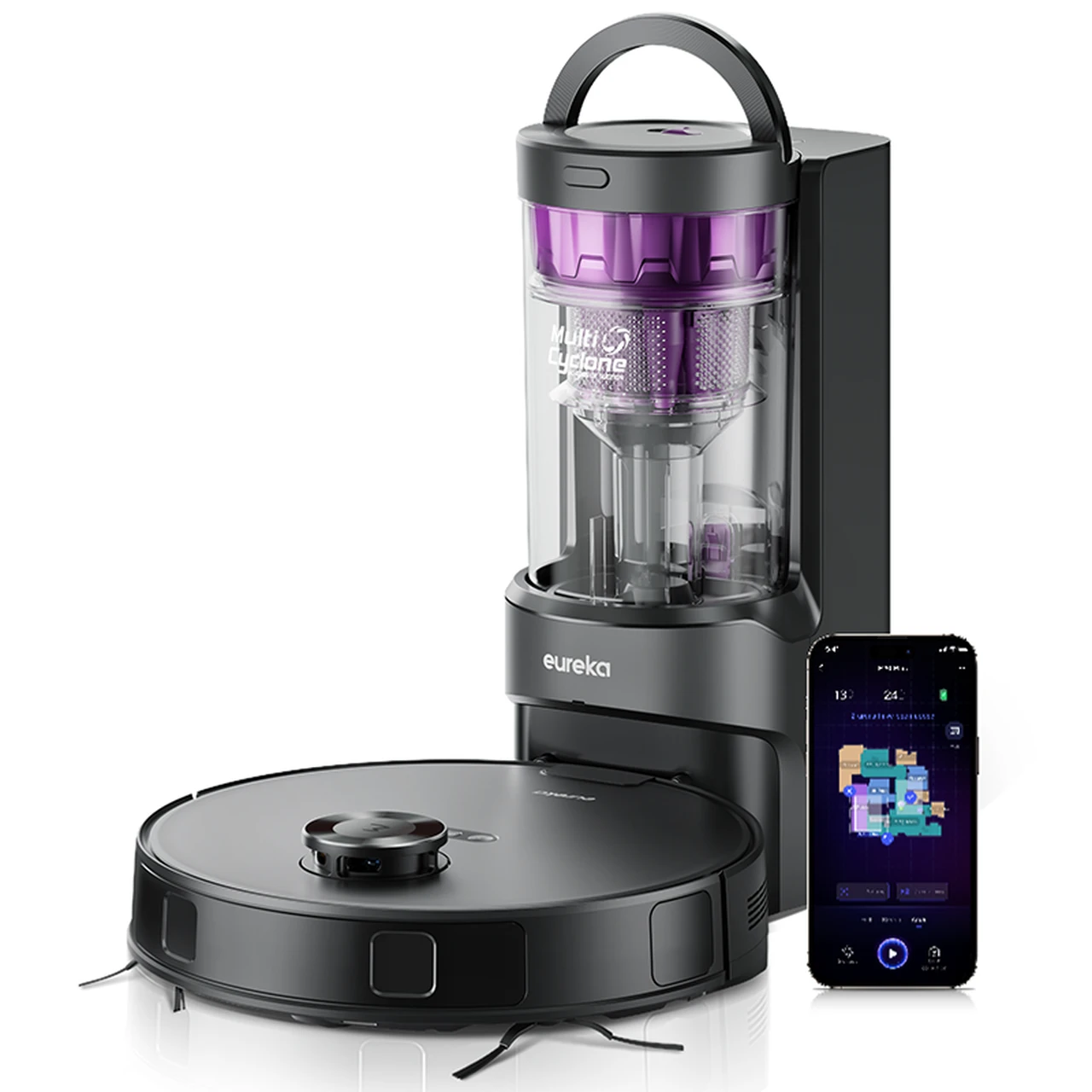
Bring a thorough clean to everyday floors with 8,000 Pa suction, designed to lift dust and debris as the Eureka E20 Plus works through your home. After cleaning, it returns to its bagless auto-empty station, which holds 2 litres of collected dust and can provide up to 45 days between emptying, depending on use. That means fewer routine interruptions and a smoother way to keep floors looking cared for. Set the robot to fit your cleaning habits and let its combined vacuuming and mopping capabilities support your regular household routine.
The E20 Plus uses DuoDetect AI and LiDAR navigation to map out routes and move around obstacles, including in dimly lit spaces. This intelligent route planning helps it cover your floors in an organised way, while app-based virtual boundaries let you tailor where it cleans. When the robot identifies carpet or a designated area for vacuuming, its mop lifts automatically to help keep carpet care suited to your home. With vacuuming and mopping in one robot, floor care can feel more streamlined from room to room.
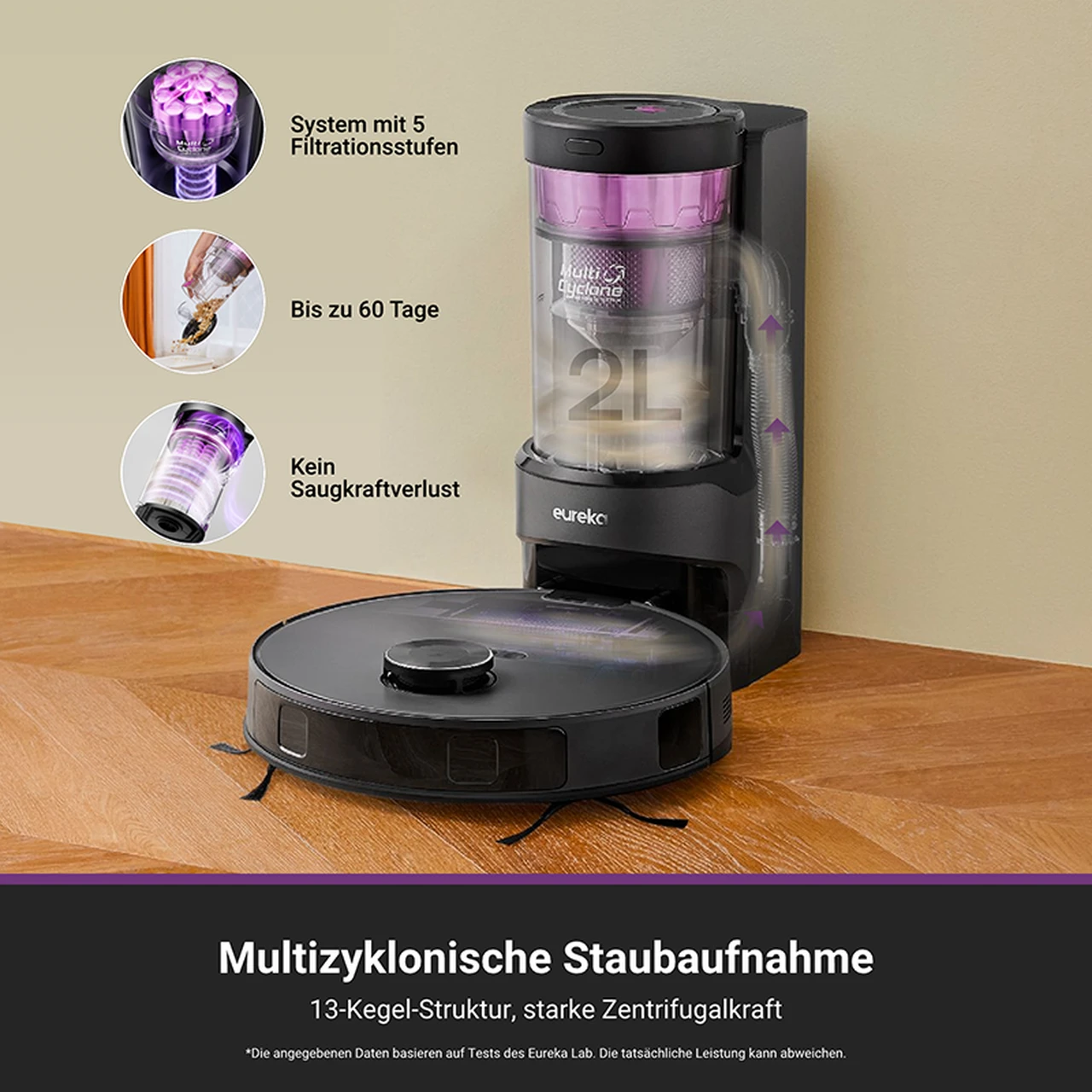
With up to 180 minutes of runtime, the E20 Plus is ready to take on extended cleaning sessions around your home. Use the app to create schedules, choose cleaning modes and set virtual boundaries that suit your rooms and routines. For added convenience, you can also control the robot with Amazon Alexa or Google Assistant, making it easy to fit a clean into your day using voice commands. App control connects over a 2.4 GHz Wi-Fi network, giving you a practical way to manage regular vacuuming and mopping from your compatible device.
If you want routine floor cleaning without frequently emptying the robot, its bagless auto-empty station collects the debris for you, making regular upkeep easier to manage.
If your floors include both carpet and hard surfaces, the robot vacuums and mops, then raises its mop when it detects carpet or a no-mop area, helping you clean different floor types without wetting those areas.
If your rooms have obstacles or are often dimly lit, DuoDetect AI with LiDAR plans routes and helps the robot avoid objects, so you can leave it to clean with less need to guide it around.
If you want to fit floor cleaning around your routine, use the app to set schedules, choose modes and mark no-go zones, or control the robot with Alexa or Google Assistant, making cleaning easier to manage your way.
The Eureka E20 Plus can go for up to 45 days between emptying, using its bagless 2-litre auto-empty station. The actual interval depends on how much dust, debris and pet hair it collects. Its 8,000 Pa suction helps tackle everyday floor mess, while the 2-litre station reduces how often you need to empty the bin.
The Eureka E20 Plus app’s Wi-Fi functions require a 2.4 GHz network, rather than 5 GHz. In the Eureka app, you can set cleaning schedules and modes, create virtual walls and no-go zones, and adjust cleaning while away from home. Alexa and Google Assistant voice control are also supported, making it easier to fit cleaning around your routine.
Use the Eureka E20 Plus indoors on dry floor surfaces; its electrical safety instructions say not to use it on damp surfaces. Its separate mopping function is designed for floor cleaning, and it raises the mop by 10 mm when it detects carpet or a no-mop area. Keep the robot and its electrical connections dry during use and maintenance.
Discover more of your favourite brands on Joybuy with great deals