
Lieferung heute & morgen

Qualitätsgarantie

Willkommens-Angebote freischalten: KOSTENLOSE Lieferung | Bis zu 80 % RABATT | Kostenlose 30-Tage-JoyPlus-Testphase
App herunterladen
Smart glasses should display information without taking your attention completely away from your phone or the people you’re talking to. But when choosing the Even Realities Even G2 Smart Glasses, design and feature lists aren’t the only things to consider. Display technology, comfort, battery life and how your personal data is handled all matter.
Terms such as AI-powered AR glasses, translation and navigation sound comprehensive. In practice, though, how you use these features depends on your smartphone, app, voice control, internet connection and compatible services. Before buying, check which features work directly on the glasses and which require a connection to the Even Realities app.
According to the product information, the Even G2 is designed without a camera. This may make it more suitable than camera glasses for work conversations, public spaces and client meetings. However, voice data, transcriptions and app content may still be processed. If privacy matters to you, read the app permissions, account settings and information about data processing.
The 2-day battery life quoted for these smart glasses refers to usage under certain conditions, as stated by the manufacturer. Display brightness, translation, navigation, notifications and frequent voice commands can all affect battery life. A charging case is included; according to the product description, it can provide up to two weeks of additional use. Treat these figures as guidelines rather than guaranteed results in everyday use.
According to the product description, the Even G2 uses a bright, dual-lens Micro-LED display. This makes it a Micro-LED display pair of glasses and a smart display pair of glasses. The display is designed to show information in your field of view without blocking it entirely.
Before buying, check:
A clear description of the field of view is more useful than a general claim about “3D display”.
At a stated 36 g, the Even G2 is designed for extended wear. The product information lists titanium for the arms and magnesium or a magnesium alloy for the frame. However, weight alone doesn’t guarantee a good fit. The nose pads, arm width and frame shape all affect comfort.
The available options differ in several ways, including:
If you often move between indoors and outdoors, look for a bundle with a clip-on sunshade. The Even G2 with clip-on sunglasses is a practical accessory, but it doesn’t replace individual advice on UV protection or prescription strength.
The product information lists features including:
These glasses are particularly suited to travellers, presenters and multilingual users. For example, glasses with a teleprompter can display bullet points, but you should test them before a presentation to check they work with your speaking pace, text size and eye movements. With smart glasses with translation, it’s also sensible not to rely solely on automatic translation for important conversations.
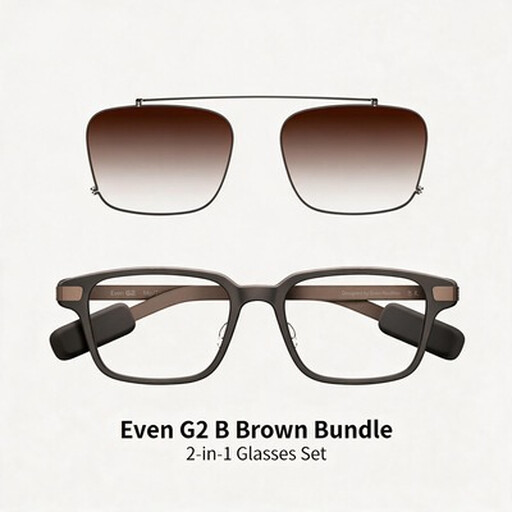
Why this product suits this profile: The rectangular shape, brown design and bundle with a clip and case make this an easy introduction to camera-free display glasses for everyday use, work and travel.
The product information gives specific details, including a weight of 36 g, a camera-free design and a charging case, rather than relying solely on general lifestyle claims.
Micro-LED dual-lens display, camera-free design and up to two days of regular use, according to the product information.
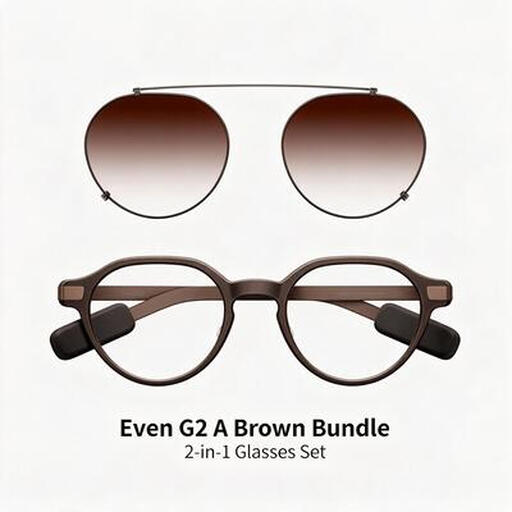
Why this product suits this profile: The brown Panto frame combines the listed technical features with a subtle glasses style that works for the office, meetings and social occasions.
This option takes frame shape, weight and accessories into account. You should still check before buying that the Panto shape suits your face and nose.
Titanium arms, magnesium frame according to the product description, teleprompter function and camera-free construction.
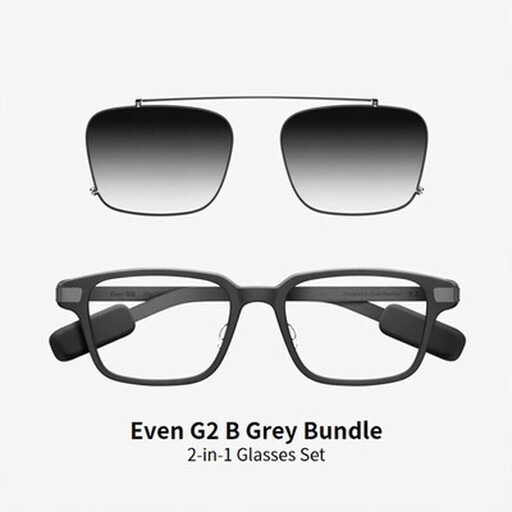
Why this product suits this profile: The grey rectangular model is suited to users who want to make regular use of navigation, notifications, translation and presentation aids at work or while travelling.
The features cover a range of everyday situations. Frequent users should also consider how much the glasses rely on the app, smartphone and internet before ordering.
Translation into more than 35 languages according to the manufacturer, navigation, voice control and a charging case included.
According to the product description, the Even Realities app is required for many features. These include Conversate, notifications, calendar functions and certain AI-powered applications. Before buying, check that your smartphone is compatible and review the app permissions required.
The manufacturer quotes up to two days of regular use per charge. Actual battery life depends on the display, voice features, navigation and translation. According to the product information, the charging case can provide up to two weeks of additional use.
Yes. The product description lists the Even G2 as camera-free. This may be an important consideration for offices, meetings and public spaces. However, having no camera doesn’t automatically mean that no data is processed. Check the app and account settings before use.