The right printing option for your team

Team with changing exhibit text

When several people create labels, the format, paper feed and access arrangements all need to work for a shared desk. The German Museums Association describes exhibits and their spatial arrangement as part of a wider conceptual and design approach.

Design team using colour templates

If colour or different media are part of your layout, check not only the colour mode but also whether the paper you want is approved for the intended feed. Canon Germany lists different paper feeds for the MAXIFY GX3050.

Team making short-term labels

A roll label printer can work well for small labels that change often, provided the format and material are suitable for how long they need to be used. Brother Germany explicitly states that its DK thermal labels are not intended for long-lasting, permanent labels.

What to consider when buying

Black-and-white printing on A4 sheets

A good fit if: Your labels are mainly black text and will be cut out or mounted afterwards.

Bear in mind: The printout is not automatically a finished display board that is weatherproof or suitable for permanent mounting.

Colour inkjet printer with refillable tanks

A good fit if: Colour is part of your layout and you use different paper sizes.

Bear in mind: Approved media vary by feed. When comparing costs, remember that the Canon MAXIFY GX3050 also uses a maintenance cartridge.

Colour laser all-in-one printer

A good fit if: You want to scan or copy templates as well as print colour labels.

Bear in mind: HP notes that the Color LaserJet Pro MFP 3302sdwg may have restrictions on cartridges containing chips or circuitry from other manufacturers.

Direct thermal label printing

A good fit if: Small labels need frequent changes and you can use a suitable roll.

Bear in mind: Roll size and material can limit your options; Brother does not recommend DK thermal labels for permanent labels.

Need What to check when buying Who it matters to
Legibility and format Test your template and material; check the format, paper weight and suitable feed. If I need an easy-to-read label in a specific format, the key is whether the template and media work together. Around 29 % of consumers prioritise this.
Shared access Check that the connections and set-up work with your work devices and existing network. If several people need to print from a shared desk, I need suitable access and clear procedures for print jobs. Around 22 % of consumers prioritise this kind of team access.
Colour and print media Test your colour template on media approved for the model and the intended feed. If my label uses colour, the printer needs to support both colour and the paper I plan to use. Around 21 % of consumers put this need first.
Small labels Check the roll width, length and adhesive properties against the label material and how long it needs to stay in place. If I regularly replace small exhibit labels, a suitable roll format matters more than the flexibility of an A4 sheet. Around 14 % of consumers prioritise labels for short-term use.
Ongoing costs Compare the consumables, paper or rolls you’ll need over the same period, based on your planned print volume. If I print regularly, I want to budget for consumables and maintenance parts as well as the printer. Around 14 % of consumers consider ongoing costs first.

Common buying misconceptions

  • Assuming a small thermal label is suitable for a permanent exhibition board

    Brother does not recommend DK thermal labels for long-lasting, permanent labels. If you choose the wrong material, you may need to reprint or replace your labels.

    Decide how long the label needs to last and how it will be mounted before choosing a roll printer over a sheet printer.

  • Assuming “A4” or “colour printing” means any sign material will work

    Suitable formats and media depend on the specific feed. A format name alone does not tell you whether the printer can handle the material you plan to use.

    Check the media, weight and size for the exact feed you intend to use, and test one of your own templates.

  • Comparing only printer prices instead of the consumables you’ll need

    Depending on the model, you may also need a separate drum, maintenance cartridge or label rolls.

    Compare the printer and consumables costs over the same planned period and print volume.

  • Assuming a network connection means shared printing is secure

    A network connection alone does not protect print jobs or stored information. The German Federal Office for Information Security highlights the need to protect networked printing and scanning infrastructure.

    Make sure your network configuration and procedures for handling confidential printouts suit your actual workplace.

Brands to consider

Brother

The HL-L2445DW and QL-820NWB offer two different options: black-and-white printing on sheets or small labels from a roll.

  • The HL-L2445DW has separate toner and drum units.
  • Red-and-black printing on the QL-820NWB requires DK-22251; Brother says DK thermal labels are not intended for permanent labels.

Canon

The MAXIFY GX3050 is a colour ink tank printer with several paper feeds for different label templates.

  • Canon lists a straight rear single-sheet feed and a replaceable maintenance cartridge.
  • Approved media vary by feed, so check the specific paper and how you plan to use it.

HP

The Color LaserJet Pro MFP 3302sdwg combines colour printing with scanning and copying for a shared workplace.

  • HP lists an automatic document feeder.
  • HP notes that the dynamic security feature on this model may affect cartridges containing chips or circuitry from other manufacturers.

Epson

The EcoTank ET-2950 is an A4 colour ink tank option with copying and scanning functions.

  • Epson lists refillable tanks and double-sided printing.
  • Manufacturer claims about page yields and savings depend on the conditions and are not a measure of your own print jobs.

Joybuy products

This selection includes compact label and thermal printers, as well as a black-and-white A4 mono laser printer for different label formats.

Phomemo P15 2-in-1 satin ribbon printer with label refill

Phomemo P15 2-in-1 satin ribbon printer with 1 label refill

For small labels when a Bluetooth connection to a phone, tablet or PC suits your intended workspace.

The description also mentions printing personalised gift ribbons; the ribbon is sold separately.

View at Joybuy

PANTUM BM2300NW A4 mono laser multifunction printer

PANTUM BM2300NW A4 mono laser multifunction printer, 22ppm, dual-band Wi-Fi, Ethernet

For mainly black text on A4 sheets when a mono printer suits your label format.

The product title lists 22ppm, dual-band Wi-Fi and Ethernet. Colour printing is not part of the specified printing option.

View at Joybuy
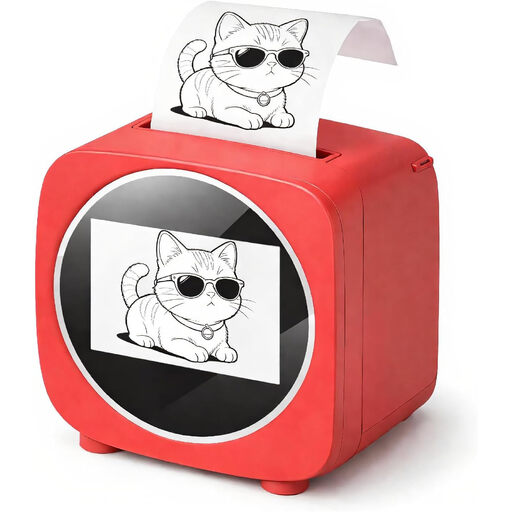
Bluetooth and Wi-Fi label printer with 2.4-inch colour display

Bluetooth and Wi-Fi label printer with 2.4-inch colour display

For small labels and changing text when a thermal printer suits the format.

The description lists black-and-white printing, a colour display for previews and a thermal paper roll included in the box.

View at Joybuy
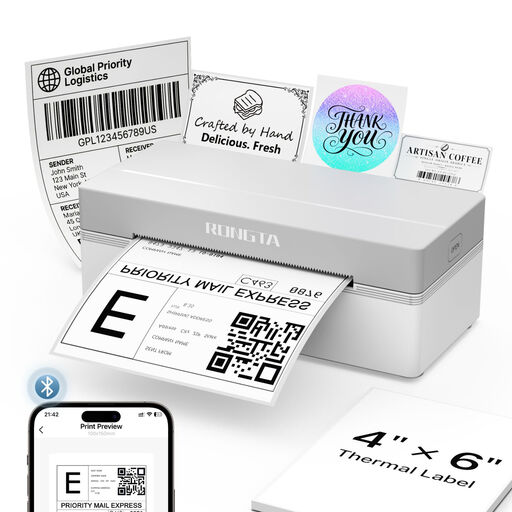
Rongta RP425 thermal label printer for 4-inch labels

Rongta RP425 4-inch thermal label printer

For small labels on rolls or fanfold stock, provided the width of 2 to 4 inches suits your planned layout.

The product title and description list support for iOS and Android devices, as well as tablets. This model is described as a shipping label printer, so check that the label format suits your needs.

View at Joybuy
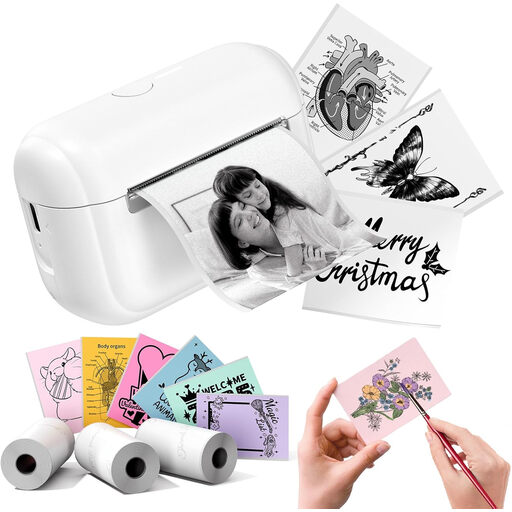
Phomemo Q02E sticker and thermal printer with three label refills

Phomemo Q02E sticker and thermal printer with 3 label refills

For small stickers or labels when the roll format and mobile app-based creation suit your needs.

The description lists a Bluetooth connection.

View at Joybuy

Frequently asked questions

Is a label printer suitable for exhibit text that will stay on display?

Not necessarily. Brother says its heat-sensitive DK media is not suitable for long-lasting, permanent labels. Check how long the label needs to last, the material and how it will be mounted before choosing a label roll.

Can everyone at the desk print without any extra set-up?

No. The printer’s connection needs to work with your devices and existing network. Have a network printer configured to suit your local IT set-up; the German Federal Office for Information Security highlights the need to protect printing infrastructure, particularly when handling confidential information.

What ongoing costs should I consider besides ink or toner?

Depending on the model, you may also need a separate drum, maintenance cartridge or label rolls. Compare the parts required for the exact model and your planned print volume, rather than assuming the manufacturer’s stated yield will match your own page count.

What should I look for in a Wi-Fi printer in Germany?

Check the information and documentation for the specific product. The German Federal Network Agency lists CE marking, traceability, manufacturer details and the required German-language instructions among the points it considers when monitoring the market. The CE mark is a declaration of conformity made under the manufacturer’s responsibility; it is not an independent assessment of print quality.

Can I put an old printer in the general rubbish?

No. The German Environment Agency explains that waste electrical equipment must be collected separately. Check the local authority or relevant retailer options available for returning your specific device.