For active CAD work
If you often open and edit files directly from an external drive, check how it performs in your actual workflow, as well as the connection between the drive, computer and cable.


If you often open and edit large CAD project folders directly from a drive, an external SSD could work well as a working drive. For large archives that you access less frequently, an HDD is a capacity-focused alternative. Before buying, check how much space you actually need and which connections your devices support. When moving an AutoCAD project, you also need to make sure its external references remain accessible. And remember, a working drive is no substitute for a separate backup.
If you often open and edit files directly from an external drive, check how it performs in your actual workflow, as well as the connection between the drive, computer and cable.
If you keep completed projects or multiple versions of a project, compare your measured storage needs with how often you access them and how much you expect them to grow.
The German Federal Office for Information Security recommends not only making backups, but also checking that your data can be restored. For confidential or personal files, choose protection that reflects the specific risks involved.
Suitable if: you regularly edit or transport large project folders directly from the drive.
Consider: advertised sequential peak speeds don’t guarantee how quickly a CAD folder containing lots of files will open.
Suitable if: you want to carry large project folders that are mostly kept in storage, and access speed is less important.
Consider: check the file system and included cable for the specific model.
Suitable if: you store lots of large project versions at a fixed workstation with access to a power socket.
Consider: the power supply and fixed setup make it less suitable for frequent transport. This HDD is not, by itself, a backup plan either.
| What matters to you | What to check before buying | Who is this most relevant to? |
|---|---|---|
| Access while working | Check the drive type, the connections on both the computer and drive, and the cable together. Don’t assume sequential peak speeds reflect CAD folder performance. | If I often open and edit large CAD files directly from a drive, performance in my actual workflow matters. Around 29% of consumers prioritise quick access while working. |
| Space for project versions | Measure folder sizes and planned growth. Don’t confuse the advertised capacity with the value shown by your system. | I want to store current projects, previous versions and other folders without assuming a one-size-fits-all minimum capacity. Around 29% of consumers prioritise space for large folders and future project versions. |
| Restorable backup | Plan a separate copy and test restoring it. For personal data, choose protection that reflects the specific risks involved. | If I need to recover projects after losing them, a drive with plenty of storage isn’t enough on its own. Around 24% of consumers prioritise a separate, restorable backup. |
| Transport and switching devices | Check that the connections, cable and file system work with the computers you use. After testing a transfer, open the CAD references. | I want to use complete projects on multiple computers while preserving their folder structure. Around 18% of consumers prioritise transport and switching between devices. |
Actual transfer speeds can be limited by the drive, source, destination, connection or cable. Manufacturers’ sequential speed figures don’t automatically tell you how quickly a folder containing lots of project files will open.
Check the whole connection and treat advertised speeds as conditional peak figures.
AutoCAD may no longer be able to find external references after a drive or folder has been moved. Autodesk Support notes that absolute paths need to be remapped after a move.
Copy the required project folder structure and open the files on the destination computer to check them. If references are missing, you may need to reassign their paths.
If the only current version of a project is on this drive, a failure could put your data at risk. The German Federal Office for Information Security also recommends checking that data can be restored.
Plan a separate copy and test whether you can restore the files you need.
You may need another backup device to keep a separate copy. Regular restore tests also take time.
The Portable SSD T7 Shield is a portable SSD option for work files that are regularly taken on the move.
The Canvio Basics range includes portable HDD models for capacity-focused storage.
Expansion Desktop is a desktop HDD range for larger collections of data.
The 2 TB Extreme PRO Portable SSD is another portable SSD option.
This selection includes portable HDDs for archives you need to carry, a desktop HDD for fixed storage locations, and portable SSDs for frequently used project folders.
 No image available
For large project folders that are mostly kept in storage and need to be carried between workstations.
5 TB; portable 2.5-inch HDD; USB-C; USB 3.2 Gen 1.
As an HDD, it’s designed for a different type of access to the SSD options.
 No image available
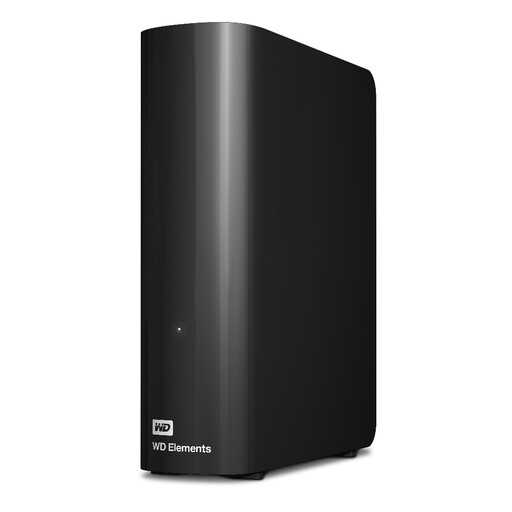
For extensive project archives at a fixed workstation with access to a power socket.
20 TB; external desktop hard drive; USB 3.2 Gen 1; power supply and USB cable included.
A power supply and power socket are required for operation.
 No image available
For frequently used project files, if a portable SSD could work as your working drive.
2 TB; USB 3.2 Gen 2; optional hardware encryption. Samsung lists sequential peak speeds of up to 1.050 MB/s for reading and 1.000 MB/s for writing.
The manufacturer’s figures don’t guarantee how quickly a CAD project folder will open; your connection needs to be suitable for the drive.
 No image available
For frequently used project folders, if a portable SSD and the listed operating systems are compatible with the computers you use.
2 TB; USB 3.2 Gen 2; supports Windows and macOS; USB-C to C and USB-C to A cables. The description lists optional 256-bit AES password encryption and sequential peak speeds of up to 1.050 MB/s for reading and 1.000 MB/s for writing.
Sequential peak speeds don’t indicate how quickly a CAD folder will open.
 No image available
For mobile work files, if 1 TB is enough for your measured project requirements and your computer has the right interface.
1 TB; USB 3.2 Gen 2x2; up to 2.000 MB/s read and write speeds according to the product description; IP65 rating.
The description notes that performance may be lower on Macs and other systems without USB 3.2 Gen 2x2.
Not automatically. Autodesk Support explains that absolute paths may no longer point to the right place after a move. Relative paths can help if the folder structure is suitable and kept together. Open the moved project to check it and update any missing references.
It depends on the model and file system. Toshiba says Canvio Basics drives are formatted as NTFS and need to be reformatted for macOS. Check compatibility for the specific drive before transferring important projects.
If it holds the only current version, it isn’t enough as a separate backup. Make an additional copy and check that you can restore the project files you need, including their references. This is backup advice, not a blanket requirement to buy a particular type of drive.
Not simply because it contains CAD files. If controllers or processors handle personal data, Article 32 of the GDPR sets risk-based requirements for appropriate technical and organisational measures. Whether encryption is required in a particular case depends on the data and how it is used, so there’s no one-size-fits-all answer.
Manufacturers and software may calculate capacity using different number systems. Compare your folder sizes with the space actually available, rather than assuming all the capacity shown on the label can be used for storage.