If you regularly take CAD projects between school and home, a portable SSD is an obvious choice. For an archive that stays mostly in one place, an external HDD could also work. First, check how much space your complete project folders need, and make sure your devices have compatible connections and file systems. The Federal Office for Information Security recommends backing up your data regularly. So, plan to keep a separate copy and test whether you can restore a project file from it.
Who is an external drive suitable for?
Back up CAD projects
If you want to restore designs and older versions after a problem, plan to keep a separate copy and check that you can open the files from it. The Federal Office for Information Security recommends backing up your data regularly.
Use CAD files on the go
If you regularly take project folders between school and home, check that the drive, cable and connections are compatible with your devices. Samsung and Kingston's specifications each relate to specific product variants.
Switch between school and personal computers
If you want to open the same project files on different computers, choose a compatible file system and make sure you export the complete CAD project. Autodesk describes different archive formats in Fusion for individual and distributed designs.
What should you look for when buying?
Portable SSD
A good fit if: you regularly take CAD files between devices or often copy large folders.
Things to consider: manufacturers' transfer-rate figures are maximum speeds and depend on factors including the host device and cable. An SSD is no substitute for a separate backup.
External HDD
A good fit if: the drive will mostly stay in one place and you need space for project folders and backup versions.
Things to consider: check the connections and file system for the specific model, especially if you might take the drive with you or use it with different computers.
| Priority |
What to check before buying |
Who is this most important to? |
| Project copies you can restore |
Decide which folders and versions to back up, then test opening a restored file. |
I want to be able to recover an earlier project version after a problem and test a separate copy. Around 28% of consumers prioritise project versions that can be restored. |
| Portability and protection |
Check the dimensions, cable and protection ratings for the specific variant. Advertised protection ratings apply under the stated test conditions. |
If I regularly carry my drive in my school bag, compatible cables and careful handling matter to me. Around 22% of consumers see portability as their main priority. |
| Access on different computers |
Compare connections, operating systems and school requirements. Back up all your files before formatting a drive. |
I want to be able to open the same files at home and at school without being held back by an incompatible connection or format. Around 22% of consumers prioritise switching between devices. |
| Space for complete projects |
Allow for existing folders, planned versions and any references included in the complete CAD export. |
If I want to keep references and older versions as well as the design, I choose a capacity that matches the space my folders actually need. Around 17% of consumers prioritise having enough storage space. |
| Time to copy large folders |
Check the amount of data, USB mode, cable and host device. The manufacturer's maximum speeds are no guarantee of how long your project folder will take to copy. |
I often copy large CAD folders, so I want to compare my computers' connections with the drive specifications. Around 11% of consumers put copy speed first. |
Avoid common mistakes
-
Keeping the only copy on the external drive
A single drive cannot restore lost or damaged files by itself.
Keep a separate copy and check that you can open a project file from it.
-
Copying only the main file you can see
In Autodesk Fusion, a distributed design may contain external references that are important for continuing your work.
Check the full archive export from your CAD application. In Fusion, Autodesk uses F3D for a single design workspace and F3Z for a distributed design with external design references.
-
Comparing transfer rates without checking the school computer
Manufacturers' maximum speeds depend on the connection supported. For the Samsung T7 Shield MU-PE1T0S/EU, Samsung also specifies conditions such as the host device, cable and UASP.
Check that the connection on the specific drive is compatible with your computer's USB port and cable.
-
Reformatting without backing up first
Apple notes that formatting deletes existing files.
First check which file system you need, then back up all existing project files somewhere else.
Brands to consider
Samsung
The portable T7 Shield MU-PE1T0S/EU SSD could be worth considering for files you take with you regularly.
- For the 1-TB variant, Samsung lists USB 3.2 Gen 2 and IP65 protection under controlled test conditions.
- Samsung says the warranty does not cover liquid or dust damage. The stated maximum speeds also require a compatible host and cable, as well as UASP.
Kingston
The XS1000 is a compact SSD range for switching between USB-A and USB-C devices.
- Kingston lists 1 TB and 2 TB variants, supplied with a USB-A cable and USB-C adapter.
- Up to 1,050 MB/s sequential read speed is a manufacturer's figure, not a guaranteed CAD copy time.
Toshiba
Canvio Basics is a portable HDD range for storage and backup folders.
- Toshiba lists variants including 1 TB, 2 TB and 4 TB, as well as USB 3.2 Gen 1.
- The stated plug-and-play compatibility applies to Windows PCs. For other devices, check the connections and file system.
Western Digital
WD Elements Portable with USB-C is an HDD range for accessing files and backing them up.
- Western Digital describes the USB-C range as compatible with Windows and Mac computers.
- The manufacturer's information for the 2-TB variant does not automatically confirm that a specific offer has the same model variant or formatting.
Crucial
The X9 CT1000X9SSD9 is a compact USB-C SSD option. X9 and X9 Pro are different model names.
- For the X9, Crucial lists sequential read speeds of up to 1,050 MB/s under its own test conditions.
- According to Crucial, this figure depends on factors including the host device and formatting. Check the exact model name when viewing a specific offer.
Portable SSDs at Joybuy
This selection focuses on portable SSDs for storing and carrying CAD project files.
 No product image available
KEXIN external SSD, 512 GB
A portable SSD for project files you want to take between workspaces.
USB 3.1 Type-C.
View at Joybuy
 No product image available
Samsung T7, 2 TB, Titanium Grey
A portable SSD for CAD project folders you want to take with you and use with compatible devices.
USB Type-C 3.2 Gen 2.
View at Joybuy
 No product image available
Samsung T7, 4 TB, Titanium Grey
The 4-TB variant is a portable SSD for project folders and other stored files.
USB Type-C 3.2 Gen 2.
View at Joybuy
 No product image available
Samsung MU-PG2T0B, 2 TB
A portable SSD for project files if 2 TB is enough for your folders.
USB Type-C 3.2 Gen 2.
View at Joybuy
 No product image available
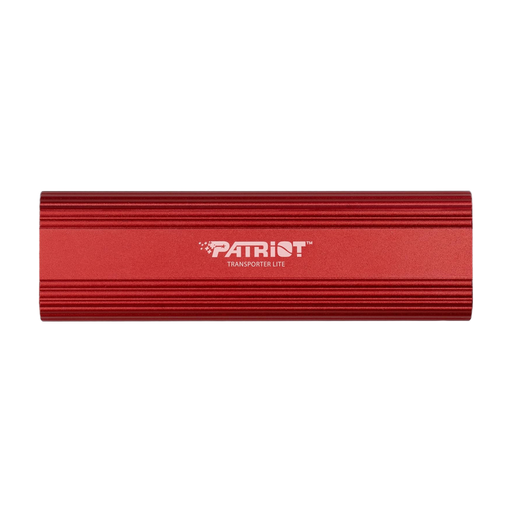
Patriot Transporter Lite, 1 TB, red
A portable SSD for CAD project files you want to take between compatible devices.
Type-C USB 3.2 Gen 2.
View at Joybuy
Frequently asked questions
Do I need to back up CAD files separately if they are already on the external hard drive?
Yes. For a backup you can restore, keep another separate copy and test restoring from it. The Federal Office for Information Security recommends backing up your data regularly.
Which files should I export in Autodesk Fusion for a project with references?
In Autodesk Fusion, F3Z is for a distributed design with external design references; F3D refers to a single design. For other CAD programmes, check the relevant export function.
Can I use the same drive with a Mac and a Windows school computer?
That depends on factors including the file system, connections and school rules. Apple lists exFAT as a formatting option for drives over 32 GB. Formatting deletes existing files, so back them up somewhere else first.
How should I disconnect the drive after using it with Windows?
Microsoft recommends ejecting external hard drives using ‘Safely Remove Hardware’ before unplugging them, to avoid data loss.
Is an external HDD enough for a CAD school project?
An HDD could work if the drive will mostly stay in one place and you need space for project folders and backup versions. If you regularly take files between school and home or copy them often, compare it with a portable SSD. For both drive types, check the connections, file system and how much storage you actually need.


