For an archive that will mostly sit untouched and hold finished carnival costume photos, a portable external HDD is an obvious choice. If you often edit large files directly from the drive or transfer them while you’re out and about, an SSD may be worth considering. Buying a drive alone won’t give you earlier project versions: Microsoft Support explains how to use File History on Windows, while Apple Support covers Time Machine on Mac. Set up your backup, test that you can restore files and keep another copy of important photos somewhere separate.
Which option is right for you?
Photographers with lots of projects to archive
If you collect photos from several carnival projects, allow space for the originals, your chosen shots and the finished versions. Germany’s Federal Office for Information Security explains why it’s important to keep a separate backup, while Toshiba Storage Solutions EMEA lists several capacities for the Canvio Basics range.
Editors who need earlier project versions
If you edit your costume photos more than once, you’ll need a backup as well as a drive, so you can restore earlier versions of your files. Microsoft Support explains File History, while Apple Support covers Time Machine.
Photographers working in different locations
If you transfer photos between your shooting location and your workspace, check the connection, portability and, if needed, access protection. Toshiba Storage Solutions EMEA describes the cable options for the Canvio Flex range; Samsung and Verbatim list protection or access-control features for certain models.
What should you look for when buying?
For an archive that will mostly sit untouched, having enough space is the main priority. If you often edit files on the drive, suitable connections and your workflow become more important.
| Priority |
What to look for when buying |
Who is it important to? |
| Space for your photo archive |
Compare the size of your existing project folders with the drive’s capacity, and allow room for future growth. |
If I’m archiving the originals, selected photos and completed projects together, I need room for my current collection and for it to grow. Around 28% of consumers put available archive capacity first. |
| Restoring earlier versions |
Check that your backup includes your project folders and can restore earlier file versions. Microsoft Support explains this feature in Windows File History; Apple recommends that a Time Machine backup volume ideally has at least twice the storage capacity of your Mac. |
If I need to go back to an earlier version after making several edits, I need versioning set up. For around 28% of consumers, restoring earlier project versions is the main priority. |
| Compatibility with your computer |
Check that the connections and supplied cables work with your devices. Toshiba Storage Solutions EMEA says Canvio Basics is formatted as NTFS for Windows and needs reformatting for the listed macOS versions. Apple explains that a Windows-formatted volume can’t be used straight away as a Time Machine destination. |
If I want to use my photos across computers with different connections or operating systems, the drive and file system need to suit my workflow. For around 17% of consumers, this compatibility is the main priority. |
| Copying and editing on the go |
Check the interface on both your computer and the drive. Samsung lists speeds of up to 1.050 MB/s over USB 3.2 Gen 2 for the T7 Shield MU-PE2T0S/EU; actual transfer speeds also depend on the connection you use. |
If I often copy large batches of photos while I’m out or edit directly from the drive, I pay particular attention to how it fits into my mobile workflow. Around 16% of consumers put frequent transfers and working on the go first. |
| Protecting private photos |
Check that you can set up encryption and store your login details securely. Verbatim lists encryption for the Fingerprint Secure 1-TB version; the BSI also describes software-based encryption. |
If I take a drive containing private photos with me, I want to protect access to the files. Around 11% of consumers prioritise access protection. |
Common archiving mistakes
-
Moving all your costume photos to the new drive and nowhere else
A single copy stored elsewhere isn’t a separate backup. If the drive is damaged or lost, your photos and project versions could be lost too.
Keep another copy of important projects somewhere else, and test a few files to make sure you can restore them.
-
Assuming the maximum USB speed is your actual copying speed
The advertised interface or maximum speed doesn’t tell you how the entire setup of computer, connection and drive will perform.
An SSD is a good choice if you transfer files often or work directly from an external drive. An HDD may be enough for an archive that will mostly sit untouched.
-
Overlooking the file system and existing files before using Time Machine
Apple says a Windows-formatted volume isn’t suitable as a Time Machine destination straight away. Reformatting may delete any files already on the drive.
Check the file system and the drive’s contents before setting it up, and back up any existing data separately first.
Brands worth considering
Toshiba
The Canvio range includes portable HDDs for straightforward archiving, as well as options with different cables or software features.
- Toshiba Storage Solutions EMEA lists USB connectivity and pre-formatting to NTFS for Windows for Canvio Basics.
- Canvio Basics needs reformatting for the macOS versions listed by Toshiba. This information is not a general guarantee of reliability.
Samsung
The portable T7 Shield SSD may suit frequent transfers and working on projects while you’re out and about.
- For the German 2-TB version MU-PE2T0S/EU, Samsung lists USB 3.2 Gen 2, speeds of up to 1.050 MB/s and IP65.
- The manufacturer’s specifications apply to this model; actual transfer speeds also depend on the interface you use.
Verbatim
Fingerprint Secure is a portable HDD option if you want to protect access to private photos you take with you.
- For the 1-TB version #53650, Verbatim lists fingerprint access and AES-256 hardware encryption.
- Verbatim highlights the need for a security update, so check the setup and update requirements. This feature doesn’t replace an additional copy of your data.
Western Digital
External WD drives are another HDD option. Password protection is only a selection criterion for devices that support it.
- Western Digital describes WD Security for supported drives.
- Check the specific model number and software support rather than assuming the feature is available on all WD models.
Seagate
One Touch with Hub is a desktop HDD alternative for a permanent archive setup.
- F.A.Z. Kaufkompass describes this specific model as a desktop hard drive with a hub.
- According to F.A.Z. Kaufkompass, larger desktop drives need their own power supply. Check that you have room for one and a suitable power socket before choosing it over a portable HDD.
Portable HDDs at Joybuy
The portable external HDDs below are options for a photo archive. The right capacity for you depends on how much you have now and how much you expect it to grow.
 No image available
WD Elements Portable 5TB USB-C
Could suit you if you want a portable drive to take with you for photos and files.
5 TB storage; 2.5-inch format; USB-C and USB 3.2 Gen 1.
You’ll also need to set up a versioned backup to keep earlier edits.
View at Joybuy
No image available
WD Elements Portable 6TB USB-C
Could suit you if you want a portable drive to take with you for photos and files.
6 TB storage; 2.5-inch format; USB-C and USB 3.2 Gen 1.
You’ll also need to set up a versioned backup to keep earlier edits.
View at Joybuy
No image available
WD Elements Portable 4TB USB-C
Could suit you if you’re looking for a portable HDD for photos and project folders.
4 TB storage; 2.5-inch format; USB-C and USB 3.2 Gen 1.
You’ll also need to set up a versioned backup to keep earlier edits.
View at Joybuy
 No image available
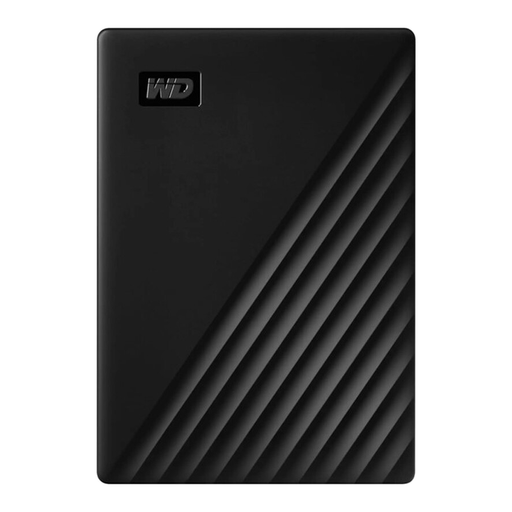
Western Digital My Passport 1TB Black
Could suit a smaller external archive if the stated storage capacity is right for your collection.
1 TB storage; 2.5-inch format; USB 3.0; 122 g.
You’ll also need to set up a versioned backup to keep earlier edits.
View at Joybuy
 No image available
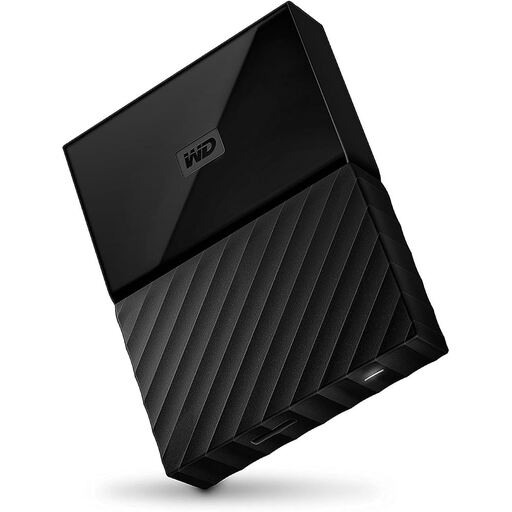
Western Digital My Passport 4TB Black
Could suit you if you want to store photos and project files externally and protect access to them.
4 TB storage; 2.5-inch format; USB 3.0; AES-256 hardware encryption with WD Security.
You may need to reformat it for other operating systems. You’ll also need a versioned backup to keep earlier edits.
View at Joybuy
Frequently asked questions
Does an external hard drive automatically save earlier versions of my photos?
No, you’ll need to set up a suitable backup. On Windows, File History can restore earlier versions of backed-up files; on Mac, Time Machine provides automatic backups. Check that your project folders are included. Microsoft Support explains File History, while Apple Support covers Time Machine.
Can I use a Windows-formatted drive with Time Machine without changing anything?
No. Apple explains that a Windows-formatted volume can’t be used straight away as a Time Machine destination. Reformatting it may delete any data already on the volume, so make a separate backup first.
What else should I do after buying a drive?
Set up your backup and test that you can restore a file. For particularly important photos, Germany’s Federal Office for Information Security recommends keeping another copy separately, so you’re not relying on just one drive.
How should I dispose of an old external hard drive in Germany?
Electrical and electronic waste must not go in household rubbish. The German Environment Agency lists municipal recycling centres as a disposal option. Germany’s Federal Office for Information Security recommends securely deleting personal photos before passing on or recycling a drive, unless they’re already protected against access.


