For large club archives, an external HDD is an obvious choice when having enough space for the current collection of files and older backup versions is the priority. If you regularly transfer large folders between locations, an SSD may be a better fit for your workflow; its quoted maximum speeds depend on compatible devices and cables. In either case, a tested recovery process is part of a sound backup plan, and access and confidentiality should be considered when handling personal data.
Who needs an external drive?
Club archives with large project folders
If you need to keep extensive documents and older backup versions, it’s important to work out how much storage you need and make sure you can restore your files. Germany’s Federal Office for Information Security includes both in a backup plan.
People responsible for membership records
If you’re backing up data that can identify people, consider confidentiality and access rights as well as the backup itself. The right safeguards depend on the data and the specific process involved.
Project teams working across multiple locations
If you regularly transport large folders or copy them between club computers, check transfer times, connections and file systems against how the devices are actually used.
What should you look for when choosing one?
For large club project folders, the main buying considerations depend on how you work.
External HDD
A good fit if: large archives and planned backup versions need more space than fast transfer times.
Trade-off: Netzwelt rates HDDs as slower than SSDs for file transfers, which may matter if you regularly move large files.
External SSD
A good fit if: you regularly copy large project folders or often take the drive with you.
Trade-off: Samsung says the T7 Shield’s maximum speeds require a compatible host device and cable, as well as UASP.
| Consideration |
What to check before buying |
Who it matters most to |
| Capacity |
Work out the storage needed for all folders and how many older backup versions you want to keep. |
If a club archive needs to hold large project folders and several backup versions, you’ll need space beyond what your files currently require. Around 33% of consumers put capacity for folders and backup versions first. |
| Recovery |
Choose a backup method and test restoring files using sample data. |
If you need to recover a usable earlier version after deletion or a failure, a tested process matters. Around 27% of consumers prioritise the ability to restore their backups. |
| Confidentiality |
For personal data, check access and suitable encryption as part of your specific workflow. |
If you’re backing up membership records, you’ll want to prevent unauthorised access to the drive and plan for security and passwords. Around 20% of consumers put confidentiality first. |
| Transfer speed |
Check how often you transfer large files and whether your devices and cables have the connections you need. |
If project teams regularly copy large folders between locations, transfer times can affect their workflow. Around 13% of consumers prioritise speed and portability. |
| Compatibility |
Check the operating systems, connections, file system and backup software on the computers you use. |
If you need to back up files on several club computers and open them again later, make sure the setup works on every device. Around 7% of consumers put compatibility first. |
Common backup mistakes
-
Assuming the largest capacity means you have a complete backup plan
A drive on its own doesn’t determine which data and older versions are backed up, or whether you can restore them when needed. Germany’s Federal Office for Information Security includes both creating and restoring backups in a backup plan.
Before choosing a capacity, work out how much data you have and which older versions you need. Then test restoring your files. Keeping several backup versions may require extra storage, as well as time for setup and testing.
-
Buying an SSD based only on its advertised maximum speed
The quoted speeds won’t necessarily apply on every club computer. Samsung specifies that the T7 Shield needs a compatible host device and cable, as well as UASP mode.
Check the connections on your computer and cable, and how often you actually transfer large files. If you only back up occasionally but need lots of space, an HDD may also be worth considering.
-
Assuming password protection or a rugged casing provides complete data protection
Membership lists and identifiable photos may contain personal data. A protective casing doesn’t replace checking who can access your backup and how the data is protected if the drive is lost.
If you’re backing up personal data, check access rights and whether suitable encryption fits your specific process. Don’t assume that password protection is the same as encryption without checking.
Relevant brands at a glance
Toshiba
The Canvio Basics range is a portable HDD option for capacity-focused backups.
- Toshiba Storage Solutions, EMEA, quotes capacities of up to 4 TB for Canvio Basics, with USB power and NTFS as the pre-formatted file system.
- Toshiba says reformatting is required for macOS. This information applies to Canvio Basics and not automatically to other Canvio models.
Western Digital
The My Passport range includes a 5 TB portable HDD.
- For the WDBPKJ0050BBK-WESN variant, Western Digital specifies USB and offers backup software.
- The availability of software alone doesn’t prove that club data can be restored successfully using your specific backup process.
Seagate
The Expansion Portable is another portable HDD option.
- The Expansion Portable is another range to consider when looking for external drives.
- Features specific to Expansion models can’t automatically be assumed to apply to the One Touch HDD.
Samsung
The Portable SSD T7 Shield is an SSD option for frequent transfers and portable use.
- For the MU-PE4T0S/EU variant, Samsung specifies 4 TB, an IP65 rating and sequential maximum speeds of 1.050 and 1.000 MB/s respectively.
- Samsung’s maximum speeds depend on the host device, cable and UASP. These are manufacturer figures; Samsung says liquid and dust damage are excluded from the warranty.
Crucial
The X9 Pro CT4000X9PROSSD9 is a portable 4 TB SSD option for file transfers.
- Crucial quotes read and write speeds of up to 1.050 MB/s and includes a USB-C cable.
- A USB-C-to-USB-A adapter is listed separately. The maximum speeds are manufacturer figures, not measurements taken on your club’s computers.
Joybuy products for club files
The following models include external HDDs for large archives and an external SSD for frequent transfers. Check that the stated capacity suits your data and the backup versions you want to keep.
 No image available
WD Elements Portable 5TB USB-C
This portable external HDD is an option for large folders. Check that its capacity suits your data and the backup versions you plan to keep.
Stated capacity: 5 TB. Connection listed in product name: USB-C.
View at Joybuy
No image available
WD Elements Portable 6TB USB-C
This portable external HDD is worth considering for large project folders and planned backup versions, provided its capacity meets your actual storage needs.
Stated capacity: 6 TB. Connection listed in product name: USB-C.
View at Joybuy
 No image available
WD Elements 8TB Desktop External Hard Drive, USB 3.0
This desktop HDD is an option for a permanently set up backup drive if space matters more to you than portability.
Stated capacity: 8 TB. Connection listed in product name: USB 3.0. Described as a stationary drive; the supplied power adapter needs to be plugged into a mains socket for operation.
View at Joybuy
 No image available
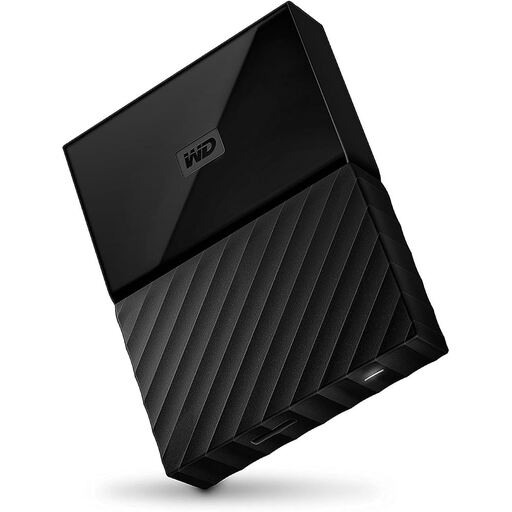
Western Digital My Passport 4TB Black
This portable My Passport HDD is an option for club folders if 4 TB is enough for your data and the number of backup versions you plan to keep.
Stated capacity: 4 TB. Colour: Black.
The description says reformatting may be required for operating systems other than the Windows versions listed.
View at Joybuy
 No image available
Samsung Portable Solid State Drive T7 4TB USB Type-C 3.2 Gen 2 Titanium Grey
This external SSD is worth considering if you often transfer large project folders or take the drive with you.
Stated capacity: 4 TB. Connection listed in product name: USB Type-C 3.2 Gen 2. The description says AES-256 hardware encryption can be set up with a password using Samsung Magician.
View at Joybuy
Frequently asked questions
Is a large external drive enough on its own as a backup?
No. A drive on its own doesn’t make a complete backup. Decide which data and versions to back up, then test a restore to make sure you can retrieve them. Germany’s Federal Office for Information Security treats backup and restore as parts of the same backup plan.
Do I need to set anything up before my first backup?
Yes. First, check the file system, your computer’s connection and your backup method. Toshiba lists NTFS as the pre-formatted file system for Canvio Basics and says reformatting is required for macOS; this doesn’t apply to all drives as a rule.
What ongoing costs should the club check after buying?
Check whether your backup method needs extra software or additional backup media, and read the warranty terms for the specific model. Samsung excludes liquid and dust damage from the T7 Shield’s warranty, so its protection rating is not a guarantee against this type of damage.
Do data protection rules in Germany apply to backed-up membership data?
Yes, if the club processes personal data. The State Commissioner for Data Protection and Freedom of Information of Rhineland-Palatinate explains that this also applies to charitable and unregistered clubs. The appropriate technical and organisational safeguards for a particular backup depend on the data being processed and the risks involved.


