What should you consider when choosing?
Portable external SSD
A better fit if: you regularly transport the handover folder or copy large batches of scans.
Keep in mind: advertised peak speeds require a compatible connection. Speed is no substitute for access protection or a separate backup.
Portable external HDD
A better fit if: you keep a larger collection in one place most of the time and rarely transport it.
Keep in mind: an HDD is still a single storage device that can fail. Check the specific model’s encryption and whether the recipient will be able to read it.
| What matters |
What to check before buying |
Who should pay particular attention |
| Confidentiality |
Assess how much protection the files need and whether encryption and unlocking will work on the recipient’s device. A password feature alone does not prove that the handover is adequately secure. |
When I hand over customer scans, I want to prevent unauthorised access while ensuring the customer can access the files. Around 36% of consumers put confidentiality first. |
| Recoverability |
Plan a separate backup and try opening files from it before the handover. |
If the scans need to remain available after a drive failure or deletion, a tested recovery process matters to me. Around 29% of consumers prioritise recoverability. |
| Readability for the recipient |
Check the operating system and USB port; test the cable, file system, unlocking method and a sample PDF. |
If the recipient uses a different computer, I want them to be able to open the files without unnecessary hassle. Around 21% of consumers put device compatibility first. |
| Right-sized capacity |
Check the size of the scan folder, including planned additions, and compare it with the usable storage on the specific model. |
If I’m handing over a large collection of scans, I need enough space without paying extra just for top speeds. Around 14% of consumers prioritise storage needs and purchase cost. |
For scans containing personal data, protection and unlocking should be appropriate to the specific processing risks. The Federal Commissioner for Data Protection and Freedom of Information and the European Data Protection Board recommend risk-based technical and organisational measures. Encryption is one possible measure, but it is not automatically a complete solution.
Drives at Joybuy
This selection includes portable HDDs for larger collections of scans or those mainly kept in one place, as well as portable SSDs for compact file handovers.
 No image available
WD Elements Portable 4TB USB-C
For a larger collection of scans, if you’re looking for a portable external drive.
4 TB storage; USB-C; USB 3.2 Gen 1. Described as a 2.5-inch drive and, according to the product description, pre-formatted for Windows and Mac.
View at Joybuy
 No image available
WD Elements 2TB Portable External Hard Drive
For a folder of scans you want to use on a portable external drive with both Windows and Mac devices.
2 TB; USB-C; USB 3.2 Gen 1; 2.5-inch; pre-formatted as exFAT. An adapter may be required for the stated backwards compatibility with USB-A.
View at Joybuy
 No image available
KEXIN External SSD 256GB
For a compact file handover, if the stated capacity is enough for your scan folder.
256 GB; USB 3.1; up to 500 MB/s according to the product title. The description lists PCs, Macs and Android devices, as well as cables and adapters included in the box.
View at Joybuy
No image available
KEXIN External SSD 512GB
For a larger scan folder or mobile file transfers, provided the capacity suits your collection.
512 GB; USB 3.1 Type-C; up to 500 MB/s according to the product title. The description lists a portable aluminium casing, with cables and adapters included in the box.
View at Joybuy
 No image available
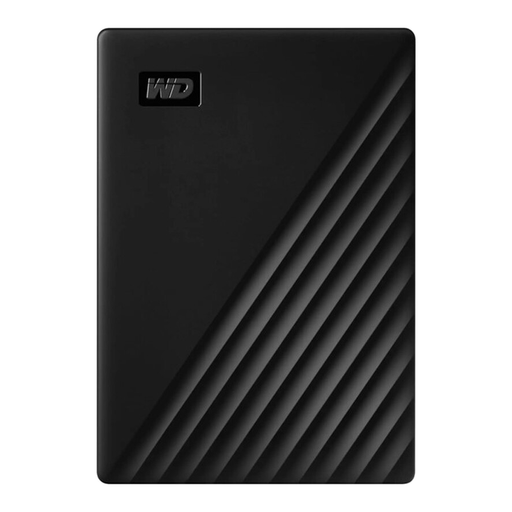
Western Digital My Passport 1TB Black
For storing scanned documents on the go with a portable external HDD.
1 TB; USB 3.0; 2.5-inch format; 122 g according to the product description. Depending on the operating system, formatting may be required before transferring files.
View at Joybuy
Frequently asked questions
Does every drive used to hand over scanned customer records need to be encrypted?
You can’t determine that from the term ‘customer records’ alone. For scans containing personal data, the technical and organisational security measures required depend on the specific risks. The European Data Protection Board and the Federal Commissioner for Data Protection and Freedom of Information list encryption as one possible security measure.
Can the handover drive also serve as a backup?
Not if it’s the only remaining copy. Keep a separate backup and check before handing over the drive that you can actually open files from it. The German Federal Office for Information Security recommends testing that you can restore files too.
What should I test before the first handover to someone using another computer?
Test the available USB port with the cable you plan to use, the file system, the unlocking method if applicable, and a few representative files. For example, for the Canvio Basics range examined, Toshiba specifies NTFS and says reformatting is required for macOS.
What ongoing costs and tasks should I plan for after buying?
Allow for a separate backup device and time to maintain and test your backups. Also check the warranty terms and, for encrypted models, how access details are managed. A warranty cannot replace recoverable files.
Can I simply pass on an old drive containing customer data?
If it contains personal data, deleting or destroying it must also be appropriate to the risks involved in processing that data. The German Federal Office for Information Security points out that sensitive data may sometimes still be recoverable after a simple factory reset.


