People managing large teaching archives
If you want to keep complete recordings, supporting materials and older versions of projects, allow enough capacity for entire folders and an additional, separate backup.


For completed teaching projects that you’ll mainly archive, an HDD with enough space for complete folders and additional versions is a sensible starting point. If you often copy large, current folders or work on them while you’re out and about, an SSD may be a better fit – provided it has enough capacity. In either case, check that your devices have compatible connections and file systems, and plan for a separate backup that you’ve tested restoring from.
If you want to keep complete recordings, supporting materials and older versions of projects, allow enough capacity for entire folders and an additional, separate backup.
If you regularly move or edit large folders, consider the drive, your computer’s connection and the cable you’ll use together when making your choice.
If you switch between different computers, check the file system and the requirements of the backup software you actually use, as well as the connections.
First decide whether your priority is storing multiple versions of projects long term or transferring files frequently. Then check capacity, backup options and device compatibility.
| Priority | What to check before buying | Who is it especially relevant to? |
|---|---|---|
| Space for complete project folders | Add up folder sizes, extra versions and expected growth. | If I want to keep complete recordings, materials and older versions, enough capacity comes first. Around 36% of consumers put available storage at the top of their list. |
| A backup you can restore | Plan for a separate copy and test restoring a file. | If you want another copy to rely on after files are deleted, a device fails or something is lost, you should plan how to restore them. Around 29% of consumers give this priority. |
| Frequent transfers | Check the USB mode supported by your computer and drive, and the cable you’ll use. | If I often move or work directly on large, current project folders, I pay particular attention to the connection and the capacity I need. Around 21% of consumers prioritise transfer speed. |
| Using the drive with several devices | Check that the connections, cables, file system and backup software requirements are compatible. | If you need to use teaching files with several specified devices or a particular backup program, check its format requirements in advance. Around 14% of consumers pay particular attention to this compatibility. |
If the drive fails or gets lost, the only copy stored on it could be lost too. Germany’s Federal Office for Information Security points out that backed-up data must also be recoverable.
Keep the original and backup separate, and try restoring a project file to check that it works.
The connection is limited by the capabilities of the devices involved. Samsung quotes maximum speeds for the T7 Shield that require a compatible computer, suitable cables and UASP.
Check the USB mode supported by your computer and drive, as well as the cable, before relying on a quoted speed. According to the USB Implementers Forum, a USB connection runs at the lowest speed supported by the devices connected.
Apple specifies its own format requirements for Time Machine. Reformatting a drive can erase the files already stored on it.
Save any existing data elsewhere before formatting a volume. Decide separately whether you want the drive to transfer files between devices or store Time Machine backups.
The Canvio range includes portable options for archives and switching between devices, as well as a desktop version for a dedicated workspace.
The manufacturer’s portable external hard drive is an HDD option for larger archives that you’ll occasionally take with you.
The portable T7 Shield SSD may suit current project folders that you move around frequently, provided 2 TB is enough for your planned storage.
The models below include portable and desktop HDDs for storage, as well as portable SSDs for project folders you move more frequently.
 No image available
A portable HDD for larger project folders that you want to use with compatible computers.
Capacity: 5 TB. USB-C and USB 3.2 Gen 1; listed as compatible with Windows and Mac in the product details.
 No image available
A desktop HDD for a large project library at a dedicated workspace.
Capacity: 8 TB. USB 3.0, 3.5-inch form factor and mains-powered operation. Reformatting is required for the macOS use described.
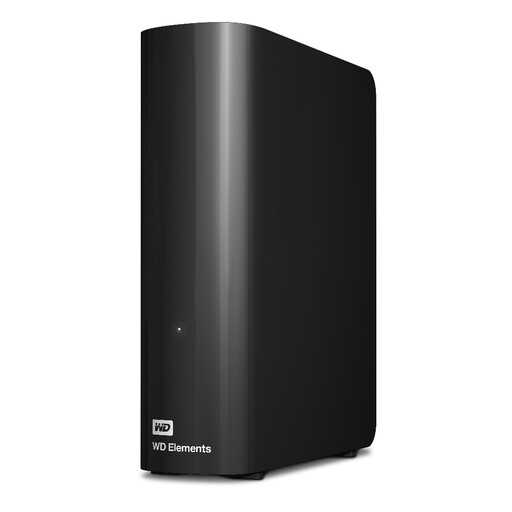 No image available
A desktop HDD for storing lots of complete project folders and older versions in one dedicated location.
Capacity: 20 TB. USB 3.2 Gen 1, a USB-A cable and a power adapter are listed; the desktop form factor is designed for stationary use.
 No image available
A portable SSD for current project folders that you regularly transfer between workspaces, provided 2 TB is enough.
Capacity: 2 TB. USB 3.2 Gen 2; USB-C and USB-A cables are listed.
 No image available
A portable SSD for larger project folders that you move frequently between compatible devices.
Capacity: 4 TB. USB 3.2 Gen 2; cables for USB-C and USB-A connections are listed.
Add the relevant folders to an existing or new library so that Windows File History includes them. Microsoft describes backing up to an external drive or network storage. Then check that you can restore the project files and versions you need.
Not necessarily: Apple recommends APFS or APFS (Encrypted) for Time Machine. Reformatting will erase the existing data on the volume. Save it elsewhere first, and separately consider whether you also want to use the drive to transfer files.
A single copy on an external drive won’t protect you if that drive fails or gets lost. Germany’s Federal Office for Information Security recommends considering whether backups can be restored. Keep a separate copy and test that you can restore a file.
Buying a drive doesn’t give you permission to make recordings. If voices can be linked to individuals, those responsible must check the legal basis, purpose and appropriate safeguards for the specific use; the General Data Protection Regulation protects personal data. Whether consent is required can’t be decided as a general rule without details of the organisation, federal state, people involved and intended use.