What should you look for when buying?
Portable HDD
A good fit if: Your archive usually stays in one place and you want room for additional local backups.
Things to weigh up: Check the capacity, connection and security features of the specific variant; an HDD is a mechanical drive.
Portable SSD
A good fit if: You often move the drive between devices and want a compact design.
Things to weigh up: Manufacturers’ maximum speeds are based on suitable connections and test conditions. They don’t directly tell you how quickly individual small scans will copy.
When choosing an external drive for scanned receipts without using the cloud, focus on having a backup you can restore, protecting confidential scans, allowing enough room for your archive and checking that the connections work with your devices.
| Priority |
What to check when buying |
Who is this important to? |
| Restorable backup |
Allow room for your archive and a separate copy. Test a few files after copying, then disconnect the backup drive from your computer. |
If I don’t want to lose important scans if a drive fails, I need a separate copy that I can restore; around 33% of consumers say the ability to restore their files is their main priority. |
| Keeping scans confidential |
Know the difference between a password lock and encryption. Check that the feature works with the specific model and operating system, and keep your login details somewhere separate from the drive. |
If my receipts contain personal information, I want to protect it if the drive is lost, without risking losing access myself because I forget a password; around 27% of consumers say confidentiality is their main priority. |
| Room for your archive |
Take into account the size of your existing scans, future years’ receipts and planned backup copies, rather than estimating capacity from the number of receipts alone. |
I want to allow enough space for scans and additional backups as my archive grows; around 20% of consumers say archive size is their main priority. |
| Switching devices and portability |
Check the connections, cables included and supported operating systems against your devices. If needed, also check which file system is required. |
If I need my scans on several devices or while I’m out and about, I want to be able to connect and use the drive wherever I need it; around 20% of consumers say switching devices or portability is their deciding factor. |
Joybuy products for storing receipts locally
The following Joybuy options are external WD Elements HDDs for storing files locally, from portable models to a desktop drive designed to stay in one place.
 No image available
WD Elements Portable 5TB USB-C
Portable 5-TB HDD with USB-C for storing files locally.
View at Joybuy
No image available
WD Elements Portable 4TB USB-C
Portable 4-TB HDD with USB-C and a stated weight of 240 g.
View at Joybuy
 No image available
WD Elements 2TB Portable External Hard Drive
Portable 2-TB HDD with USB-C, USB 3.2 Gen 1, exFAT and a 2.5-inch form factor.
View at Joybuy
 No image available
WD Elements Desktop 8TB External Hard Drive
Desktop 8-TB external HDD with USB 3.0 and a 3.5-inch form factor; requires an external power supply to operate.
View at Joybuy
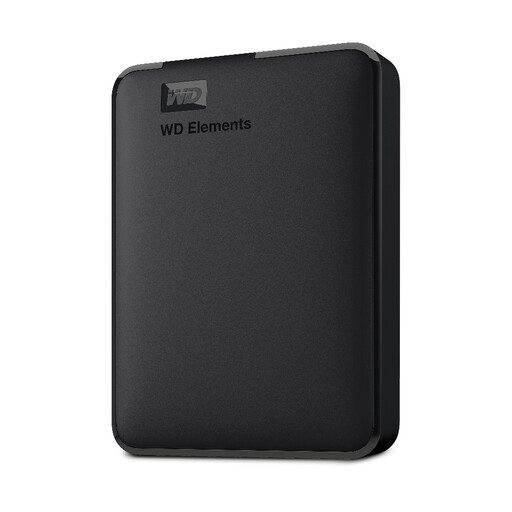 No image available
Western Digital Elements Portable External Hard Drive 1TB
Portable 1-TB HDD with USB 3.0 and a stated weight of 130 g. Reformatting is required for the Mac use described.
View at Joybuy
Frequently asked questions
Is it enough to move my scans to a single external hard drive?
No, not if you don’t have another copy afterwards. Keep a separate backup of important scans, check that you can restore them and disconnect the backup drive from your computer when you’re not backing up, as recommended by the Federal Office for Information Security.
Do I need to install extra software for a local backup?
Not necessarily: depending on the drive and computer, you can copy files directly. First check whether you need automatic backups, multiple backup versions or encryption specific to the manufacturer, and whether the software works with your operating system.
What should I check if a drive fails, and when looking at warranty information?
First, check whether you can read your separate backup. If an item is faulty, statutory consumer rights against the seller are different from a voluntary manufacturer’s guarantee; a guarantee does not replace a backup.
Can I destroy business paper receipts after scanning them in Germany?
Not as a general rule. The GoBD guidance from the Federal Ministry of Finance allows originals to be destroyed after they have been properly captured as images only if no tax or other regulations require you to keep them. You must assess separately whether these conditions apply to specific receipts; the GoBD are not a general buying requirement for personal receipts. The changes to digital till receipts presented in September 2026 were a draft bill, not permission already in force to destroy all receipts.


