Who is this guide for?

Podcasters building a growing episode archive

If you finish episodes regularly, you’ll need space for the entire project folder, not just the published audio file. Western Digital offers My Passport variants with up to 6 TB. Choose a capacity that suits your existing archive and how much it’s likely to grow.

Podcasters working in different locations

If you often move projects between computers or need to access them on the go, consider transfer speeds, the available USB port and ease of use together. Samsung’s T7 Shield specifications apply under specific host, cable and UASP conditions.

People responsible for sensitive recordings

For interviews or unpublished conversations, being able to recover files and prevent unauthorised access may be important. The safeguards you need depend on the content and how personal data is processed. The Federal Commissioner for Data Protection and Freedom of Information and the European Data Protection Board offer guidance on this.

What should you look for when buying?

Concern What to check before buying Who is this important to?
Capacity for project folders Add up the size of your complete project folders, allow for future growth and check the rated capacity of the specific variant. If I want to store completed episodes with their editing files and media long term, I base my choice on the actual folder sizes. Around 36% of consumers say capacity is their top concern.
Recovery and protection Plan for a separate backup and test that you can restore your files. If your recordings are sensitive, consider whether you need encryption. I want to be able to recover important recordings if a drive fails and protect stored data from access where necessary. Around 29% of consumers prioritise backup and access protection.
Transfer and working speeds Check the USB standard supported by your computer and cable. Don’t assume a manufacturer’s maximum speed represents the time it will take to copy a whole project. If I often copy large project folders or edit directly from the drive, I want to factor in waiting times. Around 21% of consumers say fast transfers are their main concern.
File system and connection Check that the operating system, backup software, file system and physical connection are compatible with the exact variant. Back up your data elsewhere before formatting. I want to add the drive to my Mac or Windows backup routine without any unexpected formatting steps. Around 14% of consumers say system compatibility is their top concern.

Common archiving mistakes

  • Using your archive drive as your only copy

    A fault, accidental deletion or damage where the drive is stored could make your only saved copy unusable. The Federal Office for Information Security recommends making sure you can restore backed-up data, too.

    Keep an additional copy somewhere separate, and regularly check that you can restore a project file along with its associated media.

  • Assuming “USB-C compatible” means the drive has a USB-C port

    The WD My Passport “Works with USB-C” version tested by PC-WELT has a Micro-B port on the drive. So the name alone doesn’t tell you which port the drive itself has.

    Check the connection details and what’s included with the specific variant before choosing a cable or adapter.

  • Assuming an SSD’s peak speed is the time it will take to copy a whole project

    Samsung’s maximum speeds for the T7 Shield depend on having a suitable host, compatible cable and UASP enabled. A manufacturer’s sequential speed figure isn’t a guaranteed copy time for a podcast project folder.

    Before paying extra for speed, check the USB standard supported by your computer and distinguish manufacturer figures from real-world test results.

  • Assuming a Windows-formatted drive is ready for Time Machine

    Apple recommends APFS or APFS (Encrypted) for Time Machine volumes. Reformatting a drive may erase any data already stored on it.

    Decide how you’ll use the drive before adding files, and back up anything already on it elsewhere before formatting.

Brands to consider

Western Digital

The My Passport range includes portable HDDs, with Western Digital offering variants with up to 6 TB.

  • For a growing archive, the capacity of the specific variant can be an important factor in your choice.
  • PC-WELT describes HDD-typical performance for the My Passport version it tested. The tested “Works with USB-C” model has a Micro-B port on the drive. These details don’t necessarily apply to other variants.

Samsung

Samsung’s German product listing includes a black 4-TB version of its portable T7 Shield SSD, model MU-PE4T0S/EU.

  • Samsung specifies USB 3.2 Gen 2 and maximum sequential speeds of up to 1.050 MB/s for reading and 1.000 MB/s for writing, provided the host, cable and UASP meet the stated conditions.
  • PC-WELT’s test of the 4-TB version notes its higher purchase price and slower performance on small write operations. Samsung’s IP65 rating is based on controlled test conditions; according to Samsung, liquid and dust damage aren’t covered by the warranty.

Seagate

According to Seagate, the Expansion Portable STKM5000400 is a portable 5-TB HDD powered via USB.

  • Seagate’s datasheet lists USB 3.0 and a USB cable for data transfer and power.
  • The Rescue service listed in the datasheet isn’t available in every country. Check the terms for the specific variant and place of purchase.

Toshiba

The Toshiba Canvio Basics range includes portable HDDs. Toshiba’s German website lists a 4-TB version with the part number HDTB540EK3CA.

  • Toshiba specifies USB power and plug-and-play use with Windows PCs.
  • For other systems or specific backup software, check that the drive and file system are suitable before adding your files. The Windows compatibility information isn’t a guarantee that it will work with Time Machine.

Crucial

The X9 Pro is a range of portable SSDs. Crucial lists CT4000X9PROSSD9 as a 4-TB version.

  • For the range, Crucial specifies speeds of up to 1.050 MB/s, an IP55 rating and exFAT pre-formatting, each subject to the conditions in its product specifications.
  • Crucial marks the X9 Pro as “EOL” on its website. Check whether the specific variant is currently available rather than relying on an older ranking or a previous software offer.

Drives for podcast projects

This selection includes portable HDDs and SSDs for project folders, as well as a desktop HDD for large archives that stay at the same workstation.

WD Elements Portable 5 TB USB-C

WD Elements Portable 5 TB USB-C

This portable HDD is an option if you want to archive project folders on the go and check that its stated capacity meets your actual storage needs.

5 TB; USB-C; USB 3.2 Gen 1; USB-powered.

View on Joybuy

WD My Passport 5 TB external hard drive

WD My Passport 5 TB

This portable HDD could suit a capacity-focused archive, provided you check in advance that its format works with your operating system and backup routine.

5 TB; USB 3.0; USB-powered; 256-bit AES hardware encryption according to the product specifications. Reformatting may be necessary to use file systems other than the pre-installed NTFS.

View on Joybuy

Samsung T7 2 TB external SSD

Samsung T7 2 TB

This portable SSD could be a good choice if you transfer project files frequently and its stated capacity is enough for your complete folders.

2 TB; USB 3.2 Gen 2; manufacturer’s maximum speeds of up to 1.050 MB/s for reading and 1.000 MB/s for writing. Actual performance depends on factors including the host and connection.

View on Joybuy

Lexar ES5 Portable SSD 1 TB

Lexar ES5 Portable SSD 1 TB

This portable SSD could suit frequent transfers if 1 TB is enough for your project archive and your devices support the relevant USB standard.

1 TB; USB 3.2 Gen 2x2; manufacturer’s maximum speeds of up to 2.000 MB/s for reading and writing. Performance may be lower on computers without USB 3.2 Gen 2x2. The product specifications state that iCloud backup isn’t supported.

View on Joybuy
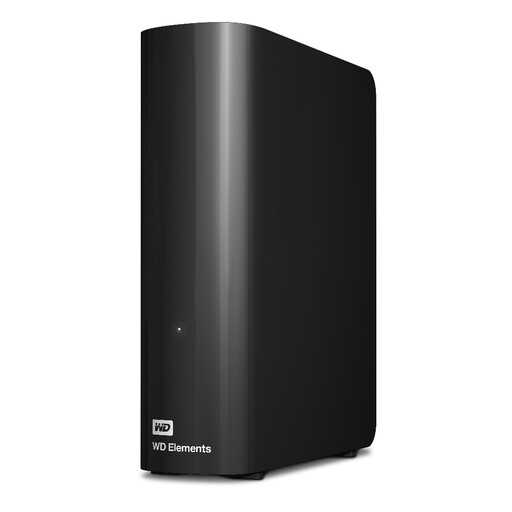
WD Elements Desktop 20 TB external hard drive

WD Elements Desktop 20 TB

This desktop HDD is an option for a large archive if the drive will stay at the same workstation most of the time.

20 TB; USB 3.2 Gen 1; designed as a desktop drive and supplied with a mains adapter, according to the product specifications.

View on Joybuy

Frequently asked questions

Is it enough to move finished episodes to an external hard drive?

Not if that drive will then contain the only copy. Make a separate backup of the project files you need and test that you can restore them. The Federal Office for Information Security points out that it must be possible to restore backed-up data, too.

Do I need to format a new drive for Time Machine?

It depends on the existing file system. Apple recommends APFS or APFS (Encrypted) for Time Machine volumes. A drive formatted for Windows may need to be reformatted, which could erase any data already on it, so back up those files elsewhere first.

How do I back up a podcast folder in Windows using File History?

Microsoft says an external drive can be used as a backup destination. If your project folder isn’t in one of the libraries included by default, you’ll need to add it to a library. Then check that you can restore the files.

Do podcast interviews have to be stored on a specific encrypted hard drive?

Those responsible for personal data must put in place technical and organisational safeguards that are appropriate to the risks. This doesn’t mean that a particular type of drive is always required. The content and how it’s processed determine the level of protection needed. Encryption may be especially relevant when transporting portable storage devices. However, the Federal Commissioner for Data Protection and Freedom of Information notes that it doesn’t offer the same protection when a drive is switched on or unlocked.

Does a drive warranty cover recovery of my recordings?

No. Don’t assume a drive warranty includes a promise to recover your data. Western Digital offers a three-year limited warranty for the My Passport range. Seagate notes that its Rescue service isn’t available in every country. Check the terms for the specific variant and where you’re buying it.