What should you look for when choosing a drive?
Large desktop HDD
A good fit if: you want to back up your entire library in one place and need plenty of capacity.
The trade-off: You’ll need space for a stationary drive and, in some cases, a power supply.
Portable HDD
A good fit if: you move project folders between devices and mainly store them, rather than regularly transferring large amounts of data.
The trade-off: Check that the capacity of the specific model is sufficient for your projects and planned backups.
Portable SSD
A good fit if: you frequently copy large project folders or need them on the go, and they’ll fit on the SSD you choose.
The trade-off: Manufacturers’ maximum speeds depend on using compatible ports and cables; they don’t guarantee a particular backup time.
First, work out which folders and additional backup versions you need to store. Then check the drive’s design, connections and your recovery process.
| What matters |
What to check before buying |
Who should pay particular attention? |
| Capacity and library growth |
Compare the capacity of the specific model with your library and the additional backup versions you plan to keep. Capacity figures in TB given by manufacturers may differ from what your operating system displays. |
I want to store my entire library and additional backups, rather than leave files out. That’s why around 33% of consumers put total capacity first. |
| Portability and connections |
Check the ports on both computers, which cables are included and the size of the projects you need to transport. |
If I regularly take project folders between computers, the drive’s design and connections need to suit my devices. That’s why around 27% of consumers prioritise portability and connections for use with different computers. |
| Copying and recovery time |
Check that your host device, cable and required transfer mode support the stated figures. Balance speed against the capacity you need. |
If I regularly copy or restore large folders, I want to use a suitable high-speed connection. That’s why around 20% of consumers prioritise the time needed to transfer files. |
| A backup process you can verify |
Decide which folders and backup versions to include, and check compatibility with your devices and backup software. The Federal Office for Information Security recommends checking that backups are complete and readable. |
I don’t just want to store files elsewhere – I want to be able to restore them when needed. That’s why around 20% of consumers focus on regular, readable backups and a tested recovery process. |
Joybuy products for a dedicated backup setup
This selection includes external WD Elements desktop drives in different capacities, designed for a backup setup that will mainly stay in one place.
 No image available
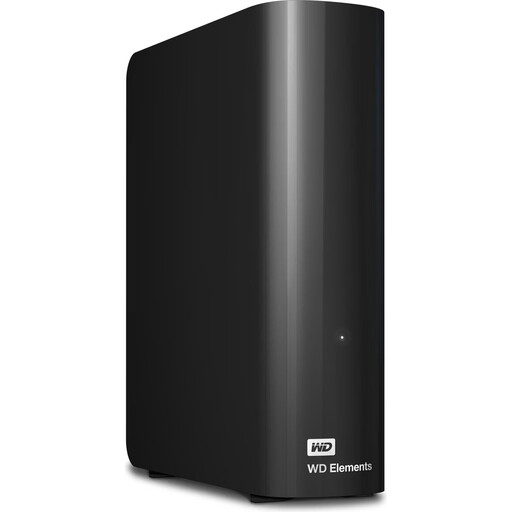
WD Elements desktop hard drive, 24 TB, USB 3.2 Gen 1, 3.5-inch, black
For a large media library in a dedicated backup location. The product description lists media libraries, backups and large files as suitable uses.
24 TB; 3.5-inch desktop design; USB 3.2 Gen 1; power supply included. Don’t use it as the only copy of important data.
View at Joybuy
 No image available
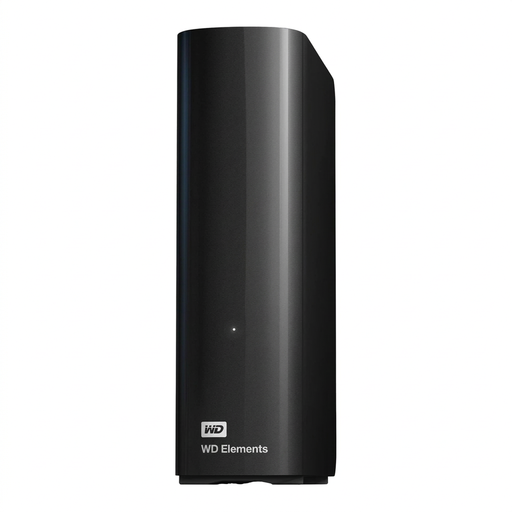
WD Elements desktop hard drive, 14 TB, USB 3.0, 3.5-inch, NTFS, black
For a large library in a dedicated backup location. Compare the capacity of this specific model with your project folders and additional backup versions.
14 TB; 3.5-inch desktop design; USB 3.0; NTFS; power supply included. According to the product description, reformatting is required for use with macOS. Back up any existing data elsewhere first.
View at Joybuy
 No image available
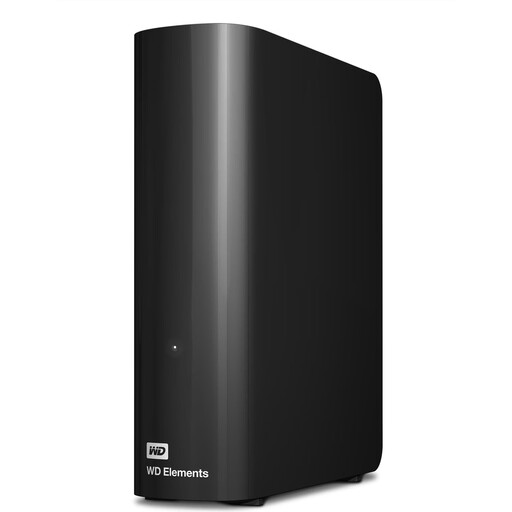
WD Elements desktop hard drive, 12 TB, USB 3.2 Gen 1, 3.5-inch, NTFS, black
For a large media library and project files in one place. Check whether 12 TB will also be enough for any additional backups you plan to keep.
12 TB; 3.5-inch desktop design; USB 3.2 Gen 1; NTFS; power supply included. According to the product description, reformatting is required for use with macOS. Back up any existing data elsewhere first.
View at Joybuy
 No image available
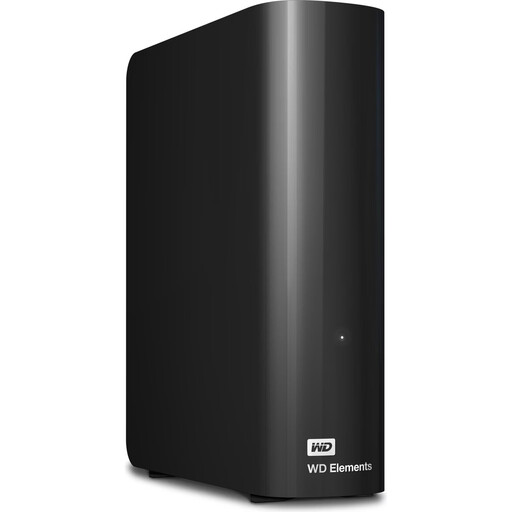
WD Elements desktop hard drive, 10 TB, USB 3.2 Gen 1, 3.5-inch, NTFS, black
For media libraries and backups in a dedicated location. Compare the 10 TB capacity with the full size of your projects.
10 TB; 3.5-inch desktop design; USB 3.2 Gen 1; NTFS; power supply included. According to the product description, reformatting is required for use with macOS. Back up any existing data elsewhere first.
View at Joybuy
 No image available
WD Elements desktop hard drive, 8 TB, USB 3.0, 3.5-inch, black
For media libraries and backups in one place. Check whether 8 TB is enough for your project folders and additional backup versions.
8 TB; 3.5-inch desktop design; USB 3.0; power supply included. According to the product description, reformatting is required for use with macOS. Back up any existing data elsewhere first.
View at Joybuy
Frequently asked questions
Should I simply move my video library to the external hard drive?
No. If the files are then stored only on that drive, you won’t have a second copy available. The Federal Office for Information Security recommends deciding what to back up, updating backups regularly and checking that files are readable and can be restored.
Can I use a hard drive formatted for Windows as a Time Machine destination without changing it?
Not without reformatting it. Apple explains that a volume formatted for Windows can’t be used with Time Machine as it is. Reformatting may erase existing data, so back it up elsewhere first.
How often should I back up, and what should I check afterwards?
Set a schedule based on how often you add or change projects. The Federal Office for Information Security recommends checking from time to time that your backup contains the intended data and that the files are readable. You should also test restoring the files you need.
Do all retailers include data recovery services or extended warranties?
No. Check the terms for the specific model and offer. Seagate describes Rescue Data Recovery Services for the Expansion Desktop range. Western Digital explicitly states that an additional year of warranty is only available when you buy through WesternDigital.com. Manufacturer services aren’t a substitute for a separate backup.
Can I put a retired external hard drive in household rubbish in Germany?
No. The German Environment Agency explains that electrical and electronic waste must be collected separately from unsorted household waste. Local collection points, such as recycling centres, are one way to return it. Remember to deal with the data on the drive before handing it in.


