If you want to restore earlier versions of your work, you’ll need to set up versioned backups and choose a drive with enough space. An external hard drive on its own won’t automatically store multiple versions. Microsoft Support explains how to restore previous versions using File History, while Apple Support notes that you may need to prepare a drive when setting up a Time Machine volume. So, before you buy, check which computers and connections you use, as well as your planned backup method.
Who is an external hard drive for apprenticeship projects suitable for?
Apprentices with lots of versions to keep track of
If you want to restore earlier versions of documents or project folders, you’ll need to set up versioned backups, not just add more storage. Microsoft Support explains how to browse saved file versions using Windows File History.
Apprentices with large project folders
If you’re backing up large files as well as documents, allow extra space for additional backup versions. The Federal Office for Information Security recommends making sure that you can restore your data later, too.
Apprentices using multiple computers
If you switch between locations or operating systems, check the connection, cable, file system and backup method together. Toshiba lists an NTFS file system for Canvio Basics; according to the manufacturer, reformatting is required for the documented macOS versions.
What should you look for when buying an external hard drive?
First, work out how you’ll back up and restore earlier versions of your projects. Then you can check how much storage you need and whether the drive is compatible with your computers.
| Buying consideration |
What to check before buying |
Who needs to consider this? |
| Earlier project versions |
Check whether the backup feature covers your project folders, set it up and test that you can restore files. |
If I need to retrieve specific earlier versions of my projects, I want to be sure the backup covers the relevant folders. Around 36% of consumers would prioritise restoring earlier versions. |
| Space for projects and backups |
Check how much storage you’re using, allow for future growth and confirm the capacity of the specific model. |
If my project folders are large or I’ll be adding more versions, the drive needs enough space for them. Around 29% of consumers would prioritise capacity for projects and additional backup versions. |
| Using the drive with multiple computers |
Compare your computer ports and cables; check the file system and backup requirements before you reformat the drive, if needed. |
If I want to use the drive with my existing computers, its connection and backup method need to be compatible. Around 21% of consumers would prioritise compatibility with their devices. |
| Protecting work or personal files |
Check your workplace’s rules before saving files. If personal storage is allowed, check the encryption options and whether you’ll be able to recover the key. |
If my project files contain work-related or personal information, I want to know whether external storage is permitted and how the data will be protected before copying anything. Around 14% of consumers would prioritise this level of protection. |
Avoid common mistakes when backing up project files
-
Assuming a large HDD automatically gives you a complete versioned backup
Earlier versions will only be available if your chosen backup method actually captures and keeps them.
Decide which folders and versions you want to back up. Set up the feature and test that you can restore an older file.
You’ll need to set up the backup and check it from time to time; keeping multiple versions requires extra storage space.
-
Treating the operating system, file system and cable as separate considerations
The connection and file system need to suit how you plan to use the drive. Toshiba says Canvio Basics drives come formatted as NTFS and require reformatting for the documented macOS versions.
Check the specific model and back up any existing files before formatting a drive.
Depending on the connection, you may need a compatible cable; if reformatting is required, allow extra time for setup.
-
Keeping your only backup with your work computer
If the computer and backup are affected by the same incident, you could lose both copies.
Keep a suitable backup in a separate, secure place. Follow the relevant rules for work-related files.
Brands to consider
Toshiba
Canvio Basics is a range of portable HDDs that connect via USB.
- For the documented range, Toshiba lists 1 TB, 2 TB and 4 TB models, as well as USB 3.2 Gen 1.
- The documented range comes formatted as NTFS for Windows; according to Toshiba, reformatting is required for the listed macOS versions.
Intenso
Memory Case is a range of portable HDDs, while Memory Center is a separate desktop range.
- Intenso says Memory Case is powered via the supplied USB-A cable and lists, among others, 2 TB and 5 TB models.
- According to Intenso, Memory Center has a different form factor: 3.5 inches. Versioned backups need to be set up separately for both ranges.
Western Digital
My Passport is a range of portable HDDs.
- The My Passport product name can help you find your way around the range of portable drives.
- Check the model name, capacity and version carefully: My Passport and My Passport Ultra are different product names.
Seagate
Basic is a range of portable hard drives for storing and carrying files.
- Seagate lists USB 3.0 and 1 TB, 2 TB, 4 TB and 5 TB models for Basic.
- Compare the features of the specific regional model with your connections and backup method.
Joybuy products for portable external backups
These are portable external HDDs for project files. To keep multiple versions that you can restore, you’ll also need to set up a suitable backup method.
 No image available
WD Elements Portable 5TB USB-C
For project folders and planned backup versions, as long as there’s enough available storage.
5 TB; 2.5-inch form factor; USB-C.
The hard drive alone won’t create multiple file versions; versioned backups need to be set up separately.
View at Joybuy
No image available
WD Elements Portable 4TB USB-C
For project folders and planned backup versions, as long as there’s enough available storage.
4 TB; 2.5-inch form factor; USB-C.
The hard drive alone won’t create multiple file versions; versioned backups need to be set up separately.
View at Joybuy
 No image available
WD Elements 2TB Portable External Hard Drive, USB-C, USB 3.2 Gen 1, 2.5", exFAT, Black
For project files on computers where the connection and file system suit how you plan to use the drive.
2 TB; USB-C; exFAT. The product description says it works with Windows and macOS.
The hard drive alone won’t create multiple file versions; versioned backups need to be set up separately.
View at Joybuy
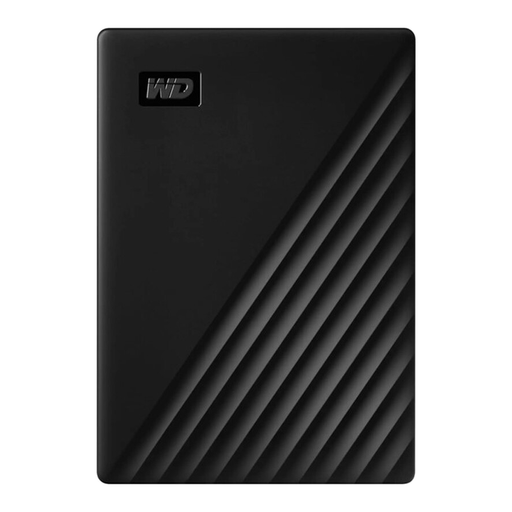 No image available
Western Digital My Passport 1TB Black
For project files and backup versions, if 1 TB is enough for your planned storage needs.
1 TB; 2.5-inch form factor; USB 3.0.
The hard drive alone won’t create multiple file versions; versioned backups need to be set up separately.
View at Joybuy
 No image available
WD My Passport External Hard Drive 2 TB
For mobile project files, if the capacity suits the backup versions you plan to keep.
2 TB; USB 3.0. The product description lists automatic backup options and password protection.
Automatic backup options don’t necessarily provide versioned backups; check whether the feature you choose keeps earlier versions of your projects.
View at Joybuy
Frequently asked questions about external hard drives for apprenticeship projects
Does an external hard drive automatically save multiple versions of my project files?
No. You’ll need to set up a suitable backup method. Microsoft Support explains that Windows File History can restore earlier versions of the folders it covers. Check that your project folder is included and test that you can restore files.
Can I use a Windows-formatted HDD with Time Machine straight away?
Don’t assume so. Toshiba says the documented Canvio Basics drives come formatted as NTFS and require reformatting for the listed macOS versions. Apple Support notes that setting up a Time Machine volume may erase the storage device. So, back up any existing files somewhere else first.
How can I check that my backup will work when I need it?
After setting it up, check that the intended project files are actually being backed up, then restore a test file. The Federal Office for Information Security stresses that restoring your data must work, too.
Can I save work-related apprenticeship files on a personal external hard drive?
Check with the relevant people at your workplace before copying any files. The Data Protection Conference explains that employees should generally process personal data in accordance with the data controller’s instructions; encryption alone doesn’t mean you have permission to store it.
Is a manufacturer’s warranty the same as your statutory rights?
No. Your statutory rights and a voluntary manufacturer’s warranty are different forms of protection. The consumer advice centre explains that warranties have their own terms and conditions. Check the details for the specific model, and don’t keep important data on just one drive.


