For large, growing interview archives kept in one place, a desktop HDD is a good fit. If you need to carry backups between your recording location and computer, a portable HDD powered over USB is more practical. Work out the size of your folders, allowing for future growth, and check the connections and file system. The German Federal Office for Information Security (BSI) recommends having enough storage and keeping an external backup securely in a separate location.
Which hard drive is right for you?
Family archivists
If you’re collecting audio, video and supporting files over a long period, you’ll need room for growing project folders and copies you can restore. The BSI recommends keeping backups on an external drive in a secure location elsewhere.
Interviewers on the move
If you back up project folders in different locations, check whether you can connect the drive without a separate power adapter and whether it’s compatible with your computer. Seagate describes the portable HDD range examined here as USB-powered.
Those backing up sensitive material
If you’re carrying a drive containing personal family stories or sharing it with others, consider encryption to help protect access. The BSI describes software and hardware solutions for encrypting files, folders or entire storage devices.
What should you check before buying?
First, work out the size of the entire project folder, including expected growth. Then decide whether the drive will usually stay in one place or travel with you regularly. Finally, check the file system and access protection.
| What matters |
What to check before buying |
Who should consider it? |
| Recoverability |
Allow enough space for the planned backup versions and test restoring selected files. The BSI recommends having enough storage for backup copies. |
If interviews can’t simply be recorded again, I want to check that I can restore a separate copy. Around 33% of consumers put recoverability first. |
| Archive capacity |
Add up all the raw recordings, edits and supporting files, and allow for planned growth. |
If my project folder includes raw footage as well as finished interviews, I need space for the whole archive. Around 27% of consumers prioritise capacity for large and growing folders. |
| Portability and connection |
Check the USB connection, cable and power supply at each location where you’ll use it; a desktop model may need a separate power adapter. |
If I’m backing up in different places, I want to use the drive without unnecessary connection problems. Around 20% of consumers prioritise portability. |
| Privacy and compatibility |
Check encryption, the file system and operating system compatibility for the exact model variant. Keep recovery information separately; according to Western Digital, WD Security cannot reset forgotten passwords. |
If personal interviews need to stay protected and accessible on the computers I plan to use, I need to consider access protection and compatibility together. Around 20% of consumers prioritise confidential access across devices. |
Avoid common backup mistakes
-
Moving your only copy to the new hard drive
A drive on its own isn’t an extra backup. If it fails or gets lost, you could lose the project folder without another copy.
Keep an additional copy separately and occasionally check that you can open selected files from it. The BSI recommends storing it securely in a separate location.
-
Planning to use a desktop model as a travel drive
According to Seagate’s instructions, the Seagate Expansion Desktop must be plugged into a mains socket; the portable Seagate range examined here is powered over USB.
Before buying, check where you’ll actually use it, what power is available and which connections you have.
At your fixed backup location, the Expansion Desktop also needs a suitable mains socket.
-
Enabling password protection without storing the password separately
Western Digital warns that a forgotten WD Security password cannot be reset, and you could lose access to the data stored on the drive.
Keep your password or recovery information somewhere safe, separately from the drive. Test your chosen protection solution with a test file before using it regularly.
-
Overlooking formatting when switching devices
According to Toshiba, the Toshiba Canvio Basics examined here comes pre-formatted with NTFS for Windows and needs reformatting for the macOS versions listed. This doesn’t automatically apply to other models or variants.
Check the file system and supported operating systems for the exact model variant you want before saving files to it.
A closer look at the brands
The notes below relate to the specific product ranges and variants mentioned, rather than offering a general assessment of the brands.
Toshiba
Canvio Advance is a range of portable HDDs for mobile backups; Toshiba lists variants of up to 4 TB for the range examined here.
- Toshiba lists downloadable backup and security software for Canvio Advance.
- The details about pre-formatting with NTFS and the need to reformat for certain macOS versions apply to Canvio Basics. Don’t assume they also apply to Canvio Advance without checking.
Seagate
The Seagate examples examined here include portable HDDs and desktop Expansion models.
- According to Seagate, the portable range examined here is powered over USB without a separate power supply and is available up to 5 TB.
- According to Seagate’s instructions, the Expansion Desktop needs a power adapter. A USB specification alone doesn’t tell you how quickly interview folders will copy.
Western Digital
The My Passport range is a portable option if you’re considering password protection for personal backups.
- Western Digital offers password protection with WD Security.
- According to Western Digital, a forgotten WD Security password cannot be reset. Check compatibility with your specific model and software, and keep the password somewhere other than on the drive.
Intenso
The Memory Center is a 3.5-inch desktop alternative for a permanent backup location.
- Intenso lists Memory Center variants with capacities of 2, 6 and 8 TB, as well as USB 3.2 Gen 1×1.
- As a desktop model, the Memory Center is designed to stay in one place and isn’t the same as a portable, USB-powered drive.
Joybuy products for portable and desktop backups
This selection includes portable WD Elements drives for backing up on the go, as well as WD Elements desktop models for a fixed archive.
 No image available
WD Elements Portable 5TB USB-C
For backing up on the go when you’re looking for a portable drive with USB-C. 5 TB of storage.
View on Joybuy
No image available
WD Elements Portable 4TB USB-C
For backing up on the go when you’re looking for a portable drive with USB-C. 4 TB of storage.
View on Joybuy
 No image available
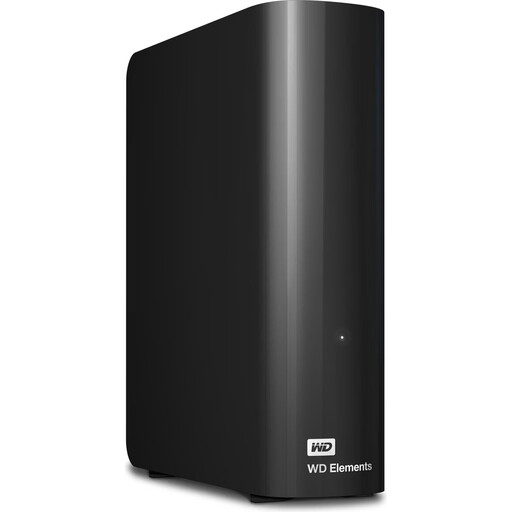
WD Elements 24TB desktop hard drive, USB 3.2 Gen 1, 3.5-inch, black
For a large archive at a fixed backup location. 24 TB; USB 3.2 Gen 1; 3.5-inch. Needs a power adapter while in use.
View on Joybuy
 No image available
WD Elements 6TB desktop hard drive, USB 3.0, 3.5-inch, NTFS, black
For a desktop archive, provided the NTFS format suits your needs. 6 TB; USB 3.0; 3.5-inch; pre-formatted with NTFS. Reformatting is required for the Mac use described. Needs a power adapter.
View on Joybuy
 No image available
WD Elements 10TB desktop hard drive, USB 3.2 Gen 1, 3.5-inch, NTFS, black
For a desktop archive, provided the NTFS format suits your needs. 10 TB; USB 3.2 Gen 1; 3.5-inch; pre-formatted with NTFS. Reformatting is required for the Mac use described. Needs a power adapter.
View on Joybuy
Frequently asked questions
How do I set up a backup so I can restore project files?
Choose a drive with enough space for your files and planned backup versions, set up regular copies, and try opening some files from the backup. The German Federal Office for Information Security explains how to back up data to an external hard drive and recommends keeping it securely in a separate location.
Does a new hard drive need reformatting for Mac and Windows?
It depends on the specific model and its file system. For the Canvio Basics examined here, Toshiba specifies an NTFS format for Windows and says it needs reformatting for the macOS versions listed on the product page. Before formatting, check which computers you’ll use and back up any existing files so they aren’t accidentally deleted.
Does the GDPR automatically apply when I back up family interviews purely for personal use?
Not automatically: the Court of Justice of the European Union describes an exemption for the processing of personal data by individuals as part of purely personal or household activities, with no connection to a professional or commercial activity. Whether your project meets this condition depends on how you use the interviews and whether you share or publish them. This doesn’t mean you have blanket permission to publish interviews.


