What should you look for when buying?
First, list the folders you want to back up. Then decide whether desktop capacity or easy portability matters more for the way you work.
| Criteria |
What to check |
Who is it important to? |
| Capacity for growing folders |
Work out the total size of your films, source files and project versions, and allow extra space for your planned backup routine. |
As my project folders grow, I want room for everything, including the versions I need. An estimated 31% of consumers are likely to prioritise having enough capacity. |
| Recoverability |
Decide where to keep another copy and how you’ll restore a sample folder. |
For irreplaceable family recordings, I don’t just want a copy; I also want to be able to retrieve it if something goes wrong. An estimated 25% of consumers are likely to prioritise this need for recoverability. |
| Computer and backup method |
Check that the operating system, connection, cable and file system suit the backup method you plan to use. |
When I back up videos on a Mac or Windows PC, I want the drive to work with both my computer and the backup method I use. An estimated 19% of consumers are likely to prioritise this compatibility. |
| Portability and power |
Check whether there’s a suitable USB port or power socket where you’ll use the drive, and that it has enough capacity for the entire project. |
If I want to take my backup between work locations, I need a suitable drive that’s easy to connect. An estimated 13% of consumers are likely to put portability first. |
| Large file transfers |
Don’t assume the stated interface rate is the same as the drive’s measured speed. Consider whether you regularly transfer large files. |
If I regularly copy large film folders, I want to allow enough time based on my own computer and workflow. An estimated 12% of consumers are likely to prioritise large file transfers. |
Joybuy products for video archives
This selection from Joybuy includes portable WD Elements drives for carrying between work locations, as well as a desktop model for a dedicated storage space.
 No image available
WD Elements Portable 5TB USB-C
This portable drive could suit you if you want to carry project files between work locations.
5 TB; USB-C.
View at Joybuy
No image available
WD Elements Portable 6TB USB-C
This portable model suits a backup plan where you regularly move the drive between locations.
6 TB; USB-C.
View at Joybuy
No image available
WD Elements Portable 4TB USB-C
This portable drive is an option if its capacity is enough for your entire backup plan.
4 TB; USB-C.
View at Joybuy
 No image available
WD Elements Portable 2TB, USB-C, USB 3.2 Gen 1, 2.5-inch, exFAT, Black
This portable drive is an option for smaller backups that you need to carry between locations.
2 TB; USB-C; USB 3.2 Gen 1; 2.5-inch; exFAT.
View at Joybuy
 No image available
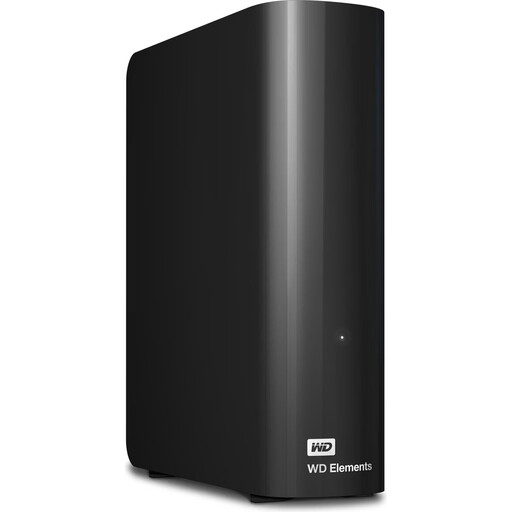
WD Elements Desktop 24TB
This desktop drive could suit you if you have a large media archive at a fixed workstation.
24 TB; USB 3.2 Gen 1; 3.5-inch; external power supply required.
View at Joybuy
Frequently asked questions
Is it enough to copy finished films to a large external hard drive?
Only if finished films make up your entire backup. If you also want to be able to recover source files and project versions, include them too. Germany’s Federal Office for Information Security describes equipment failure, accidental deletion and building damage as different causes of data loss. So keep another copy in a separate location and test restoring a sample folder.
How do I set up a backup on Windows or a Mac?
On Windows, File History can back up to an external drive. Microsoft notes that you may need to add folders that aren’t included in the selected libraries. On a Mac, a compatible external drive can be used as a Time Machine destination. Before setting up your backup, check which project folders the chosen method actually includes.
Do I need to prepare an NTFS-formatted hard drive for a Mac?
For the WD Elements Desktop and Toshiba Canvio Basics ranges reviewed, the manufacturers say that reformatting is required for the macOS use described. Check the file system of the specific version you buy, and back up any files already on the drive before reformatting it.
Are a warranty or data recovery service the same as a backup?
No. A warranty is subject to the relevant product terms, while an advertised data recovery service has its own conditions and, according to the Seagate and LaCie documents reviewed, isn’t available in every country. Neither replaces a separate copy that you can restore from.
Can I back up private home videos to an external hard drive in Germany?
For recordings processed solely for personal or family activities, the German Data Protection Conference describes a household exemption. Outside this scope, obligations under the General Data Protection Regulation may apply. If your videos include other people’s protected works, you’ll need to consider the copyright position separately: section 53 of the German Copyright Act (UrhG) permits individual copies for private use only under the conditions set out there. This is not blanket permission to publish or share them.


