What should you look for when buying?
First, measure the size of your existing scan folder and check which devices need to read the files. Then decide whether simple local storage is enough or whether you need password protection for confidential content.
The figures refer to consumers who want to store scans of family letters locally rather than in the cloud. Each row identifies the main purchase consideration.
| Purchase consideration |
What to check before buying |
Who is this particularly important to? |
| Recoverability |
Enough space for your existing files and an additional copy; open files from the copy to test them. |
If my letters are irreplaceable, I want to be able to access the scans if a drive fails; around 29% of consumers put recoverability first. |
| Confidentiality |
Check that the exact model offers password protection and that its unlocking software is compatible with your devices. |
If other people might be able to access the drive, I want to protect my personal letters from unauthorised access; around 23% of consumers prioritise protecting confidential content. |
| Suitable capacity |
Measure the size of your folder and allow for additional files you plan to store, as well as another copy. |
I want enough room for my scans without choosing a capacity based on a one-size-fits-all recommendation; around 18% of consumers prioritise storage space and cost. |
| Device compatibility |
Check that the connection, included cable and pre-format of the exact model work with the devices you need to use. |
If I want to read and edit the letters on several computers, the drive needs to work with them; around 18% of consumers put device compatibility first. |
| Portability |
Consider how often you’ll transport the drive, whether it has the right connection and whether you can store another copy separately. |
If I transport my archive regularly, I want to keep it in a handy format while storing another copy separately; around 12% of consumers prioritise portability. |
Joybuy products for local letter-scan archives
This selection includes portable and desktop external hard drives for storing letter scans locally without cloud synchronisation. Check the capacity against your existing files and make sure the connection works with the devices you want to use to access them.
 No image available
WD Elements Portable 5TB USB-C
An option if you’re looking for a portable drive for letter scans and other files stored locally.
5 TB; USB-C; 2.5-inch form factor. The description says you can transfer files by drag and drop without installing software.
View at Joybuy
No image available
WD Elements Portable 4TB USB-C
A portable local storage option if your measured scan collection and any additional files you plan to store fit within the stated capacity.
4 TB; USB-C; 2.5-inch form factor. The description says you can transfer files by drag and drop without installing software.
View at Joybuy
 No image available
WD Elements Portable 2TB, USB-C, USB 3.2 Gen 1, 2.5-inch, exFAT
A portable option if 2 TB suits the size of your measured collection and you want to use the scans on the Windows and Mac devices you have in mind.
2 TB; USB-C; USB 3.2 Gen 1; 2.5-inch form factor; described as pre-formatted with exFAT. The instructions say you can copy files directly by drag and drop without installing software.
View at Joybuy
 No image available
WD Elements Desktop 8TB, USB 3.0, 3.5-inch
A desktop storage option for a letter-scan archive if the capacity you need and a permanent spot near a socket suit the way you plan to use it.
8 TB; USB 3.0; 3.5-inch form factor; described as formatted with NTFS. The included power adapter needs to be plugged into a socket for the drive to work.
View at Joybuy
 No image available
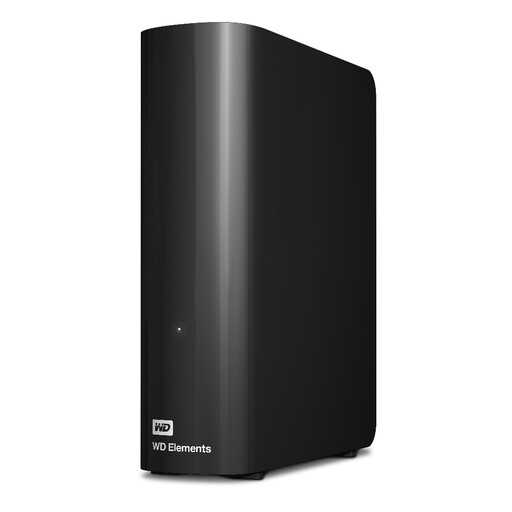
Western Digital WD Elements Desktop 20TB
A desktop archive option if you want to store your scans locally and the stated capacity suits your collection.
20 TB; USB 3.2 Gen 1; described as supplied with a USB-A cable and power adapter. A socket is required to operate the drive.
View at Joybuy
Frequently asked questions
Is one external hard drive enough as the only archive for my letter scans?
No, not if you want to keep your scans safe if the drive fails or is damaged where it’s stored. Germany’s Federal Office for Information Security recommends keeping another copy, storing at least one backup separately and occasionally checking that saved files can be opened. This is a security recommendation, not a legal requirement to have a specific number of drives.
Do I need to set up the manufacturer’s software or the cloud for local storage?
Not with every HDD: Toshiba says you can store files on the Canvio Basics in Windows without additional software, while Seagate says you can copy files to the Expansion Portable by drag and drop. Check the details for the exact model, and remember that optional backup or password protection programmes are a separate matter.
What should I do before reformatting or passing on the drive?
Back up any scans you need before reformatting, then check that you can open the copies. Before selling, repairing or disposing of the drive, Germany’s Federal Office for Information Security recommends securely deleting personal data from the storage device; simply deleting files may not be enough.
Who is responsible if there’s a fault: the retailer or the manufacturer?
For a purchase in Germany, statutory rights relating to faulty goods generally apply against the seller; a manufacturer’s warranty is an additional voluntary service. The consumer advice centre says the statutory warranty period is generally two years and explains a conditional extension following a repair for sales contracts dated on or after 31 July 2026.
Does the GDPR apply to family letters stored for personal use?
Article 2(2)(c) of the GDPR excludes processing by individuals as part of purely personal or household activities from its scope. The European Data Protection Board explains this exemption in its Guidelines 3/2019. It doesn’t automatically apply to subsequent professional use or public disclosure; those situations need to be assessed separately.


