For a large photo archive kept in one place, a desktop HDD could be a good choice. If you want to carry the drive between computers, a portable HDD is more practical. Allow enough capacity for original scans, project files and versions you want to keep, and maintain a separate backup that you check is readable. The Federal Office for Information Security (BSI) points out that the lifespan of storage media cannot be predicted precisely.
Which option is right for you?
Family archive keepers
You want to keep original scans and finished images easy to find for years to come, without risking your only copy if a drive fails. The BSI recommends backing up your data and notes that the lifespan of storage media cannot be predicted precisely.
Photo restorers with multiple versions
You keep editable project files and intermediate versions alongside your scans. Make sure you allow enough space for everything you want to retain, and check that your backup process includes the relevant files.
People using multiple computers
You switch between devices or operating systems and want to check in advance that the connection, file system and backup software suit your workflow. The BSI also recommends checking occasionally that a backup contains your data and that the files are readable.
What should you look for when buying?
| Consideration |
What to check when buying |
Who it matters most to |
| Protection against data loss |
Plan for a separate backup and check that you can open files from it. |
A recoverable backup is especially important if you don’t want your original scans and restoration work to depend on a single copy. Around 28% of consumers would make protection against data loss their main buying consideration. |
| Space for archive files |
Compare the size of your existing folders and expected growth with the stated capacity. |
If you want to keep scans and editable files together, you’ll need enough space for everything. Around 28% of consumers would prioritise archive capacity. |
| Multiple versions |
Decide which project files and intermediate versions you want to keep, then check the backup coverage and how easy they are to find. |
If you want to return to an earlier version when making changes later, make sure those versions are included in your backup. Around 22% of consumers would prioritise keeping multiple versions. |
| Device compatibility |
Check the connection, cable, operating system and file system for the specific model. |
If you want to use your archive with several computers, check that the files can be read and find out whether any adjustments are needed before transferring them. Around 11% of consumers would make device compatibility their main consideration. |
| Mobile access |
Check the drive’s portability and power supply. If you regularly work on files, consider a separate working drive. |
If you want to take projects between workspaces, ease of use and the right connection are key. Around 11% of consumers would name mobile access as their main buying consideration. |
Avoid common misconceptions
-
A large archive drive is a complete backup
A fault or accidental deletion could affect both your originals and restoration work if they’re stored on a single drive.
Keep a separate backup and check regularly that you can open the files stored on it.
-
A USB specification tells you the actual copying speed
A connection or bus specification doesn’t automatically tell you how quickly your files will copy in practice.
Distinguish between the interface specification and actual measured speeds. Don’t estimate transfer speed from the USB label alone.
-
Checking the file system and power supply after buying
According to the manufacturer, the 4 TB Verbatim Store ’n’ Go is formatted as NTFS. The Seagate Expansion Desktop STKP8000400 requires a separate power supply, according to the manufacturer.
Check the exact model against the computers you use and where you plan to set it up before transferring data.
Key brands at a glance
Toshiba
Canvio Basics is a range of portable HDDs for an archive powered over USB. Toshiba Storage Solutions lists a capacity of 4 TB for the EMEA version, HDTB540EK3CA.
- Designed for immediate use with Windows, according to the manufacturer.
- Check that your specific backup process works with other operating systems. The USB interface alone doesn’t guarantee a particular transfer speed.
Western Digital
The Elements Portable with USB-C is a portable HDD option. Western Digital lists a 4 TB version with model number WDBLSS0040BBK-WESN.
- The manufacturer specifies USB-C and access with Windows and Mac computers.
- Check the model version, what’s included and compatibility with your specific backup process.
Verbatim
The Store ’n’ Go #53223 is a portable 4 TB HDD, powered over USB and supplied with backup software according to the manufacturer.
- Its factory NTFS format may suit Windows computers.
- For Mac use of the model tested, which has a capacity of over 2 TB, Verbatim says reformatting is required. Backup software doesn’t replace an additional backup copy.
Seagate
The Expansion Desktop STKP8000400 is an 8 TB desktop HDD with a USB connection and power supply, according to Seagate’s official specifications.
- This version offers space for a large archive at a fixed workstation.
- The separate power supply makes it less suitable for mobile use. Seagate says reformatting is required for Time Machine.
Joybuy products for archives and workspaces
The models below include portable HDDs for changing workspaces and desktop HDDs for an archive kept in one place.
 No image available
WD Elements Portable 6TB USB-C
A portable HDD with USB-C for scans and project versions you use across different workspaces.
Capacity: 6 TB. Form factor: 2.5 inches.
A single drive is no substitute for a separate backup copy that you check is readable.
Joybuy
No image available
WD Elements Portable 4TB USB-C
A portable HDD with USB-C for an archive you want to access from different workspaces.
Capacity: 4 TB. Form factor: 2.5 inches.
Before transferring files, check that the file system and backup process work with your computers.
Joybuy
 No image available
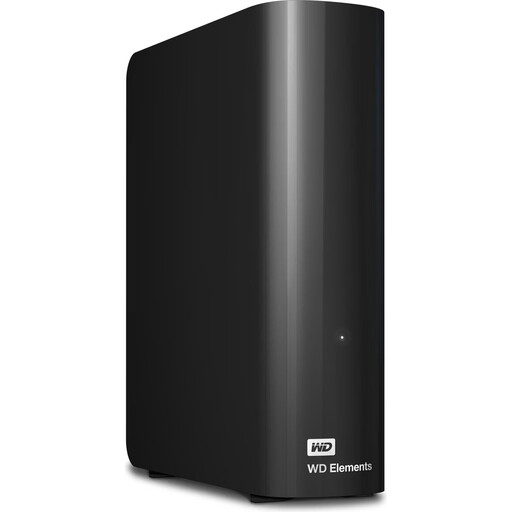
WD Elements 24TB Desktop External Hard Drive
A desktop HDD for a large archive kept at a fixed workstation.
Capacity: 24 TB. Form factor: 3.5 inches. External power supply required.
A single drive is no substitute for a separate backup copy that you check is readable.
Joybuy
 No image available
WD Elements 8TB Desktop External Hard Drive
A desktop HDD for scans and project versions you want to keep at a fixed workstation.
Capacity: 8 TB. Form factor: 3.5 inches. Interface: USB 3.0. External power supply required.
According to the product description, the drive is formatted as NTFS; reformatting is specified for Mac use.
Joybuy
 No image available
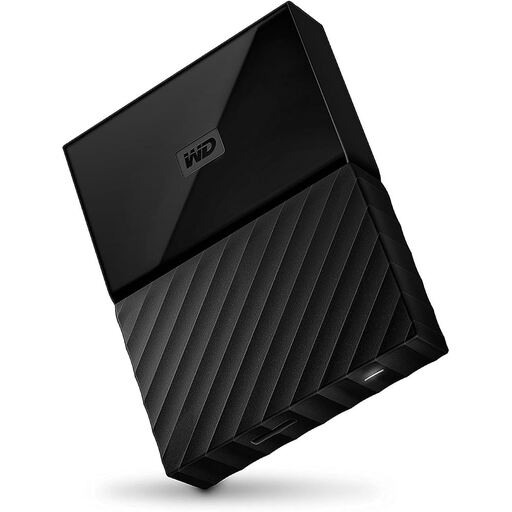
Western Digital My Passport 4TB Black
A portable 4 TB HDD for photos and project files if you want to carry a drive between workspaces.
The product description lists USB 3.0, a 2.5-inch form factor, scheduled backups and 256-bit AES encryption.
A single drive is no substitute for a separate backup copy that you check is readable.
Joybuy
Frequently asked questions
Is one external hard drive enough as my only archive?
No, not if it holds your only copy. The BSI points out that the lifespan of storage media cannot be predicted precisely. Keep a separate backup and check that the files on it are readable.
How do I get started with backing up my restoration projects?
Decide which scans, project files and versions you want to keep, then check whether your backup software includes them. The BSI recommends backing up regularly and occasionally checking that the data is included in the backup and can be read.
Can I use any external 4 TB hard drive with Mac and Windows without preparing it first?
Not necessarily; it depends on the file system of the specific model. Verbatim says the 4 TB Store ’n’ Go is pre-formatted as NTFS and needs reformatting for Mac use. Check the file system before transferring files.
Are a manufacturer’s guarantee and statutory warranty rights the same thing?
No. According to consumer information from the European Union, when you buy from a trader in the EU, you have a statutory right to a minimum two-year legal guarantee from the date you receive the goods. A manufacturer’s guarantee is separate. Statutory rights cover faulty goods and don’t promise to restore lost photos.


