Start by choosing an external hard drive with enough space for your family recipe archive and project folders, plus room for additional backup versions. A portable HDD could suit you if you want to disconnect the drive after backing up; for particularly large archives kept in one place, a desktop HDD may be a good fit, but it needs a power supply. Germany’s Federal Office for Information Security recommends keeping an additional copy separately. You should also check that you can restore a file.
Who should consider this purchase?
Collectors of large family archives
If you’re backing up recipe scans alongside extensive project folders, make sure you leave room for future backups too. Apple recommends that a Time Machine volume has at least twice the storage capacity of your Mac.
People with changing project files
If you regularly edit folders, check whether your backup method lets you restore earlier versions of files. Microsoft says you can add folders outside the usual libraries to File History.
Users with multiple computers
If you switch between devices or ports, make sure the cable, file system and backup method suit the computers you use. Toshiba notes that its drives may differ in their cables and compatibility.
What should you look for when buying?
First, allow enough space for your current folders and future versions. Then choose between a portable drive and a model designed to stay in one place.
| Buying criterion |
What to look for |
Who it matters to |
| Space for your archive and file versions |
Compare the actual size of your folders with the drive’s capacity, and allow space for additional versions. Apple recommends that a Time Machine volume has at least twice the storage capacity of your Mac. |
If I want to keep large project folders and earlier versions as well as recipe scans, I need plenty of room to spare. That’s why around 26% of consumers put capacity first. |
| Restoring files |
Check which folders are included in the backup, and test that you can restore them. Microsoft says you may need to add folders outside the usual libraries. |
If I regularly edit project files, I want to be able to retrieve anything I’ve accidentally deleted or overwritten. That’s why around 26% of consumers prioritise the ability to restore files. |
| Speed when transferring large files |
Consider how often you transfer files and how large they are. A USB interface specification alone doesn’t tell you how quickly files will actually copy. |
If I regularly back up large folders, I want to know whether the transfer time will fit into my routine. That’s why around 21% of consumers pay particular attention to transfer speeds. |
| Connection and file system |
Check which USB ports are available and which file system the specific model uses. Toshiba says that the Canvio Basics needs to be reformatted for USB-C use with the macOS versions listed. |
If you back up files from several computers, make sure the cable and backup method work with all your devices. That’s why around 16% of consumers put compatibility first. |
| Protecting private files |
Check whether the specific drive or backup method offers encryption or password protection, and store the password securely so you can restore your files. |
If private scans are stored on a drive that’s carried around or shared with others, I want to limit who can access them. That’s why around 11% of consumers prioritise access protection. |
Common mistakes with external backups
-
Moving your family archive to the external hard drive and nowhere else
A single external copy won’t protect your files if the drive fails, gets lost or is damaged in the same place as your computer. Germany’s Federal Office for Information Security recommends keeping backups separately.
Keep at least one more copy somewhere else, and occasionally check that you can restore a file.
-
Assuming the USB specification tells you the copy speed
The interface specification alone doesn’t tell you how quickly large files will transfer to a particular hard drive.
Choose a drive based on the size and frequency of your transfers, and check that the expected copy times suit your routine.
-
Overlooking the file system and individual file sizes
Microsoft states that FAT32 supports a maximum file size of 4 GiB. Toshiba also notes that the Canvio Basics needs to be reformatted for USB-C use with the macOS versions listed.
Before copying files, check the file system, the size of individual project files and compatibility with your backup software. Back up any data already on the drive before reformatting it.
A guide to leading hard drive brands
Toshiba
The Canvio Basics USB-C and Canvio Flex are designed for buyers looking for portable drives to use with different connections and devices.
- Toshiba lists capacities of up to 4 TB for the Canvio Basics USB-C, which is supplied with NTFS.
- Toshiba says the drive needs to be reformatted for the macOS versions listed on the product page. Compatibility details for the Flex apply to compatible devices and don’t automatically cover every backup mode.
Western Digital
The My Passport is a portable HDD for buyers who want to consider the supplied backup software as well as storage capacity.
- The German product page lists model WDBPKJ0040BBK-WESN for the black 4-TB version, along with Acronis True Image for Western Digital.
- The backup features advertised by Western Digital are no substitute for keeping an additional copy separately or testing that you can restore your files.
Seagate
The Expansion Desktop is a stationary option for large archives, while the One Touch HDD is a range of portable models.
- Seagate offers the Expansion Desktop range with capacities of up to 28 TB.
- Seagate says the Expansion Desktop needs a separate power supply. The stated maximum capacity doesn’t automatically apply to every individual model.
Intenso
The Memory Case is a portable HDD powered via the included USB-A cable.
- Intenso offers the Memory Case in capacities including 4 TB and 5 TB.
- Check the file system of the specific model: an Intenso data sheet lists FAT32. Microsoft states that this file system supports a maximum file size of 4 GiB.
LaCie
The Mobile Drive Secure could be a good choice if you want password protection and USB-C in a portable HDD.
- Seagate advertises built-in password protection and transfer speeds of up to 130 MB/s for this LaCie model.
- These are manufacturer specifications for this particular model, not independently measured sustained performance figures.
External hard drives on Joybuy
The Joybuy models below include portable hard drives for use with different devices, as well as desktop drives for large archives kept in one place.
 No image available
WD Elements Portable 5 TB USB-C
For large archive folders and additional backup versions, if you want a portable drive.
Listed capacity: 5 TB. USB-C, USB 3.2 Gen 1 and 2, and a 2.5-inch form factor are specified.
View on Joybuy
No image available
WD Elements Portable 4 TB USB-C
For large project folders and additional backup versions on a portable drive.
Listed capacity: 4 TB. USB-C, USB 3.2 Gen 1 and 2, and a 2.5-inch form factor are specified.
View on Joybuy
 No image available
WD Elements Portable 2 TB USB-C
For scans and project folders you want to store on a portable drive.
Listed capacity: 2 TB. USB-C, USB 3.2 Gen 1, a 2.5-inch form factor and exFAT are specified.
View on Joybuy
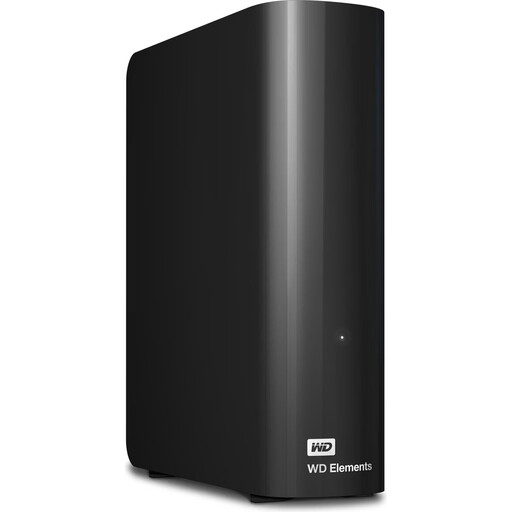 No image available
WD Elements Desktop 24 TB
For very large archives and backups kept in one place.
Listed capacity: 24 TB. USB 3.2 Gen 1 and a 3.5-inch form factor are specified; a power supply is included and required for operation.
View on Joybuy
 No image available
WD Elements Desktop 6 TB
For large project folders and local backups kept in one place.
Listed capacity: 6 TB. USB 3.0, NTFS and a 3.5-inch form factor are specified; a power supply is included and required for operation. The product description says the drive needs to be reformatted for use with a Mac.
View on Joybuy
Frequently asked questions
How can I back up project folders outside the usual folders in Windows?
Add the project folder to a library, or create a suitable library. Microsoft says File History backs up the default libraries and any libraries you create. Then check that the right content has been backed up by restoring a file.
Can I use a new external hard drive for Time Machine and other files straight away?
Apple recommends using your Time Machine backup volume for Time Machine only. During setup, macOS may offer to erase the drive, so check its contents first. Apple recommends that the Time Machine volume has at least twice the storage capacity of your Mac.
Why won’t a large project file fit on a hard drive with plenty of free space?
Check the file system: Microsoft states that FAT32 supports a maximum file size of 4 GiB. This applies to individual files, not the total size of a project folder. Before changing the file system, check the data already on the drive and make sure it’s compatible with your devices.
What should I check when considering a warranty or data recovery plan?
Check the terms for the exact model and provider. Western Digital lists a data recovery plan for the My Passport model reviewed, while Seagate describes similar services for the Expansion Desktop. These offers are no substitute for keeping an additional backup copy.


