Filmmakers building a growing archive
If you keep a lot of raw footage and completed project versions at your editing desk, factor in how much your archive is likely to grow. Seagate lists capacities of up to 28 TB for its Expansion Desktop range.


For large volumes of raw footage and multiple project versions at a fixed editing desk, a desktop HDD is a natural choice. If you regularly take backups with you, a portable, USB-powered HDD is more practical, although the models mentioned here offer different capacity options. A hard drive won’t automatically save older file versions: set up a suitable backup routine, test that you can restore your files and keep another copy separately. The Federal Office for Information Security (BSI) recommends backing up data regularly and keeping a copy away from your home.
If you keep a lot of raw footage and completed project versions at your editing desk, factor in how much your archive is likely to grow. Seagate lists capacities of up to 28 TB for its Expansion Desktop range.
If you want to retrieve older project files after making changes or accidentally deleting something, you’ll need to set up and test a version history. Microsoft explains how to restore earlier file versions with File History, while Apple provides guidance on backups with Time Machine.
If you back up footage on the move or across several computers, think about portability, power and keeping another copy in a separate location. The BSI recommends keeping backup copies away from your home.
| What you need | What to check when buying | Who it matters most to |
|---|---|---|
| Space for raw footage and project versions | Compare the capacity of the specific model with the space used by all your folders, the versions you want to keep and your expected future growth. | If I want to keep original footage and several edits, the drive needs room for future growth too. Around 26% of consumers are likely to prioritise space for raw footage and versions. |
| Restoring older project versions | Check which folders your backup routine covers and how it keeps earlier versions; test restoring files. | If you want to retrieve an older project file after making changes or deleting something, you’ll need more than a simple extra copy. Around 26% of consumers are likely to prioritise being able to restore files. |
| Protecting your backup from loss | Plan where you’ll keep the original and another copy, and check that you can restore backed-up files. | If I want to avoid losing both the original and backup in an incident at the place where they’re stored, it’s important to keep another copy separately and check that it works. Around 21% of consumers are likely to make this a priority. |
| Compatibility with your editing computer | Check the connection and cable, as well as the operating system and setup requirements for using it as a Time Machine or File History destination. | If you want to use the drive with a computer you already own, you’ll need a compatible connection and a backup routine that works. Around 16% of consumers are likely to prioritise computer compatibility. |
| Backing up in different locations | Consider how often you’ll carry the drive, whether you’ll have access to a power socket and whether it has enough capacity for your files and versions. | If I regularly travel between filming locations and my editing desk, a portable drive that doesn’t need a separate power supply is handy. Around 11% of consumers are likely to see portability as their main buying priority. |
Backup storage can fail too. If the original and the copy are kept in the same place, both could be affected by the same incident.
Plan to keep another copy separately and test that you can restore important project files.
According to the manufacturer, the Seagate Expansion Desktop requires a power supply and a USB-A cable. You’ll therefore need a suitable place to set it up and access to a power socket.
First decide where and how often you’ll back up your files, then compare the capacity of the specific model with the size of your archive.
Verbatim’s Nero Backup software included with the 2-TB Store ’n’ Go model mentioned here is for Windows only.
Check the operating system and software requirements, then test the routine with a complete project folder.
Expansion Desktop is a range of desktop HDDs designed for large files. Seagate lists capacities of up to 28 TB.
Canvio Basics is a range of portable, USB-powered HDDs. Toshiba’s German product page lists models with capacities of 1, 2 and 4 TB.
The German manufacturer’s website lists an 8-TB version of the My Book desktop HDD for storing files including videos.
According to Seagate, d2 Professional is a range of USB-C desktop HDDs for creative workflows, with capacities of up to 30 TB.
Store ’n’ Go includes portable HDD models. The 2-TB model reviewed here is USB-powered.
The Joybuy products below include portable external hard drives for use in different locations and a desktop HDD for a fixed editing desk. Capacity, connection and power supply vary by model.
 No image available
For backing up multiple video and project files, including when you’re working in different locations.
5 TB; portable 2.5-inch drive with USB-C. According to the product description, it’s powered through the built-in USB-C cable.
You’ll also need to set up a backup routine to make project versions restorable.
No image available
A portable option for storing video and project files in different locations.
4 TB; portable 2.5-inch drive with USB-C.
You’ll also need to set up a backup routine to make project versions restorable.
 No image available
A portable place to store video and project files, if 2 TB is enough for the files you plan to keep.
2 TB; 2.5-inch; USB-C; USB 3.2 Gen 1; exFAT.
You’ll also need to set up a backup routine to make project versions restorable.
 No image available
For a large media archive and backups at a fixed editing desk.
8 TB; 3.5-inch desktop format; USB 3.0; external power supply.
An external power supply is required. You’ll also need to set up a backup routine to make project versions restorable.
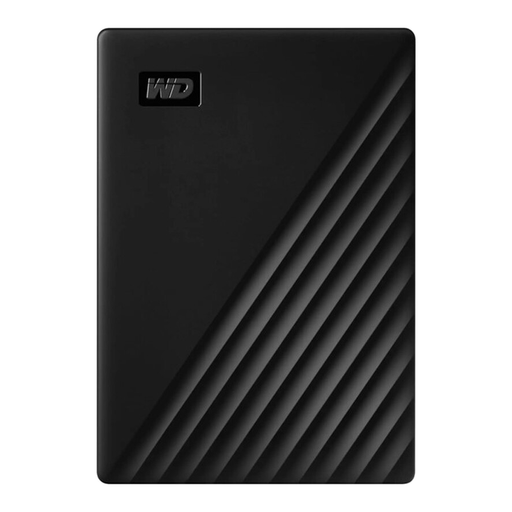 No image available
A portable option for files and videos, as long as the stated capacity is enough for your backup needs.
1 TB; portable 2.5-inch drive; USB 3.0.
You’ll also need to set up a backup routine to make project versions restorable.
No, the hard drive is simply the storage medium. To keep earlier versions of your files, set up a suitable backup routine: Microsoft explains how to restore older versions with File History, while Apple offers automatic backups with Time Machine. Then test a restore to check which files have actually been backed up.
Check the connection and cable, and make sure the drive is set up as a backup destination. Apple notes that setting up a Time Machine volume may require you to erase the drive. Microsoft describes using an external drive or network location with File History.
No. When you buy as a consumer from a business seller in the EU, you’re generally entitled to a minimum of two years’ statutory protection from the seller. A commercial warranty is an additional offer with its own terms and conditions. Check these carefully, especially if data recovery is advertised.
No. The German Environment Agency advises that electrical and electronic equipment must not be put in household rubbish. Check with your local authority about separate collection, and deal with any stored files before handing the drive over or disposing of it.