Collectors with large letter archives
If you keep lots of scans and project folders at home most of the time, capacity and a practical backup plan are key considerations.


For an archive that mostly stays in one place and contains large project folders, a high-capacity HDD is a natural starting point. If you regularly transfer folders or take the drive with you, an SSD is also worth considering. Check that the capacity, connection and file system are compatible with your devices, and make sure you have a separate, testable backup whatever drive you choose: a single external drive is not a fail-safe archiving strategy.
If you keep lots of scans and project folders at home most of the time, capacity and a practical backup plan are key considerations.
If you regularly open or move large folders, consider transfer speeds, capacity and your devices’ connection requirements together.
If you take your drive with you and store confidential letters on it, consider access protection and how you’ll handle the drive while you’re out and about.
A good fit if: You mainly store large project folders and only access them occasionally.
Bear in mind: Plan for a separate backup and check the capacity, connection and file system.
A good fit if: You regularly transfer large folders or often take the drive with you.
Bear in mind: Check the capacity and interface. A model’s stated peak speeds only apply under the specified connection conditions.
| What you need | What to check when buying | Who should pay particular attention? |
|---|---|---|
| Capacity for growing project folders | Compare your current storage use and expected growth with the stated capacity; check that the file system is compatible with the computers you use. | If you mainly store lots of scans and large folders, you’ll want to allow enough room for future growth. Around 33% of consumers put archive capacity first. |
| Being able to recover your letters | Plan for a separate backup and check that you can restore files from it. | If a fault or accidental deletion could put your scanned letters at risk, you’ll want a second copy that you can restore. Around 33% of consumers prioritise being able to recover their archive. |
| Speed when transferring files frequently | Choose an HDD or SSD based on how often you transfer files; check that the connection and cable meet your devices’ requirements. | If you regularly move large project folders, you’ll want transfer speeds that suit your computer. Around 17% of consumers put transfer speed first. |
| Keeping files confidential when you’re out and about | Check how encryption is set up and how the access key is stored. | If you take personal scans with you, you’ll want to make it harder for anyone to read them if the drive is lost. Around 17% of consumers prioritise protecting confidential files when they’re out and about. |
External drives can fail too. And if several copies are kept in the same place, they could all be lost in the same incident.
Keep a separate backup and test that you can restore selected files. A second copy needs extra storage space and regular upkeep.
The peak speed quoted by Samsung for the T7 Shield requires a USB 3.2 Gen 2 host, a suitable cable and UASP.
First check your computer’s connection and how often you actually transfer large folders.
The name WD Elements Portable 4 TB alone doesn’t tell you which connection variant you’re looking at.
Check the full model number, connection and what’s included in the box. If the connection isn’t suitable, you may need an extra cable or adapter.
Canvio Basics is a range of portable, USB-powered HDDs. The HDTB540EK3CA variant is listed with a capacity of 4 TB.
The Expansion Portable range includes the 4 TB STKM4000400 HDD, which is powered via USB.
The Portable SSD T7 Shield is a range of SSDs for frequent transfers and mobile use. The variant checked is the black MU-PE2T0S/EU model with 2 TB.
WD Elements Portable is a range of external storage drives. Western Digital offers it in several capacities, including 4 TB.
This selection includes portable HDDs, an external SSD and a desktop HDD for archives that stay in one place.
 No image available
This portable HDD is an option for a larger archive that mostly stays in one place. Whether the capacity is enough depends on your current storage use and expected growth.
6 TB; USB-C.
No image available
This portable HDD could suit an archive if 4 TB is enough for your existing files and expected growth.
4 TB; USB-C.
 No image available
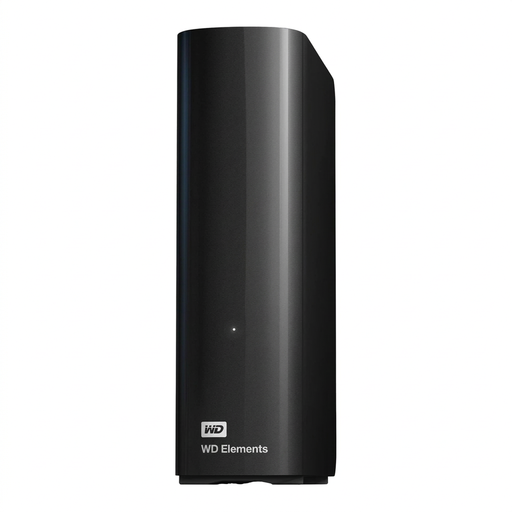
This desktop HDD is an option for a large archive kept in one place. Its stated capacity doesn’t replace a separate backup.
14 TB; USB 3.0; 3.5 inches; NTFS.
According to the product information, an external power supply is required. The description says it needs to be reformatted for use with macOS.
 No image available
An SSD could be a good option if you regularly transfer large project folders. Check that the stated 2 TB is enough for your archive and expected growth.
2 TB.
 No image available
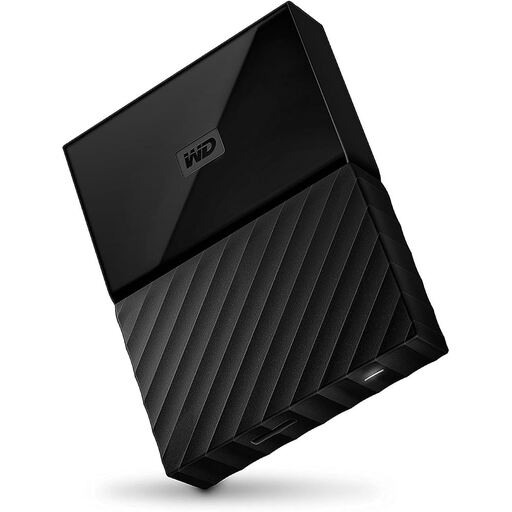
This HDD is an option for a portable document archive. If you take confidential letters with you, check how to set up access protection first.
4 TB; Black.
The product description says the drive may need to be reformatted for operating systems other than Windows.
No, not if that would be your only copy. Make a separate backup and check it works by restoring a selection of files.
It depends on the specific drive and file system. For the Toshiba Canvio Basics, the manufacturer specifies NTFS for Windows and says it needs to be reformatted for macOS. Back up any existing data before formatting.
No. For the Samsung T7 Shield’s stated peak speeds, Samsung specifies USB 3.2 Gen 2 on the host, suitable connection cables and UASP enabled as requirements.
The General Data Protection Regulation excludes processing by individuals as part of purely personal or household activities. You can’t automatically assume this exemption applies to work-related or organisational project folders. For those responsible for processing, the GDPR requires security measures appropriate to the risk, but doesn’t specify a particular drive model.
For a purely personal archive, the German Federal Office for Information Security recommends encryption to protect data in the event of loss or theft, but this does not establish a general legal requirement. When an organisation processes personal data, the required level of security depends on the risk; the European Data Protection Board does not specify a particular type of drive.