A desktop HDD is a good choice for large gameplay recordings and project folders that you mainly archive and rarely transfer. If you often move files or edit them directly on the drive, a portable SSD may suit you better. PC-WELT lists non-urgent backups as a potential use for HDDs, while the peak speeds quoted by Samsung and Crucial apply to specific models and conditions. Check the capacity, USB connection, cable and file system supported by your devices. A working drive is no substitute for a separate backup, as the German Federal Office for Information Security (BSI) recommends for important data.
Which option suits you?
For archiving large collections
If you mainly store lots of recordings and completed projects, consider whether the drive has enough room for your existing files and future growth. PC-WELT lists HDDs as an option for non-urgent backups, while Seagate describes the Expansion Desktop as a stationary solution.
For active project work
If you regularly move large files or work directly from an external drive, check the connections on the drive, computer and cable. Samsung, Crucial and Kingston qualify their specifications for certain SSD models according to the connection or testing conditions.
For portable use and careful backups
If you take projects between devices, a portable design is worth considering. And if protecting irreplaceable recordings matters to you, you’ll also need a separate backup. The BSI recommends making regular backups and checking that your data can be restored.
What to look for when buying
First decide whether you’ll mainly use the drive for archiving or as a working drive for frequent transfers. Then compare the capacity of the specific model and check its connections, backup options and compatibility with your devices.
| Consideration |
What to check |
Who it matters to |
| Storage space |
Compare your folder size and expected growth with the capacity of the specific model. |
If my collection is growing, I want to make room for existing recordings and new projects. Around 31% of consumers put having enough storage at the top of their list. |
| Transfer speed |
Compare the USB connections on the drive and computer, along with the cable. Don’t assume the manufacturer’s figures are guaranteed speeds on your device. |
If I regularly move large files or edit them directly on the drive, the connection between my devices matters. Around 31% of consumers prioritise transfer and working speeds. |
| Backups |
Plan to keep a separate copy of important files and occasionally test that you can restore them. |
If I don’t want to lose my gameplay recordings, I want a second copy that I can restore. Around 23% of consumers prioritise protecting their files with a separate backup. |
| Portability |
Check the design, power supply, connections and file systems of the devices you’ll be using. |
If I want to take project folders between devices, I look for a portable option that suits my needs. Around 15% of consumers prioritise portability and switching between devices. |
Common buying mistakes
-
Assuming USB-C guarantees peak speeds
A USB-C connection alone doesn’t tell you what transfer speed you’ll get from your particular drive, computer and cable. For the T7 Shield, Samsung specifies requirements such as USB 3.2 Gen 2 and UASP enabled. Kingston says the XS2000 needs a Gen-2x2 connection.
Check the port you’ll actually use and make sure you have the right cable before choosing an SSD based on an advertised maximum speed.
-
Relying on your only external drive as a backup
If the only copy of your files is on that drive, losing it or having it fail could make them inaccessible. The BSI recommends regular backups and checking that files can be restored.
Keep a separate copy of important recordings and occasionally check that you can access them.
A separate backup requires another storage device and additional capacity.
-
Comparing only the TB figure and overlooking where you’ll use it
A high-capacity desktop HDD isn’t necessarily practical if you often take project folders with you or need to transfer them quickly. The Seagate Expansion Desktop described here requires a power supply.
First decide whether you’ll mainly use the drive for stationary archiving or mobile work. Then compare the capacities that suit your needs.
Key brands to consider
Seagate
The Expansion Desktop is a stationary HDD range focused on capacity. Seagate lists the STKP8000400 model as an 8-TB option.
- Seagate’s documentation specifies a power supply and USB connection for the desktop design described.
- The mains-powered desktop design is less convenient to carry around. Check the connections and exactly what’s included with the model you’re considering.
Samsung
The T7 Shield and T9 are portable SSD ranges with different USB requirements.
- For the 4-TB T7 Shield, Samsung quotes sequential speeds of up to 1.050 MB/s read and 1.000 MB/s write, as well as IP65 protection under the stated test conditions.
- To reach the quoted maximum speeds, the T7 Shield needs a compatible host device and cable, with UASP enabled. Samsung notes that liquid and dust damage are not covered by the stated warranty. If you’re considering a 1-TB T9, check that it has enough room for your folders.
Crucial
The X9 Pro is a portable SSD range. Crucial’s product page lists the 4-TB model as CT4000X9PROSSD9.
- Crucial quotes speeds of up to 1.050 MB/s and IP55 protection for the X9 Pro. The speed figure is based on the stated test conditions.
- Your host device, cable, formatting and usage can all affect your setup. Crucial notes that the X9 Pro must not be submerged.
Kingston
The XS2000 is a portable SSD range with USB 3.2 Gen 2x2 models.
- Kingston lists capacities of up to 4 TB and speeds of up to 2.000 MB/s for the range.
- You’ll need a compatible connection and cable to reach the advertised peak speed. Make sure the specific capacity is right for your collection.
Western Digital
The WD Elements Desktop range is another HDD option for stationary archiving and backups.
- Western Digital lists models in the range from 4 to 26 TB.
- This capacity range applies to the product family, not a single drive. The desktop HDDs are described as mains-powered storage solutions.
Joybuy products
This selection of Joybuy products includes portable drives for files on the move and desktop HDDs for larger folders that are mainly stored in one place.
 No image available
WD Elements Portable 6 TB USB-C
For large gameplay recording and project folders you want to take with you. Compare the 6 TB capacity with your current collection and expected growth.
View at Joybuy
No image available
WD Elements Portable 4 TB USB-C
A portable storage option for gameplay recordings and project files. Check whether 4 TB is enough for your existing folders and any future growth.
Check the file system on all the devices you plan to use with the drive.
View at Joybuy
 No image available
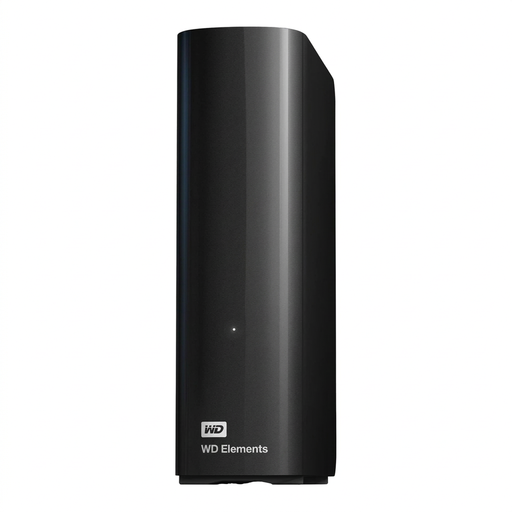
WD Elements Desktop 14 TB
For large project and media folders that are mainly stored in one place. Compare the 14 TB capacity with your actual storage needs.
Requires an external power supply. The product description says it needs reformatting for macOS; make an additional backup of important files first.
View at Joybuy
 No image available
WD Elements Desktop 8 TB
For larger folders at a fixed workstation. Check whether 8 TB is enough for your archive and expected growth.
Requires an external power supply. The product description says it needs reformatting for macOS; make an additional backup of important files first.
View at Joybuy
 No image available
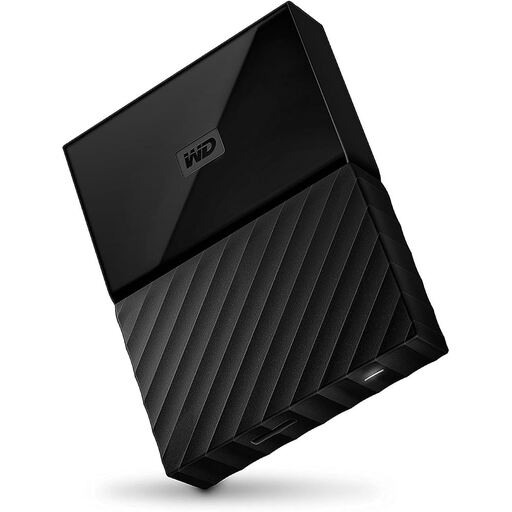
Western Digital My Passport 4 TB Black
For storing gameplay recordings and project files on the move. Compare the 4 TB capacity with your collection and check the format is compatible with your devices.
The product description says it’s formatted for Windows; reformatting may be needed for other operating systems. It’s still a good idea to keep important files backed up separately.
View at Joybuy
Frequently asked questions
Which file system should I check for individual large video files?
First check which file systems all the devices you’re using support. Microsoft gives FAT32 a maximum file size of 4 GB, so it may not be suitable for individual larger recordings. Don’t format a drive that already contains files without backing them up elsewhere first.
What should I bear in mind when setting up and disconnecting the drive?
The Seagate Expansion Desktop described here needs a power supply as well as a USB cable. On Windows, Microsoft recommends safely removing external hard drives before disconnecting them to help prevent data loss. For other devices, follow the relevant instructions.
Does a manufacturer’s warranty cover the loss of my recordings?
A warranty isn’t the same as a backup. Your statutory rights against the seller and a voluntary warranty have different terms and conditions. The BSI recommends regular backups and restoration tests. Check the specific warranty terms and keep another copy of important files on a separate device.
How should I dispose of an old external hard drive in Germany?
The German Environment Agency says that electrical and electronic equipment must not be disposed of with household waste. Find out about a suitable local collection or take-back point, and back up any files you need before handing over the drive.


