Who should consider these options?

People responsible for family and group archives

You want to back up growing collections of photos, documents and group folders so you can find them again if something goes wrong. You’ll need enough storage, regular copies and a restore test. The German Federal Office for Information Security (BSI) points out that successful recovery can’t be taken for granted.

Different people taking turns to manage backups

If several people are responsible for backups, or the drive moves between locations, compatible connections, cables and power are just as important as having a clear routine. The BSI recommends keeping an external backup medium in another safe location.

People responsible for personal data about group members

If your backup contains information that could identify group members, you’ll need to organise access to the computer, backup and keys, as well as making sure you can restore the data. The Rhineland-Palatinate data protection authority points out that non-profit and unregistered associations may also be affected if they process personal data.

What should you look for when buying?

Portable HDD

Best suited if: You mainly copy photos, documents and group folders, then store the drive separately.

What to consider: Check the file system and backup software. Reformatting can erase data already stored on the drive.

Desktop HDD

Best suited if: You usually make large backups in one place where you can connect a power adapter.

What to consider: The documented Seagate One Touch Hub drive needs an 18 W power adapter, so it’s less convenient to take with you than a USB-powered drive.

Portable SSD

Best suited if: You carry the drive around frequently or often copy large folders, and its connections are compatible with your computer.

What to consider: Manufacturers’ maximum speeds don’t tell you how long your own backup will take. Capacity and a reliable restore routine still matter most.

What you need What to check before buying Who should pay particular attention
Space for data and backup versions Compare the amount of data you have now and expect to add with the capacity of the specific model. For Time Machine, Apple recommends a backup volume with at least twice the capacity of your Mac. This isn’t a general requirement for Windows backups. If your photo and group folders are growing, you’ll want enough room for the backup versions you need, too. Around 26% of consumers rank having enough storage as their top priority.
Regular backups you can restore Decide who backs up which folders, when the drive will be connected and how you’ll restore a test file. Also plan where to store the drive separately and securely. If you want to restore important files after they’re lost or changed, rather than just copy them once, you’ll need a routine you can repeat. Around 26% of consumers put the ability to restore files first.
Access controls for group data Check whether the backup contains personal data, who should have access and how authorised people can access the keys or backup in an emergency. If several people look after a drive containing personal data about group members, clear access arrangements and a documented recovery process are important. Around 21% of consumers prioritise access controls.
Connections, file system and software Check your operating system, computer connection, included cable and intended backup software. Toshiba specifies NTFS for the documented Canvio Basics range and says it must be reformatted for macOS. If you want to avoid finding that the drive, cable or backup software aren’t compatible, check how to set it up before buying. Around 16% of consumers say compatibility is their top priority.
Time taken to copy large files Compare your computer’s interface with the specifications for the exact drive model. A manufacturer’s maximum speed isn’t a guaranteed backup speed. If you often transfer large folders, the time it takes to copy them may affect your backup routine. Around 11% of consumers rank the time taken for these transfers first.

Common mistakes to avoid

  • Leaving the external drive connected to the computer as your only backup

    If your computer and backup are kept in the same place, the same incident could affect both. The BSI recommends storing an external backup medium in another safe location afterwards.

    Decide who will store the drive separately after each backup and when it should be connected again for the next one.

  • Assuming USB or SSD maximum speeds reflect how long your backup will take

    Manufacturers’ maximum speeds don’t tell you how quickly your files will transfer, how your computer’s connection will perform or how long the full backup will take.

    First check that the capacity and backup routine are right for you. Then consider transfer speeds.

  • Using a pre-formatted drive with any backup software without checking first

    The file system and backup software need to be compatible. Reformatting can erase data already stored on the drive.

    Check the setup requirements for your operating system before saving data to the drive or confirming a format.

    Reformatting without preparing first can mean extra setup work and the loss of data already stored on the drive.

  • Assuming built-in encryption is a complete approach to data protection

    When you’re storing personal data about group members, you’ll need to consider who is responsible and who has access. Verbatim also advises that its Fingerprint Secure product requires a security update.

    Decide who will have access, who will manage the recovery process and how any necessary updates will be installed.

    When different people take turns looking after the drive, managing permissions, passwords and updates creates extra admin.

Brands to consider

Toshiba

The Canvio Basics range is a portable, USB-powered HDD for local backups. The documented EMEA range includes 1, 2 and 4 TB models.

  • Toshiba says the range is ready to use with Windows without any additional software.
  • The documented range is formatted as NTFS and, according to Toshiba, must be reformatted for macOS. This applies to this range, not all Toshiba drives.

Seagate

One Touch with Hub is a desktop HDD range with extra ports for a dedicated backup setup.

  • Seagate lists scheduled backups and password-protected storage among the product’s features.
  • The documented Hub device needs an 18 W power adapter. Check the additional services and warranty terms for the specific model sold in Germany.

Intenso

The TX500 is a portable SSD range to consider if you make frequent transfers and need the included connection cables.

  • Intenso lists models up to 2 TB, as well as USB-C to USB-C and USB-C to USB-A cables.
  • The speed of up to 1,000 MB/s is a manufacturer’s maximum, not a measured speed for a family backup.

Verbatim

The Fingerprint Secure 2 TB is a portable HDD with built-in user access management.

  • Verbatim lists hardware encryption and up to eight authorised users, including an administrator.
  • The manufacturer advises that a security update is required. A manufacturer’s claim of GDPR compliance doesn’t replace a review of how your group actually manages its data.

Samsung

The Portable SSD T7 is an SSD option for frequent transfers. Samsung lists the 4 TB MU-PC4T0T/WW model for the German market.

  • Samsung lists read speeds of up to 1,050 MB/s for the T7.
  • The manufacturer’s maximum speed doesn’t tell you how long your backup will take or whether you’ll be able to restore it.

Joybuy products

These product options include portable HDDs and SSDs for external backups and use in different locations.

WD Elements 2TB portable external hard drive, USB-C, USB 3.2 Gen 1, 2.5-inch, exFAT, black

WD Elements 2TB portable external hard drive

A portable HDD option for external files and backups, if USB power suits how you plan to use it.

2 TB; USB-C; USB 3.2 Gen 1; 2.5"; exFAT; black.

Joybuy
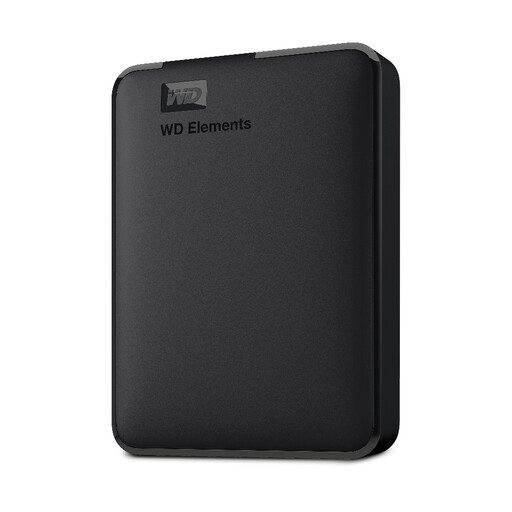
Western Digital Elements portable external hard drive, 1 TB

Western Digital Elements portable external hard drive, 1 TB

A portable HDD option for external files and backups, if 1 TB is enough for what you plan to store.

1 TB; USB 3.0; NTFS; USB-powered.

Joybuy

KEXIN external SSD, USB 3.1 Type-C, 256 GB

KEXIN external SSD, 256 GB

A portable SSD option if 256 GB is enough for the backups you plan to make.

256 GB; USB 3.1 Type-C; up to 500 MB/s according to the product specifications.

Joybuy
KEXIN external SSD, USB-C, 1 TB

KEXIN external SSD, 1 TB

A portable SSD option for external backups, if 1 TB and the listed connections are compatible with your computer.

1 TB; USB-C; up to 500 MB/s according to the product specifications; an adapter and cables are listed in the description.

Joybuy

Kexin M.2 SATA portable external SSD, USB 3.1, 256 GB

Kexin M.2 SATA portable external SSD, 256 GB

A portable SSD option for use in different locations, if 256 GB and the compatible connections are enough for your backup needs.

256 GB; USB 3.1; up to 500 MB/s according to the product specifications; USB-C and USB-A cables are listed in the description.

Joybuy

Frequently asked questions

Is it enough to copy family and group folders to the external drive just once?

Not if you want to restore files that are changed or deleted later. Set up regular backups and test restoring a file. The BSI points out that successful recovery can’t be taken for granted.

What should I check before setting up a Windows PC or Mac?

Check your operating system, file system and intended backup software. Microsoft describes File History for regularly backing up files to an external drive, while Apple describes Time Machine for Mac. According to Toshiba, the documented Toshiba Canvio Basics is formatted as NTFS for Windows and must be reformatted for macOS. Back up any data already on the drive before confirming a format.

Is the USB-C port on the front of a desktop HDD automatically the connection to the computer?

No, not on the documented Seagate One Touch with Hub: the front USB-A and USB-C ports are for connected devices. According to the Seagate manual, the computer connects at the back via USB Micro-B. Check the connections and cables for the specific model.

Are there different things to consider for personal data about group members than for private family photos?

The GDPR may apply if a group or association processes personal data. The Rhineland-Palatinate data protection authority specifically includes non-profit and unregistered associations. Responsibilities and appropriate safeguards depend on the group’s circumstances. Simply buying an encrypted hard drive doesn’t automatically make your setup GDPR-compliant.

Is a manufacturer’s warranty the same as your statutory rights if a product is faulty?

No. Under § 443 BGB, a warranty is an additional promise from the party providing it; this is separate from statutory rights relating to defects. Check who the seller is and which warranty applies to the specific model.