Which drive is right for you?

Studios with irreplaceable original recordings

If you need to be able to recover interviews after a drive failure or loss, you’ll need a separate copy as well as your working drive, along with a tested recovery process. The BSI explicitly includes recovery in a backup strategy.

Teams handling confidential interviews

If several people use the studio, decide who can open files and how authorised team members can access them. Also check whether an explicitly stated encryption feature is enabled; a password alone doesn’t prove that files are encrypted.

Studios with a growing archive

If you’re continually adding originals, edited versions and project files, work out how much you already have and how quickly it’s likely to grow. Weigh up the archive space you need against how often you transfer files between workstations.

What should you consider when choosing?

External HDD

A good fit if: you’re planning a growing archive that will mostly stay in one place, and frequent, fast transfers aren’t a priority.

Consider: Check the capacity of the specific variant and make sure its file system works on every studio computer. For macOS, Western Digital says My Passport requires an NTFS driver or reformatting.

External SSD

A good fit if: you regularly transfer recordings between editing workstations or need to carry a working drive around.

Consider: Advertised peak speeds depend on the host, connection and cable. An SSD is no substitute for a separate backup.

What matters What to check before you buy Who should consider it?
Separate backup Allow space for working files and a separate copy; decide who’s responsible and schedule a recovery test. If you don’t want your original recordings to be the only copy, you’ll need a separate storage location. Around 33% of consumers are likely to prioritise backup and recovery.
Confidentiality Check who has access, whether encryption is available and enabled, and how encryption keys are managed. If you share the studio with others, you’ll want to control who can access interview files. Around 25% of consumers are likely to prioritise access protection.
Archive capacity Add up your existing files and expected growth; allow for backup storage separately. If your originals, project files and edited versions keep growing, you’ll need room for your expanding collection. Around 25% of consumers are likely to prioritise archive space.
Transfers Check the connections, operating systems and cables on all your computers; test the file system and file sharing. If you regularly copy files between editing workstations, you’ll want to make sure the drive works with your computers. Around 17% of consumers are likely to prioritise transfers.

Which mistakes should you avoid?

  • Relying on a single external drive as your complete backup

    If the drive fails or goes missing, your only copy of the files could be lost as well. The BSI includes recovery in a complete backup strategy.

    Choose a separate backup location, decide who’s responsible and test that you can restore your files.

    Allow for extra storage and set up a regular backup routine.

  • Assuming an SSD’s advertised top speed is what you’ll get in the studio

    Your computer’s connection and the cable can limit transfer speeds. Kingston says the XS2000 requires a compatible USB 3.2 Gen 2x2 host.

    Check the connections on all the computers you plan to use before choosing an SSD based on its advertised peak speed.

  • Assuming a password means your files are encrypted

    A password alone doesn’t show whether your saved interview files are actually encrypted.

    Check that an encryption feature is explicitly stated, that it’s enabled, and that the recovery key is stored securely.

  • Judging compatibility by the USB connector alone

    A matching connector doesn’t guarantee that you can access your files or get the advertised speed. The file system and host can also make a difference.

    Test the specific drive and its file system on the computers you plan to use before storing your only copies of original recordings on it.

Brands to consider

Western Digital

The My Passport is a portable HDD designed for archives where capacity is a priority.

  • Western Digital lists password protection with hardware encryption and backup software for the product range.
  • For My Passport on macOS, Western Digital says you’ll need an NTFS driver or to reformat the drive. Check the specific variant and file system on your studio computers.

Samsung

The Portable SSD T9 is designed for transfers with a compatible USB 3.2 Gen 2x2 host; the T7 Shield is a separate SSD option.

  • For the 1 TB T9, Samsung lists read and write speeds of up to 2,000 MB/s, as well as password protection with AES-256 hardware encryption. For the 2 TB T7 Shield, Samsung lists an IP65 rating and speeds of up to 1,050 MB/s.
  • These specifications don’t necessarily apply to other models or variants. For studio use, check the host, connection and specific capacity.

Kingston

The XS1000 is designed for workstations with USB-A and USB-C connections; the XS2000 needs compatible connections to deliver its advertised performance.

  • Kingston lists capacities of up to 2 TB and read speeds of up to 1,050 MB/s for the XS1000.
  • Kingston says the XS2000 requires a USB 3.2 Gen 2x2 host and a compatible cable. According to Kingston, the advertised peak speed can’t be reached on a Mac.

Crucial

The X9 Pro is a portable SSD for workstations where a USB-C connection and enclosure protection are important.

  • Crucial lists an IP55 rating and speeds of up to 1,050 MB/s for the X9 Pro under the stated test conditions.
  • Crucial notes that performance and compatibility depend on the host and formatting. Check these requirements against the computers you use in your studio.

Joybuy product selection: external HDDs and SSDs

This selection includes external HDDs for a stationary or growing archive, as well as SSDs for regular transfers between workstations.

WD Elements Portable 6TB USB-C

WD Elements Portable 6TB USB-C

This portable HDD can store interview files alongside a separate backup.

Capacity: 6 TB. USB-C. Safely eject the drive before disconnecting it during a transfer.

View at Joybuy
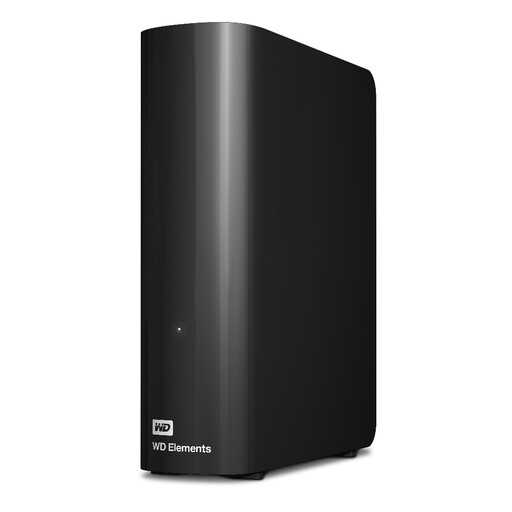
Western Digital WD Elements Desktop 20TB

Western Digital WD Elements Desktop 20TB

This HDD is explicitly described as a desktop drive, making it an option for an archive that will mostly stay in one place.

Capacity: 20 TB. USB 3.2 Gen 1. The description lists a USB-A cable and an AC adapter.

View at Joybuy
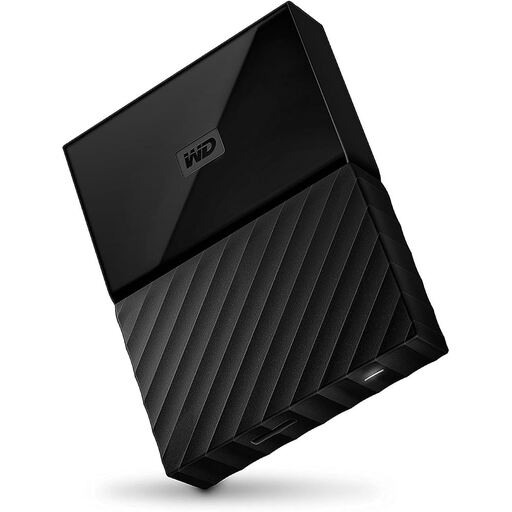
Western Digital My Passport 4TB Black

Western Digital My Passport 4TB Black

This portable HDD is an option if you’re looking for archive space and explicitly stated access protection.

Capacity: 4 TB. The product description lists password protection with AES-256 hardware encryption. For macOS, Western Digital says you’ll need an NTFS driver or to reformat the drive.

View at Joybuy

Samsung Portable SSD T7 4TB

Samsung Portable SSD T7 4TB

This SSD is an option for regular transfers if USB 3.2 Gen 2 is compatible with your computers’ connections.

Capacity: 4 TB. Listed speeds are up to 1,050 MB/s for reading and up to 1,000 MB/s for writing, with AES-256 hardware encryption. The password feature needs to be set up.

View at Joybuy

Samsung Portable SSD T9 2 TB

Samsung Portable SSD T9 2 TB

This portable SSD is worth considering for frequent transfers if your studio computers support USB 3.2 Gen 2x2.

Capacity: 2 TB. Listed read and write speeds are up to 2,000 MB/s. The description includes USB-C-to-C and USB-C-to-A cables.

View at Joybuy

Frequently asked questions

Is a single external drive enough for both an archive and a backup?

No. If the files are only stored there, you won’t have a separate copy if the drive is lost or damaged. The BSI includes recovery in its backup strategy. Choose a second storage location and test that you can restore your files.

What should I check before using the drive with several studio computers?

Check the connections, cables, file system and unlocking process on every computer you plan to use. For My Passport on macOS, Western Digital says you’ll need an NTFS driver or to reformat the drive. For the XS2000’s top speed, Kingston specifies a USB 3.2 Gen 2x2 host and a compatible cable.

Do I need a USB 3.2 Gen 2x2 SSD for faster transfers?

Only if frequent transfers matter to your workflow and the computers you plan to use support this interface. Kingston notes that the XS2000 won’t reach its advertised Gen 2x2 speed on a Mac.

Is a password enough to protect interview files?

Not necessarily. A password alone doesn’t prove that your files are encrypted. Check whether the specific drive has an encryption feature, whether it’s enabled, and how authorised team members can access the drive and its recovery key.

Can I record a private interview without permission and share it with my team?

Check that you have permission to record and share the interview before making files available. Section 201 of the German Criminal Code (StGB) makes it a criminal offence to record spoken words in private without authorisation or to make such a recording available to others. The German Data Protection Conference generally considers prior consent from the external participant necessary for telephone recordings. This guidance applies to telephone recordings and does not provide a blanket ruling for every interview format.