What should you consider when choosing?
Portable SSD
A better fit if: you regularly unplug and reconnect the drive, or often transfer large batches of scans.
The trade-off: manufacturers’ maximum speeds require compatible ports and host devices. An SSD is no substitute for access controls or a separate backup.
External HDD
A better fit if: you need plenty of space for a large collection or a backup where transfer times are not critical.
The trade-off: an HDD is the less speed-focused option for transfers; capacity alone will not protect you from data loss.
Check how much space your current collection uses and estimate how quickly it will grow before choosing a capacity. Also decide where you’ll keep another copy and how you’ll restore important files from it.
| Priority |
What to check before buying |
Who should pay particular attention? |
| Recovery |
Plan for a working copy and a separate backup; check that you can restore files from it. Germany’s Federal Office for Information Security recommends regular backups. |
If I need to be able to restore important scans after a loss, I plan the working copy and separate backup together. Around 36% of consumers put recoverability first. |
| Access protection |
Check encryption, authorised users and how you’ll manage the unlock keys. Germany’s Federal Office for Information Security describes encryption as one way to make content unreadable to other users. |
If confidential documents should not be accessible to everyone who shares the studio, I agree access permissions and key management in advance. Around 29% of consumers prioritise access protection. |
| Archive capacity |
Check current storage use and expected growth; the right capacity depends on the size of your actual collection. |
If I want to store existing and new scans long term, I add up the storage I’ll need. Around 21% of consumers prioritise archive space. |
| Use across several computers |
Check USB ports and the cables supplied. exFAT may work for Windows and Mac; Apple Support Germany warns that reformatting deletes existing files. |
If I want to use the drive with different studio computers, I check their ports and operating systems. Around 14% of consumers prioritise moving between workstations. |
Joybuy products for scan archives
This selection includes external HDDs for scan archives and dedicated archive storage. Compare capacity, connections and how you plan to use each drive with your studio computers.
 Image unavailable
WD Elements Portable 5 TB USB-C
For a growing scan archive that you want to use across several workstations.
- Capacity: 5 TB
- Connection: USB-C, USB 3.2 Gen 1
- Described as a portable 2.5-inch hard drive for Windows and Mac
A single drive is no substitute for a separate backup; plan an additional copy and test that you can restore your files.
View at Joybuy
Image unavailable
WD Elements Portable 4 TB USB-C
For a portable scan archive, if you want to check that the stated capacity and connection suit your studio computers.
- Capacity: 4 TB
- Connection: USB-C, USB 3.2 Gen 1
- Described as a portable 2.5-inch hard drive for Windows and Mac
A single drive is no substitute for a separate backup; plan an additional copy and test that you can restore your files.
View at Joybuy
 Image unavailable
WD Elements 2 TB Portable External Hard Drive, USB-C, USB 3.2 Gen 1, 2.5-inch, exFAT, Black
For scans used on Windows and Mac workstations, if exFAT suits the devices and workflows you have in mind.
- Capacity: 2 TB
- Connection: USB-C, USB 3.2 Gen 1
- File system: exFAT
- Described as a portable, USB-powered hard drive for Windows and macOS
A single drive is no substitute for a separate backup; plan an additional copy and test that you can restore your files.
View at Joybuy
 Image unavailable
WD Elements Desktop 8 TB
For a dedicated archive location in the studio, if a desktop hard drive with a power adapter suits your workspace.
- Capacity: 8 TB
- Connection: USB 3.0
- Desktop model; requires an external power adapter
A single drive is no substitute for a separate backup; plan an additional copy and test that you can restore your files.
View at Joybuy
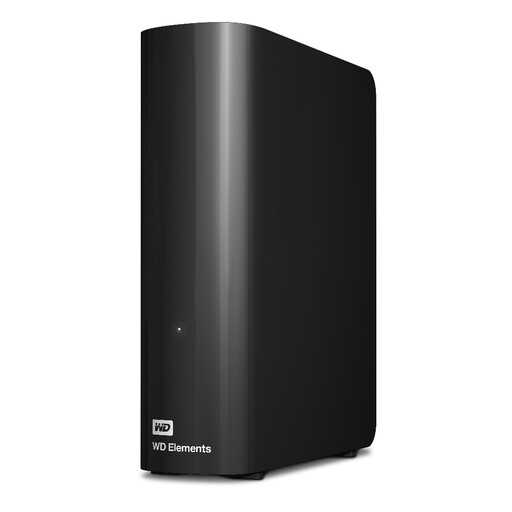 Image unavailable
Western Digital WD Elements Desktop 20 TB
For a large scan archive at a dedicated studio workstation, if the stated capacity suits your collection.
- Capacity: 20 TB
- Connection: USB 3.2 Gen 1
- Desktop model with power adapter
A single drive is no substitute for a separate backup; plan an additional copy and test that you can restore your files.
View at Joybuy
Frequently asked questions
Is one external drive enough for both an archive and a backup?
No, not if it is also your only working copy: to recover your files after a loss, you need a separate backup that actually exists and can be used independently. Germany’s Federal Office for Information Security recommends backing up data regularly and points out that restoring it must work too.
How can I use the drive with Windows and Mac computers?
Apple Support Germany lists exFAT as a formatting option for an external drive over 32 GB that you want to use with both Mac and Windows. Back up existing files to another device before formatting, as the process deletes them; also check the ports and cables on the computers you’ll be using.
Is encryption legally required for every scan?
The information from the authorities does not mean that a particular encrypted drive is always required. If personal data is processed, data controllers must take appropriate technical and organisational measures under Article 32 of the GDPR. The right measures depend, among other things, on the level of risk and the type of data. Encryption may be one such measure.
What should the studio do after buying a drive?
Assign responsibility for backups and unlock keys, and regularly check that you can restore important scans from your backup. Check the warranty terms for the specific model you buy; Samsung says the T7 Shield’s IP65 rating does not include warranty cover for liquid or dust damage.


