For large teaching archives and older versions, an external HDD may be the better choice. If you regularly copy large current files or often transport the drive, an SSD may suit you better. With either option, make sure every computer you plan to use can write to it, and that you can actually restore data from a backup stored separately.
Who are the different drives suited to?
People responsible for restorable backups
If you need to recover teaching files after a drive failure or accidental deletion, plan to keep a separate copy and test the recovery process. Germany’s Federal Office for Information Security emphasises that data cannot simply be assumed to be recoverable.
People managing large archives of teaching materials
If you keep extensive teaching folders and older versions, compare your actual storage needs with the capacity of the specific drive. Toshiba offers portable HDDs with capacities of up to 4 TB.
Teams working across different computers
If you save or open files on several computers, check the connections, cables and write access on every device you plan to use. Apple notes that macOS can read NTFS drives, but cannot write to them without additional steps.
What should you consider before buying?
First, make sure your backups can be restored and that every computer you plan to use has write access. Then weigh up capacity and transfer times in light of your day-to-day needs.
| Priority |
What to check before buying |
Who is this especially important for? |
| Restorability |
Plan where to keep a separate backup and how you will test the recovery process. |
If you need to restore teaching files after they are lost or accidentally deleted, having a backup you can test is essential. Around 28% of consumers put restorability first. |
| Space for archives and versions |
Compare the size of your existing folders and planned archive of older versions with the model’s capacity. |
If you want to keep complete teaching folders and earlier versions, first work out how much storage space you need. Around 22% of consumers prioritise archive capacity. |
| Write access for the team |
Check the file system and connections on every computer you plan to use, and check which cables are included. |
If several people work on different computers, the drive needs to be writable on all of them as intended. Around 22% of consumers pay particular attention to device compatibility. |
| Controlled access |
For personal data, agree on access permissions and appropriate technical and organisational measures. |
If you store files containing personal data in a shared space, decide who can access them and restore backups. Around 17% of consumers put access protection first. |
| Time for frequent copies |
Check that your computer’s USB port and cable meet the requirements of the specific drive. |
If you regularly back up large, current folders, transfer time may have a greater impact on your day-to-day work. Around 11% of consumers prioritise shorter copying times. |
Which mistakes should you avoid?
-
Relying on the drive you buy as your only backup
If the drive fails or is lost, the copy stored on it will no longer be available either. Germany’s Federal Office for Information Security points out that recovery needs to be tested separately.
Keep another backup separately and test restoring a selection of your teaching files.
An additional, separate copy takes up more storage space and needs to be managed.
-
Assuming the right USB plug means you can write to the drive
A Mac may be able to read an NTFS-formatted drive without being able to save files to it. Formatting a drive deletes the files already on it.
Check write access on every computer you plan to use, and back up any files you need before changing the file system.
-
Assuming an SSD’s advertised maximum speed is guaranteed
Samsung’s maximum speeds for the T7 Shield, variant MU-PE2T0S/EU, depend on a suitable host, compatible cables and UASP mode being enabled.
Compare the ports and cables on the studio computers with the requirements of the specific drive. If you only occasionally back up large folders, consider how much shorter copying times matter to you.
Which brands are worth considering?
Toshiba
The Canvio Basics and Canvio Flex ranges offer different portable HDD options.
- Toshiba lists capacities of up to 4 TB for Canvio Basics and says it comes pre-formatted with NTFS.
- Canvio Basics needs to be reformatted for the macOS versions listed by Toshiba. Toshiba describes Canvio Flex as suitable for use across different devices and says USB-A and USB-C cables are included. Still, check the specific variant and the studio computers you plan to use.
Samsung
The portable SSD T7 Shield may be worth considering if you transfer files frequently or need to transport the drive.
- For variant MU-PE2T0S/EU, Samsung lists read speeds of up to 1.050 MB/s and write speeds of up to 1.000 MB/s, provided the host, cable and enabled UASP mode meet the stated requirements.
- Samsung says the IP65 rating is based on controlled tests; damage caused by liquids or dust is not covered by the warranty, according to the manufacturer.
Crucial
The portable SSD X9 is listed under model number CT2000X9SSD9 for the variant researched.
- Crucial lists read speeds of up to 1.050 MB/s for the X9 as the maximum measured under test conditions.
- According to Crucial, the X9 comes formatted as exFAT. Compatibility still depends on the file system and host, and reformatting deletes data.
Seagate
According to Seagate, the One Touch with Password portable HDD range includes password protection and scheduled backup features.
- Seagate says a USB-A cable is included with the range described.
- According to Seagate, you may need to buy an adapter separately for USB-C computers. Check the features and software support for the specific variant.
Western Digital
My Passport is a portable HDD range; access-protection features depend on the specific drive.
- Western Digital describes password protection for supported external drives.
- Check that the specific My Passport variant and the studio computers support the security software you need.
Joybuy products
The selection includes external HDDs for storing larger archives and portable SSDs to suit different storage and transfer needs.
 No image available
WD Elements Portable 5TB USB-C
For larger teaching folders when you need an external HDD with a stated capacity.
Capacity: 5 TB. Connection: USB-C.
Joybuy
 No image available
KEXIN Portable SSD, 512 GB, USB 3.1 Type-C
For compact storage when 512 GB is enough for the backups you plan to keep.
Capacity: 512 GB. Connection: USB 3.1 Type-C. Stated transfer rate: up to 500 MB/s.
Joybuy
 No image available
WD My Passport External Hard Drive, 2 TB
For scheduled backups, if the software you plan to use works with the studio computers.
Capacity: 2 TB. Check software support for the backup and access-protection features you need.
Joybuy
 No image available
Samsung Portable SSD T7, 4 TB, USB Type-C 3.2 Gen 2, Titanium Grey
For a studio considering a portable SSD with 4 TB of storage.
Capacity: 4 TB. Connection: USB Type-C 3.2 Gen 2. Colour: Titanium Grey.
Joybuy
 No image available
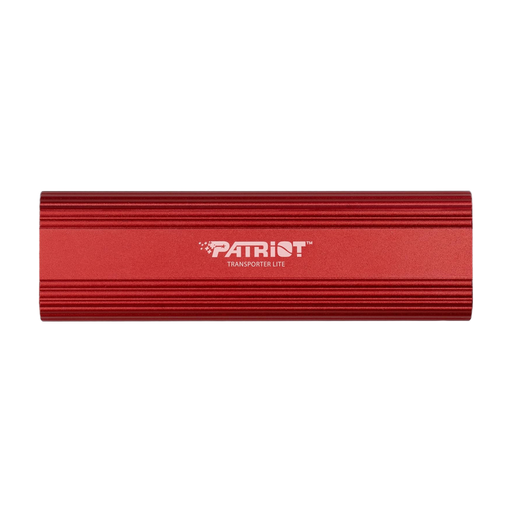
Patriot Transporter Lite 1TB Type-C USB 3.2 Gen 2 External Portable SSD, Red
For mobile backups when a portable SSD with 1 TB suits the amount of data you plan to store.
Capacity: 1 TB. Connections: Type-C and USB 3.2 Gen 2. Colour: Red.
Joybuy
Frequently asked questions
Is an external hard drive enough as my only backup?
No, not if you need to be able to recover from the failure or loss of that one copy. Keep a separate backup and test restoring a selection of your teaching files. Germany’s Federal Office for Information Security points out that data cannot simply be assumed to be recoverable.
What should I check before using the drive with Mac and Windows?
Check the cables and connections, and make sure both computers can save files using the existing file system. Apple notes that macOS can read NTFS drives but cannot write to them; for drives over 32 GB, Apple lists exFAT as a formatting option. Back up any files you need first, as formatting deletes them.
Is encryption always required for teaching materials in Germany?
No. You cannot infer a blanket requirement to encrypt every folder of teaching materials. Where personal data is processed, data controllers must, according to Germany’s Federal Commissioner for Data Protection and Freedom of Information, implement appropriate technical and organisational measures to provide a level of protection suited to the risk. The measures required depend on the content and the risks involved in processing it.
How should I dispose of an old external drive?
In Germany, old electrical equipment must be handed in to an authorised collection point, such as a local authority collection site, manufacturer or retailer. If the drive contains personal data, make sure deletion or destruction is also handled as part of an appropriate data-protection process.


