
Lieferung heute & morgen

Qualitätsgarantie

Willkommens-Angebote freischalten: KOSTENLOSE Lieferung | Bis zu 80 % RABATT | Kostenlose 30-Tage-JoyPlus-Testphase
App herunterladen
An external portable SSD is ideal for backups, large photo and video files, mobile workflows and game installations. Unlike traditional hard drives, it has no moving parts and is usually more compact. However, a high figure on the packaging doesn’t automatically mean it’s the right choice for you.
That’s why the Joybuy Product Recommendation Officer selection focuses on clear, practical criteria: connection standard, storage capacity, device support, enclosure protection and how you plan to use it.
A fast external SSD with USB 3.2 Gen 2x2 can transfer data at up to 2,000 MB/s, according to the manufacturer. However, several requirements must be met:
USB-C describes the shape of the connector only. The port may support USB 2.0, USB 3.2 Gen 1, USB 3.2 Gen 2 or USB 3.2 Gen 2x2. So before buying, don’t just search for “portable SSD USB-C”; check the specific data transfer standard.
The term external SSD hard drive is widely used, but it isn’t technically precise. An SSD uses flash memory, whereas an HDD uses magnetic, moving platters.
HDDs such as the WD Elements Portable models often offer more storage per pound. They’re suitable for archives, films and backups you don’t need to access often. For frequent file transfers, mobile video editing or working directly with large files, an SSD is usually more portable and less vulnerable to knocks. Neither type of storage should be your only backup for important data.
A magnetic portable SSD can be handy with compatible smartphones. However, the magnetic attachment doesn’t replace the need for a suitable cable or a supported USB-C port. For iPhones, the model also matters. Some products only support the iPhone 15 series and newer devices, while other versions also list older USB-C-compatible models.
USB-C is a flexible option for many laptops and current smartphones. A USB 3.2 Gen 2 SSD, for example, can reach read speeds of up to 1,050 MB/s according to the product specifications. Models with USB 3.2 Gen 2x2 SSD can reach around 2,000 MB/s, according to manufacturers. These figures generally refer to sequential transfers under suitable conditions.
Mac users should check whether their Mac actually supports USB 3.2 Gen 2x2. If it doesn’t, an SSD with a higher maximum speed may run more slowly. The same applies to Windows laptops, tablets, cameras and games consoles.
An external 1TB SSD is suitable for documents, software, photo collections and moderate video projects. If you regularly work with 4K footage, RAW photos or backups from several devices, consider an external 2TB SSD.
It’s also worth leaving around 10 to 20 per cent of the capacity free. This makes it easier to manage files and helps prevent the drive from constantly running out of space. For archiving alone, external hard drives with 4 TB, 5 TB or 6 TB may offer better value.
Aluminium enclosures can help dissipate heat, but they don’t replace adequate ventilation. Always check claims such as “shockproof” or “drop-proof” against the stated drop height and test standard.
When choosing portable storage, also consider the following:
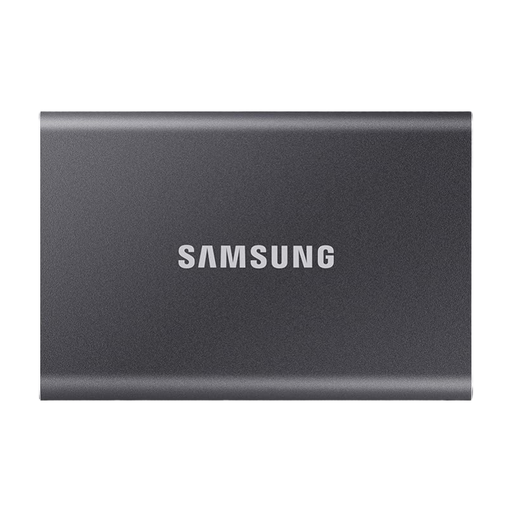
Why this product suits this profile: Its 2 TB capacity has room for backups, documents, photos and media. USB 3.2 Gen 2, along with USB-C-to-C and USB-C-to-A cables, makes it easy to use with both current and older devices.
The specifications state the connection standard and which cables are included. This helps avoid confusing the USB-C connector shape with actual compatibility.
2 TB of storage, read speeds of up to 1,050 MB/s and an aluminium enclosure with a stated drop resistance of up to 2 metres.
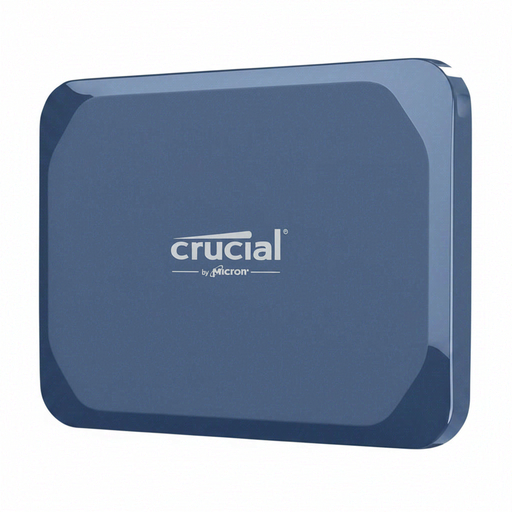
Why this product suits this profile: This model combines 1 TB of storage with USB-C 3.2 Gen 2x2, IP65 protection and a compact enclosure for working on the move.
The IP65 rating and stated drop height set clear limits on its protection. This helps avoid mistaking a general claim of durability for waterproofing or complete shock resistance.
According to the product specifications, read speeds of up to 2,100 MB/s and write speeds of up to 2,000 MB/s, plus AES hardware encryption and IP65 protection.
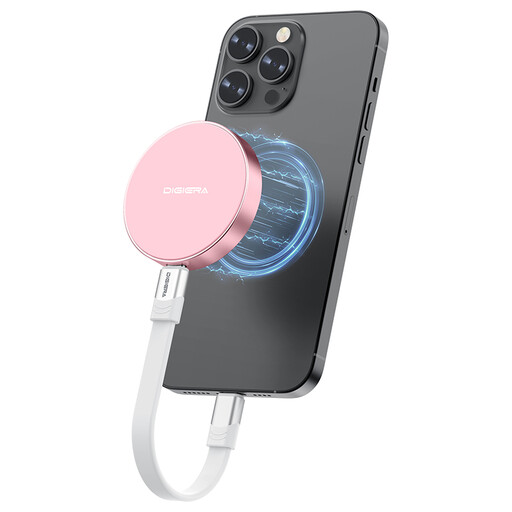
Why this product suits this profile: Its magnetic attachment and USB 3.2 Gen 2x2 are designed for people who use compatible iPhones, laptops, tablets or cameras for mobile video and file workflows.
The compatibility information specifies which iPhone models are supported. This makes it easier to check whether magnetic attachment and direct recording will work with your device.
According to the product description, read speeds of up to 2,000 MB/s and write speeds of up to 1,800 MB/s, with a low weight of around 46 grams.
We’ve put together a comprehensive, regularly updated list of products that meet these strict selection criteria and fully comply with the safety regulations in force in the EU.
For an SSD that works with Mac and PC, check that it comes with a suitable USB-C or USB-A cable. For an iPhone, the specific model matters too. USB-C-compatible iPhones can use external storage, provided the operating system, app, cable and power supply all work together. The product description should clearly state which devices are supported.
Its lifespan depends on how much data is written to it, its temperature, how it’s used and how it’s stored. You’ll still need a second backup for important data. Don’t cover the SSD during long transfers, and protect it from moisture, strong impacts and extreme temperatures.
An external hard drive for PS5 can be used to store and manage games. The console’s requirements apply when it comes to playing games directly; PS5 games often need to be installed on the internal storage. Before buying, check the requirements for the game, console and drive. Make sure you also have enough capacity, a suitable USB cable and a safe way to disconnect the drive once it’s been ejected.