
Lieferung heute & morgen

Qualitätsgarantie

Willkommens-Angebote freischalten: KOSTENLOSE Lieferung | Bis zu 80 % RABATT | Kostenlose 30-Tage-JoyPlus-Testphase
App herunterladen
By: Joybuy Product Recommendation OfficerDate: July 04, 2026
Managing large amounts of data has become a daily task for many. Whether for high-resolution video projects, extensive game libraries, or simply backing up important personal files, the need for fast, reliable, and portable storage is constantly growing. An external SSD (Solid State Drive) offers a high-performance solution that surpasses traditional hard drives in both speed and durability.
This guide is designed to help you understand the technical specifications and make an informed decision. We will present a selection of models suited for various use cases, from professional video editing and PS5 storage expansion to mobile data backup with the iPhone 15.
Choosing the right external SSD drive depends on your individual needs. The following three criteria are essential for making a well-informed choice.
Transfer speed is often the most critical factor. It is primarily determined by the interface used. A fast external SSD typically uses a USB-C port in conjunction with standards like USB 3.2 Gen 2 or USB 3.2 Gen 2x2.
Before purchasing, check which USB standards your devices (PC, Mac, console) support to take full advantage of the SSD's performance.
The required capacity depends on your intended use.
Ensure the SSD is compatible with your devices. Most external SSDs are compatible with Windows and macOS (as an SSD for Mac), often pre-formatted with the exFAT file system. For use as a storage expansion SSD for PS5, there are specific requirements from the console manufacturer (e.g., minimum and maximum capacity). The form factor of a portable SSD is also important: compact and lightweight models are ideal for on-the-go use, while more rugged enclosures offer additional protection against impacts.
Based on objective product features like speed, capacity, and connectivity, we have compiled a selection of external SSDs that cover a range of user needs.
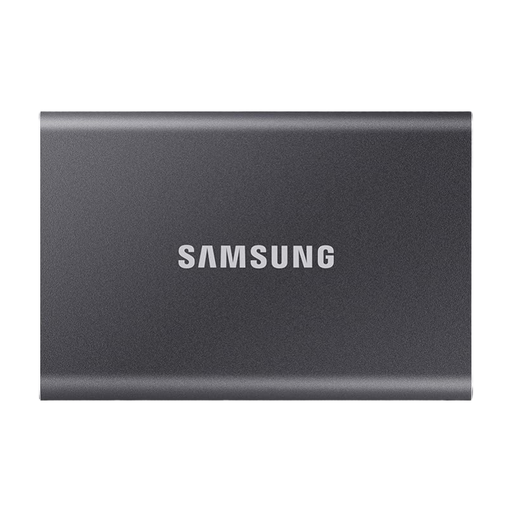
Why it stands out: The Samsung T7 is an established model that offers a balanced combination of speed, security, and design. It is a versatile workhorse for a broad audience.
Advantages:
Who is it for? Professional users and creatives who need a reliable and fast drive for daily use. It is also an excellent choice for users looking for a secure backup solution with an encryption option.
View details for the Samsung T7 2TB
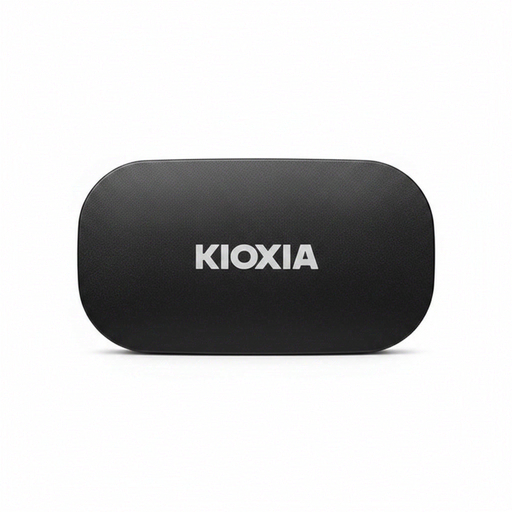
Why it stands out: This model has a clear focus on ruggedness and durability without compromising on speed.
Advantages:
Who is it for? Users who are frequently on the move or work in demanding environments, such as photographers or videographers in the field. Its high durability provides extra security for valuable data.
View details for the KIOXIA Exceria Plus G2
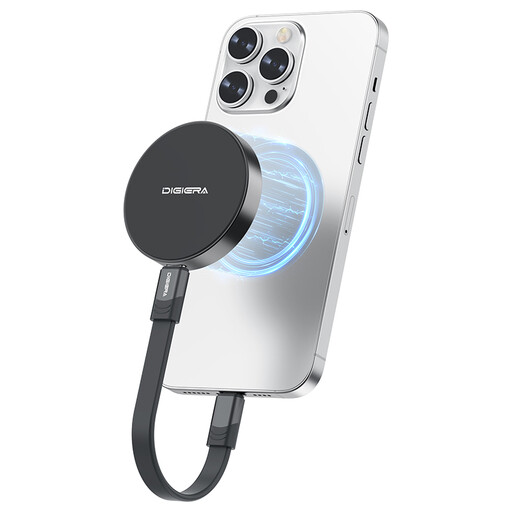
Why it stands out: The DigiEra SSD is distinguished by its extremely high speed and an innovative magnetic mount, designed specifically for iPhone 15/16 Pro users.
Advantages:
Who is it for? Content creators and videographers who film with an iPhone 15/16 Pro and need a seamless, ultra-fast storage solution for direct recording. Also for power users with a compatible PC or laptop who are seeking maximum transfer rates.
View details for the DigiEra 1TB Magnetic SSD
The models presented here cover common use cases. If you haven't found the right product for your specific needs, you can find a wider selection in our main category.
Discover our entire range of USB Drives for more models, capacities, and brands.
Yes, an external SSD can be used for storage expansion on a PS5. The console requires an SSD with a USB 3.2 Gen 1 interface or faster and a capacity between 250 GB and 8 TB. You can play PS4 games directly from the external SSD and offload PS5 games to it to free up internal storage. However, to play PS5 titles, they must be moved back to the internal SSD.
That depends on the use case. An external SSD is significantly faster, quieter, more energy-efficient, and more resistant to shocks because it has no moving parts. In contrast, a traditional external HDD (Hard Disk Drive) usually offers more storage space for the same price. For tasks where speed and mobility are crucial (e.g., video editing, gaming), an SSD is the better choice. For purely archiving large amounts of data, an HDD can be a more cost-effective alternative.
Most external SSDs are shipped pre-formatted with the exFAT file system. This is compatible with both Windows and macOS, allowing for immediate use on both systems. If you plan to use the SSD exclusively with a Mac and want to use features like Time Machine, reformatting it to APFS (Apple File System) can be beneficial. For use with a game console, formatting by the console itself is also required.