
Lieferung heute & morgen

Qualitätsgarantie

Willkommens-Angebote freischalten: KOSTENLOSE Lieferung | Bis zu 80 % RABATT | Kostenlose 30-Tage-JoyPlus-Testphase
App herunterladen
Managing large amounts of data has become an everyday necessity for many. Whether it's high-resolution photos, 4K video projects, extensive game libraries, or simply crucial backups, the need for fast, reliable, and portable storage is constantly growing. An external SSD (Solid-State Drive) offers a high-performance solution that far surpasses traditional hard disk drives (HDDs) in speed and durability.
This guide is here to help. It highlights the most important technical features and presents a selection of models to provide you with a solid basis for making an informed decision based on your specific needs.
Choosing the right model depends on several technical factors. The following three criteria are crucial for most use cases.
Transfer speed is often the main selling point for an SSD. This is largely determined by the built-in technology and the interface.
The storage capacity you need depends directly on your usage habits.
If you frequently transport your data, physical durability and compatibility with various devices are important.
Based on the criteria mentioned, we have compiled a selection of models that cover different needs.
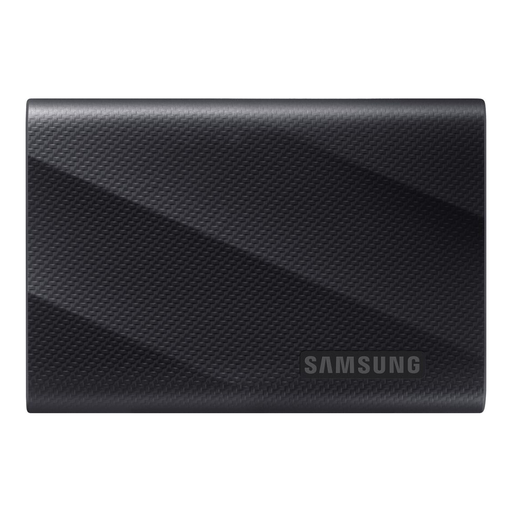
Why It Stands Out: The Samsung T7 Shield combines a high 4TB storage capacity with exceptional durability. Its rubberized exterior not only provides a secure grip but also effectively protects the SSD from the elements and drops.
Advantages:
Who Is It For? This model is ideal for photographers, video producers, and anyone who needs a reliable and rugged external SSD for use in demanding outdoor or travel conditions.
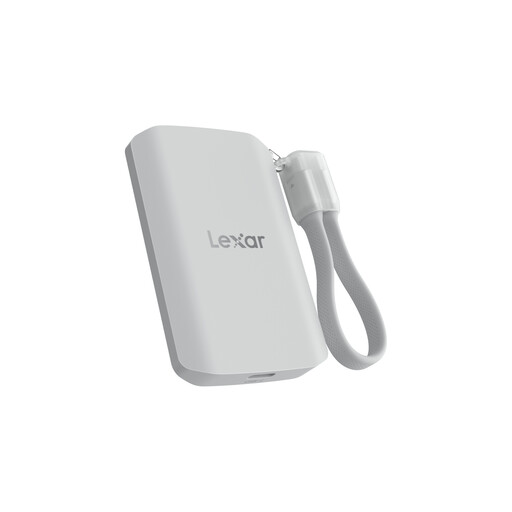
Why It Stands Out: The Lexar ES5 is designed for maximum speed and mobile workflows. With its USB 3.2 Gen 2x2 interface, it achieves extremely high transfer rates. A special feature is its MagSafe compatibility, allowing for easy attachment to an iPhone 15 Pro for direct video recording.
Advantages:
Who Is It For? The Lexar ES5 is aimed at content creators who film directly with their smartphone and can benefit from the MagSafe functionality. It is also an interesting option for power users whose computers have a USB 3.2 Gen 2x2 port and who require maximum transfer performance.
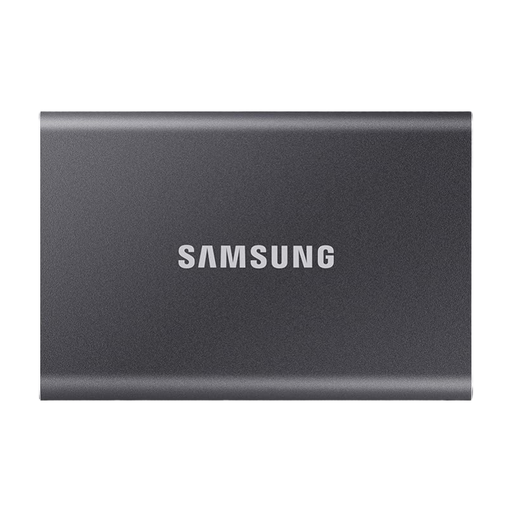
Why It Stands Out: The Samsung T7 is an established and versatile model that offers a balanced combination of speed, compactness, and security. Its slim aluminum casing makes it an elegant yet durable companion for everyday use.
Advantages:
Who Is It For? The Samsung T7 is an excellent all-round solution for students, office workers, and home users looking for a fast, portable, and secure external 2TB SSD for daily backups, data transport, and storage expansion.
If the models presented here don't exactly meet your requirements, or if you're looking for different capacities and designs, you can find a wider selection in our category for external storage solutions.
Discover more USB-C SSDs on Joybuy
An external SSD (Solid-State Drive) uses flash memory with no moving parts. This makes it significantly faster, quieter, more energy-efficient, and more resistant to shocks than a traditional external HDD (Hard Disk Drive), which stores data on rotating magnetic platters. HDDs typically offer more storage space for less money but are inferior in performance and durability.
An SSD for video editing should primarily offer high and consistent read/write speeds of at least 1,000 MB/s to ensure a smooth, stutter-free workflow. High capacity is also important, which is why models with 2TB are the minimum, and 4TB or more is recommended. A reliable interface like USB 3.2 Gen 2 or Thunderbolt is also crucial.
Yes, thanks to their USB-C port, the iPhone 15 Pro and Pro Max support direct recording of high-resolution ProRes videos to a compatible external SSD. This is particularly useful as ProRes files are very large and can quickly fill up internal storage. Models like the Lexar ES5 or the Samsung T7 are suitable for this use case. It is advisable to check for compatibility with the respective SSD manufacturer.