
Lieferung heute & morgen

Qualitätsgarantie
App herunterladen
Kategorien
The growing volume of high-resolution data, whether from 4K video production, professional photography, or extensive game libraries, demands mobile storage solutions with high speed and reliability. An external SSD (Solid State Drive) provides the technological foundation for this by transferring the performance of internal NVMe storage into a portable format. Unlike traditional external hard disk drives (HDDs), SSDs contain no moving parts, making them more robust, quieter, and significantly faster.
This article analyses the technical parameters that are crucial when selecting an external SSD and presents a selection of models for specific use cases.
The selection of a suitable portable SSD depends on objective technical specifications. The following criteria are essential for making an informed decision.
The maximum speed of an external SSD is determined by its internal storage technology (e.g., NVMe) and its external interface (port). The most common interface is USB-C, but there are crucial differences in the supported protocols:
Note: To achieve the maximum speed, both the SSD and the host device (laptop, PC, console) must support the same or a higher-tier USB standard.
The required capacity depends on the intended use case:
Based on technical specifications and practical utility, we have analysed the following models for different user profiles.
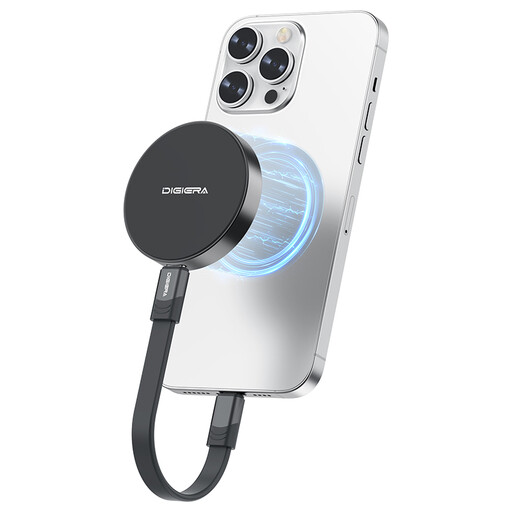
Why We Recommend This Product: The DigiEra LPS2000M-1 combines extremely high transfer speeds with a design optimised for mobile content creators. The USB 3.2 Gen 2x2 interface enables data transfers that approach the protocol's theoretical limit, making it one of the fastest options in this segment. The magnetic mount is a functional feature for directly recording ProRes video with the iPhone 15/16 Pro.
Pros:
Who It's For: Videographers and content creators who record directly in ProRes with the iPhone 15/16 Pro and require maximum transfer speeds for their post-production. Power users who regularly move very large files between USB 3.2 Gen 2x2-compatible devices.
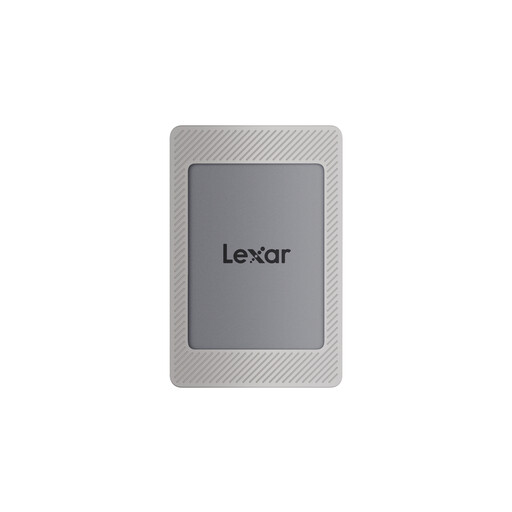
Why We Recommend This Product: The Lexar ES4 offers a well-designed package for users seeking a flexible magnetic solution. With speeds of up to 1050 MB/s via USB 3.2 Gen 2, it meets the needs of most users. The included accessories, which feature a magnetic silicone sleeve and an additional magnetic ring, make it ready for use with the iPhone 15/16 right out of the box, even with a protective case on.
Pros:
Who It's For: Users looking for a flexible magnetic solution for their iPhone who appreciate a complete accessory package. Users for whom data security through hardware encryption is a high priority and who need a fast external SSD for Mac or PC.
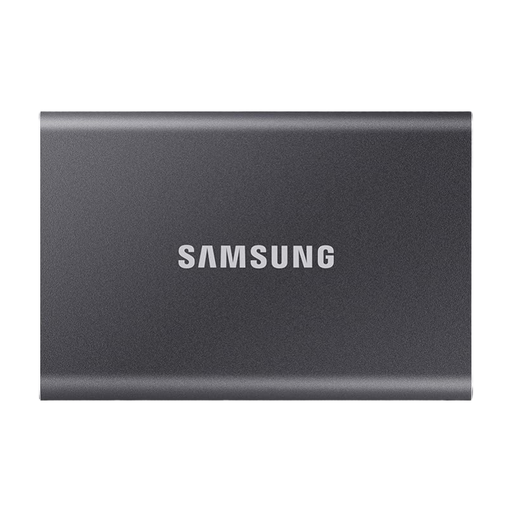
Why We Recommend This Product: The Samsung T7 is an established model known for its reliability, high capacity, and robust construction. With 2 TB of storage, it offers ample space for large projects and backups. Its speed of up to 1050 MB/s is more than sufficient for most professional and personal use cases. The aluminium casing and optional hardware encryption make it a secure companion for important data.
Pros:
Who It's For: Professionals, power users, and gamers who need high storage capacity and proven reliability for backups, data transport, and expanding the storage of consoles or laptops.
If these models don't include the perfect solution for your specific needs, you can find a broader selection in our main category. There, you can compare different capacities, form factors, and speed classes.
Discover more models in our SSD Drive category.
1. Can I use an external SSD as a primary drive for video editing? Yes, a high-speed external SSD with USB 3.2 Gen 2 or Gen 2x2 is very well-suited for direct video editing. The high read and write speeds allow for smooth scrubbing through 4K timelines and significantly reduce render times compared to an HDD.
2. What file system should I use for an external SSD to ensure compatibility with both Mac and Windows? For maximum compatibility between macOS and Windows, the exFAT file system is recommended. It is natively read and written by both operating systems without additional software and supports large file sizes, which is essential for videos and other media files.
3. How does using an external SSD affect loading times on the PS5? An external USB SSD can be used as extended storage on the PS5. PS4 games installed on it will benefit from significantly shorter loading times compared to the PS4's internal HDD. PS5 games can be archived on the external SSD to free up internal storage. However, to play them, they must be moved to the console's ultra-fast internal SSD.