
Lieferung heute & morgen

Qualitätsgarantie

Willkommens-Angebote freischalten: KOSTENLOSE Lieferung | Bis zu 80 % RABATT | Kostenlose 30-Tage-JoyPlus-Testphase
App herunterladen
An external SSD can make your photos, videos, backups and games much more portable. But a high speed rating doesn’t automatically mean it’s the best buy. What matters is whether the drive, connection and device are compatible.
Figures such as 2,000 or 2,060 MB/s usually refer to ideal conditions. You’ll generally need a compatible USB 3.2 Gen 2x2 port and a suitable cable to achieve them. With a slower USB port, the drive will work at a correspondingly lower speed.
A USB-C socket alone tells you little about the actual transfer rate. USB-C describes the connector shape; you’ll also need to check the transfer protocol supported by your computer, smartphone or tablet.
An SSD has no moving parts, making it compact and less susceptible to knocks while in use. A traditional external hard drive with magnetic platters, on the other hand, often offers more storage per pound, but is more vulnerable to mechanical damage and usually slower.
A portable SSD is often a good choice for frequent file transfers, working on the move and video editing. For large archives, backups you rarely need to access or several terabytes of storage, a 4TB, 5TB or 6TB external hard drive may offer better value.
An aluminium casing, an IP65 rating or a stated drop height won’t protect a drive from every kind of damage. And a sturdy case is no substitute for a backup. Important files should be stored in at least two separate places.
For confidential documents, look for AES hardware encryption, password protection and the software required to use them. Encryption often needs to be set up first and isn’t always enabled by default.
For many uses, USB 3.2 Gen 2, with speeds of up to 10 Gbit/s, offers a good balance. According to product specifications, external SSDs such as the Samsung T7 can reach read speeds of up to 1,050 MB/s and write speeds of up to 1,000 MB/s. That’s fast enough for backups, photos, office files and many video projects.
A fast external SSD with USB 3.2 Gen 2x2 can reach speeds of up to 2,000 MB/s or more, according to the manufacturer. However, you’ll only benefit if your device also supports this standard. Older PCs may require a USB-C to USB-A cable. Cables included in the box reduce the risk of an incompatible connection.
Bear in mind that your operating system will show a slightly lower usable capacity than the manufacturer’s stated figure.
An SSD for Mac and PC should be formatted with a suitable file system. exFAT is often a good choice for transferring files between Windows and macOS. Depending on your system, an NTFS-formatted drive usually can’t be fully written to on macOS without additional software.
For an SSD for iPhone, you’ll need a compatible iPhone model with a USB-C port and a suitable cable. With magnetic models, also check that the mount is compatible with your phone or case. An external SSD for PS5 can be useful for storing and transferring game data, but the console determines which games can be played directly from external storage.
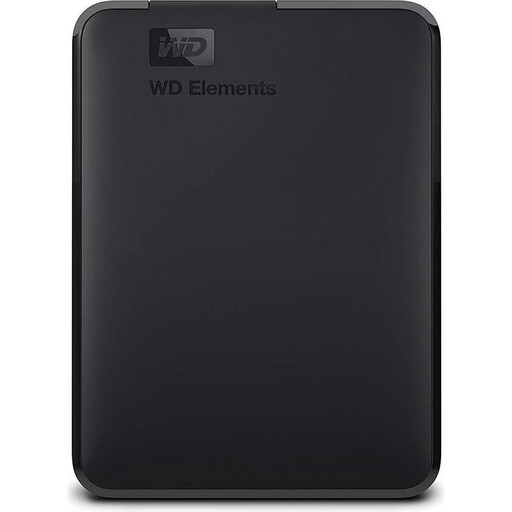
Why it suits this profile: This 2TB hard drive gives you plenty of space for photos, documents and backups, without paying the higher price per terabyte of an SSD.
The USB 3.0 interface is clearly specified, making it easier to set realistic expectations than broad claims about high speeds.
2TB capacity, USB-powered and compatible with USB 3.0 and USB 2.0.
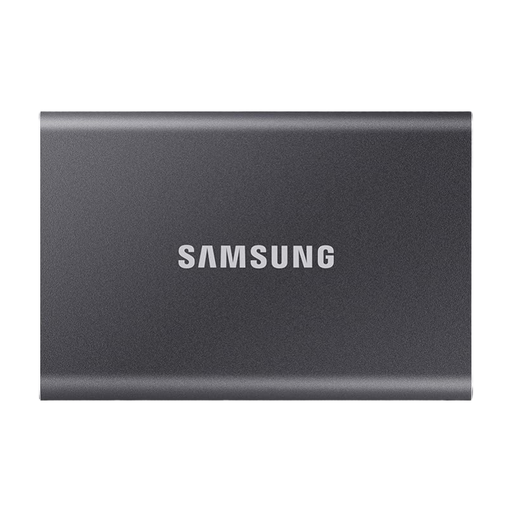
Why it suits this profile: This compact 2TB SSD is a good fit for professionals, students and photographers who need fast transfers in a portable design.
The USB 3.2 Gen 2 interface is clearly specified, and the included USB-C to USB-C and USB-C to USB-A cables make it easier to check compatibility.
Read speeds of up to 1,050 MB/s, an aluminium casing, drop resistance from heights of up to two metres and optional hardware encryption.
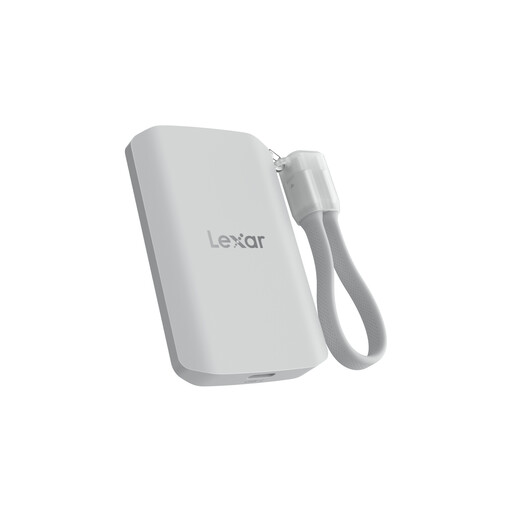
Why it suits this profile: Content creators and mobile videographers get a magnetic mounting option for compatible devices, along with fast file transfers.
The IP65 rating comes with a clear note that the drive isn’t designed to be submerged. It’s also worth bearing in mind that performance will be lower with incompatible ports.
Read and write speeds of up to 2,000 MB/s, IP65 protection, a stated drop height of up to three metres and a MagSafe-compatible mount.
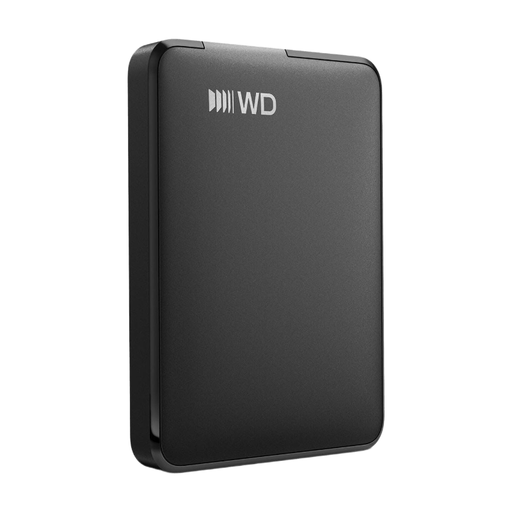
Why it suits this profile: For large photo archives, video collections and local backups, high capacity matters more than maximum SSD speed.
This product is listed as an external hard drive with USB 3.2 Gen 1. You can weigh its lower speed compared with an SSD against its higher capacity.
6TB of storage, a USB-C connection, a compact 2.5-inch design and support for Windows and Mac, according to the product specifications.
We’ve put together a complete, regularly updated list of products that meet these strict selection criteria and fully comply with the safety regulations in force in the EU.
Its lifespan depends on the amount of data written, temperature, usage and model. There’s no single lifespan that applies to every drive. You’ll still need an additional backup for important data, whether you use an SSD or an external hard drive.
Yes. An external SSD is particularly useful for regular backups when fast transfers and low weight matter. For very large archives that you rarely access, an external hard drive with 4TB to 6TB of storage may offer better value thanks to its higher capacity.
A portable SSD usually doesn’t need its own power socket and draws power through USB. As a result, running costs are low in everyday use. If you leave a drive connected for long periods, it’s still worth keeping an eye on heat build-up and ventilation, and disconnecting it safely after use.