
Lieferung heute & morgen

Qualitätsgarantie

Willkommens-Angebote freischalten: KOSTENLOSE Lieferung | Bis zu 80 % RABATT | Kostenlose 30-Tage-JoyPlus-Testphase
App herunterladen
An external SSD can transfer photos, videos, backups and game files much faster than many traditional hard drives. But a high MB/s figure on a product listing doesn’t automatically mean it’s the right choice for you. The key factors are the connection, capacity, intended use and actual compatibility with your device.
A USB 3.2 Gen 2x2 SSD can achieve particularly high transfer speeds on paper. However, if your laptop, smartphone or games console only supports USB 3.2 Gen 1 or USB 3.2 Gen 2, the connection will limit the speed. The cable also needs to support the right standard.
With an external SSD 1TB or external SSD 2TB, the capacity shown by the operating system will be slightly lower than the advertised decimal figure. Formatting and system management also use a small amount of space. If you regularly store 4K videos, RAW photos or large backups, don’t underestimate how much storage you’ll need.
A USB-C USB stick is lightweight and handy for transferring files quickly. A portable SSD, on the other hand, is usually designed for larger amounts of data and longer periods of use. Neither product replaces a separate backup. Save important files to a second storage device or another location as well.
A USB-C SSD connection is particularly versatile for current laptops, tablets and smartphones. For older computers, car stereos or TVs, a USB-A USB-C storage drive with two connectors may be more useful. Check whether both cables are included or whether you’ll need to buy an adapter separately.
Here’s a rough guide to the different standards:
Manufacturer claims such as ‘up to 1.050 MB/s’ refer to sequential maximum speeds under certain conditions. Transferring lots of small files, using a slower connection or excessive heat can reduce actual performance.
For documents, the occasional photos and transferring files between devices, 128 GB to 256 GB is often enough. If you want to store a portable media library, videos or large work files, 1 TB gives you more room. An external SSD 2TB is suitable for larger photo and video collections, backing up several devices or storing games libraries.
An aluminium casing can help dissipate heat and protect the electronics during everyday use, but it’s no substitute for careful handling. Check the dimensions, weight and impact-resistance specifications. For confidential documents, hardware encryption, password protection or compatible encryption software are useful features to look for. These features need to be set up and won’t protect you from accidentally deleting files.
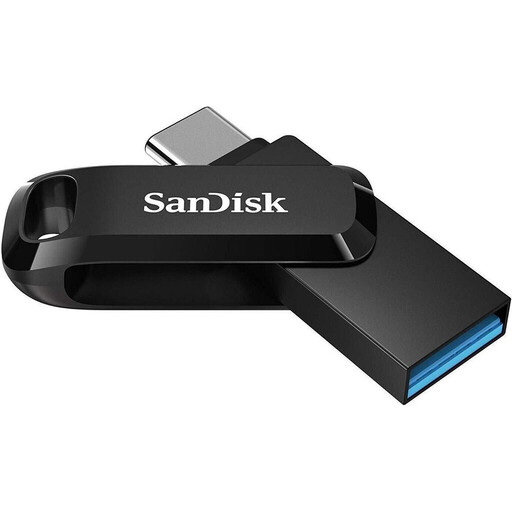
Why it suits this profile: Its compact dual connector makes it easy to transfer files between a smartphone, tablet, Windows PC and Mac. According to the manufacturer, it offers 256 GB of storage and read speeds of up to 150 MB/s.
USB-A and USB-C connectors are built in, so you don’t need an extra adapter for either connection type.
256 GB, OTG support, a protective cap and a keyring loop for taking your files with you.
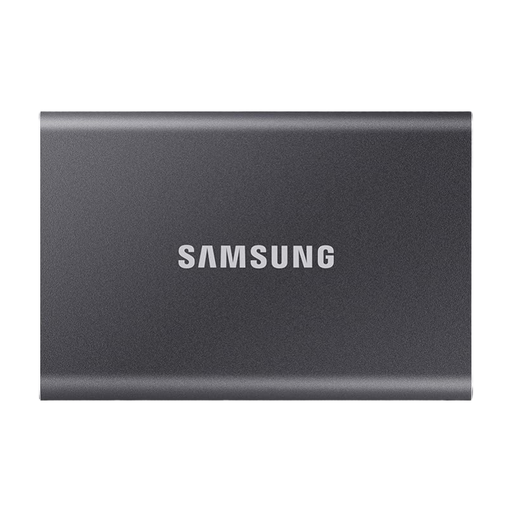
Why it suits this profile: According to the manufacturer, the T7 combines 2 TB of storage with USB 3.2 Gen 2, read speeds of up to 1.050 MB/s and write speeds of up to 1.000 MB/s.
The two included cables support USB-C to USB-C and USB-C to USB-A connections, making it more versatile with newer and older devices.
2 TB, an aluminium casing, hardware encryption and compatibility with Windows, Mac, mobile devices and selected consoles.
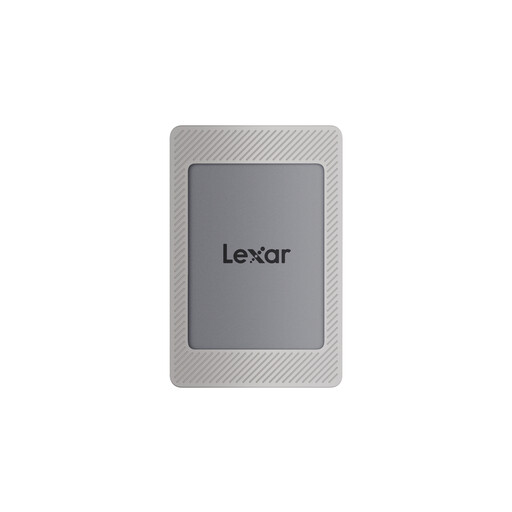
Why it suits this profile: This SSD is designed for users who want to transfer large files between a laptop, Mac, tablet and compatible iPhone models. According to the manufacturer, it offers read speeds of up to 1.050 MB/s and write speeds of up to 1.000 MB/s.
The product description lists iPhone 15/16 as compatible and notes that the magnetic attachment doesn’t support wireless charging.
2 TB, two cables, a magnetic kit and optional 256-bit AES encryption software, according to the manufacturer.
We’ve put together a comprehensive, regularly updated list of products that meet these strict selection criteria and fully comply with the safety regulations in force in the EU.
Lifespan depends on the memory cells, write volume, temperature, controller quality and how the drive is used. There’s no reliable single figure that applies to every model. Regular backups and careful handling reduce the risk of losing data.
Many USB-C models can be connected directly. However, for video recording or file management, the iPhone model, app, file format, cable and SSD all need to work together. Check the compatibility information for the product you’re considering. A USB-C storage drive for iPhone 15 and 16 won’t necessarily be compatible with older Lightning models.
An SSD can be handy for large photo collections, videos, backups and frequent file transfers, thanks to its short access times and light weight. If you mainly archive small documents and rarely move files, a cheaper USB stick may be enough. The right choice depends on how often you’ll use it, how much storage you need and which USB connection your device has.