What should you look for when choosing one?
Storage and room for versions
A good fit if: you want to keep several complete project versions and their associated files. Check how much space a complete project folder uses, then allow for the versions you plan to keep.
Consider: More capacity doesn’t replace a versioning strategy or a separate backup. Crucial also points out that the advertised capacity isn’t all available for storing files.
Frequent large transfers
A good fit if: you regularly move large project folders and your drive, computer and cable support the interface you need.
Consider: Manufacturers’ sequential transfer figures aren’t a real-world CAD test. Samsung and SanDisk quote high maximum speeds for certain models, but you’ll need the right connection to achieve them.
Using the drive with multiple computers
A good fit if: you work with projects at different workstations and can check the operating systems, ports, cables and file system in advance.
Consider: Formatting erases existing files, and a protective casing is no substitute for a separate backup.
For CAD projects with multiple versions, four practical considerations matter most: storage, recovery, large transfers and switching between computers.
| Consideration |
What to check before buying |
Who should pay particular attention? |
| Space for project versions |
Check how much space a complete project folder and its associated files use, then allow for the versions you plan to keep based on the usable capacity. Crucial points out that the advertised capacity isn’t all available for storing files. |
If you want to keep several complete project versions, consider the space needed for each folder; around 36% of consumers prioritise storage for versions. |
| Restorable versions |
Autodesk describes a configured .bak file as the previous drawing version, stored in the same folder. For an independent backup, keep a separate copy and check that you can restore the files, as recommended by the German Federal Office for Information Security. |
If you want to return to a usable version after an overwrite or failure, a tested recovery process is essential. Around 29% of consumers put recoverability first. |
| Transfer speeds over your connection |
Check your computer and cable before choosing based on advertised maximum speeds: Samsung’s maximum sequential speed for the T9 requires USB 3.2 Gen 2x2, compatible cables and UASP. This isn’t a measure of performance in CAD workflows. |
If you regularly move large project folders between computers, the interface actually available to you matters; around 21% of consumers prioritise large transfers. |
| Switching computers and portability |
Check the operating systems, ports, cables and file system. Apple Support describes ExFAT for sharing a drive between Windows and Mac on drives over 32 GB; back up your files before formatting. If you carry the drive around frequently, also check the protection specified for the particular model. |
If you use the SSD at multiple workstations or carry it with you, its file system and ports need to work with your computers. Around 14% of consumers make this their priority. |
Which SSD brands are worth considering for CAD projects?
The details below relate to specific SSD ranges and their respective connection requirements. Advertised maximum speeds don’t automatically indicate performance in CAD workflows.
Samsung
The Portable SSD T9 is an option for frequent large transfers, provided your computer supports the right interface.
- Samsung quotes sequential speeds of up to 2,000 MB/s for the T9. According to Samsung, achieving this maximum speed requires a compatible host, suitable cables and UASP.
- The manufacturer offers a limited five-year warranty for the 2 TB version. This doesn’t guarantee a particular speed in CAD workflows or the recovery of lost files.
Kingston
According to the manufacturer, the XS2000 is available in capacities of up to 4 TB and has a compact design for portable use.
- Kingston quotes speeds of up to 2,000 MB/s for the XS2000 and an IP55 rating with the removable rubber sleeve fitted.
- The advertised speed range uses USB 3.2 Gen 2x2. When comparing models, consider the interface and whether the specific version includes the sleeve.
Crucial
According to the manufacturer, the X10 Pro is available in 1, 2 and 4 TB versions.
- Crucial quotes sequential maximum speeds of up to 2,100 MB/s for reading and 2,000 MB/s for writing, as well as an IP55 rating, for the X10 Pro. These figures come from the manufacturer’s own sequential test.
- According to the manufacturer, compatibility and maximum performance depend on the format and host. The quoted figures aren’t a CAD performance test.
SanDisk
The Extreme PRO with USB4 is available in the 2 TB version described here. It’s an option if you can use a compatible high-speed connection.
- For model SDSSDE82-2T00-G25, SanDisk quotes speeds of up to 3,800 MB/s for reading and 3,700 MB/s for writing.
- These model-specific maximum speeds don’t indicate performance over older connections or guarantee an advantage in every CAD workflow.
Joybuy SSDs for CAD projects
This selection includes external SSDs with versions that may suit storing project versions, making large transfers or working across multiple computers. Check the capacity, model details and connection requirements against your own workflow.
 Image unavailable
KIOXIA Exceria Plus G2 Portable SSD, 2 TB
The stated 2 TB capacity may be useful for project files and multiple versions; check how much space your complete project folders need.
View at Joybuy
 Image unavailable
MOVESPEED Portable SSD, 1 TB, model YSPSRX20M-1TTG
If you regularly transfer large files, check the interface and the quoted sequential speeds: the product name specifies USB 3.2 and speeds of up to 2,060 MB/s for reading and 1,800 MB/s for writing.
The product name also mentions a magnetic design. Check that the connection options are compatible with your computers.
View at Joybuy
 Image unavailable
Samsung Portable SSD T7, 4 TB, Titanium Grey
The stated 4 TB capacity may be suitable for large project folders and multiple versions; base your choice on how much storage you actually need.
The product name specifies USB Type-C 3.2 Gen 2. Check that the interface is compatible with the computers you use.
View at Joybuy
 Image unavailable
Samsung T9 Portable SSD, 1 TB, Black
For frequent large transfers, the product name specifies USB 3.2 Gen. 2x2 and speeds of up to 2,000 MB/s for reading and writing. Check that your computer and cable support the interface you need.
The product details also state that it works with Mac and PC. The advertised sequential speeds aren’t a measure of CAD performance.
View at Joybuy
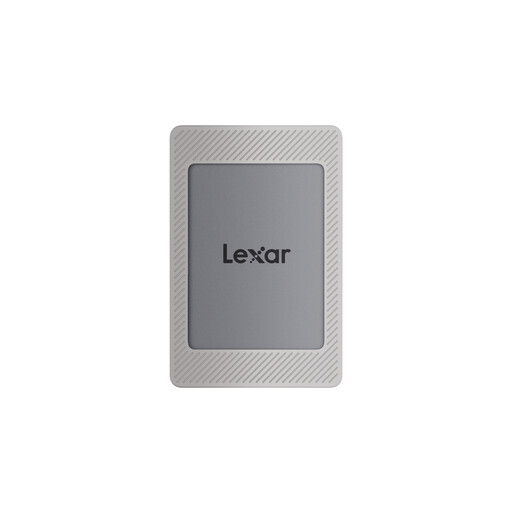 Image unavailable
Lexar ES4 Portable SSD with Magnetic Set, 2 TB
The stated 2 TB version may be suitable for project files and saved versions; compare its capacity with the space your folders need.
The product name specifies USB 3.2 Gen 2 and speeds of up to 1,050 MB/s for reading and 1,000 MB/s for writing. PC and Mac compatibility are also listed.
View at Joybuy
Frequently asked questions
Is an external SSD enough as the only backup for my CAD versions?
No, not if you need to keep your project versions safe in case the SSD is lost or damaged. The German Federal Office for Information Security recommends backing up data regularly and checking that it can be restored. Make sure you keep a separate copy.
Is an AutoCAD .bak file a complete project archive?
No. When the feature is enabled, Autodesk describes it as the previous version of a drawing, stored in the same folder. Also check which other files and project versions you need to keep.
How do I prepare an SSD for Windows and Mac?
Apple Support describes ExFAT as an option for sharing a drive with Windows and for Windows-compatible drives over 32 GB. Check your CAD software’s requirements first and back up any existing files, as formatting will erase them.
What should I check after copying files and when using the drive later?
Check that you can actually open an older project version from your backup. On Windows, Microsoft recommends safely removing external drives before unplugging them to avoid data loss.
What extra provision should I make for backups?
If your versioning plan calls for a second copy, you’ll need extra storage or a suitable backup service. Check the warranty terms for the specific model; a manufacturer’s warranty doesn’t automatically cover the recovery of lost project files.


