First, work out how much storage you need for complete project folders, including the versions you want to keep. Then choose a capacity and connection that suit your devices. If you transfer files frequently, check whether your computer and cable support the USB mode you need. If your photos are irreplaceable, plan a separate backup too, and check that you can open files from it: a sturdy case is no substitute for a backup.
Who is this selection for?
A photo archive with growing project folders
If you want to keep your originals, selected images and older costume project versions, plan for both the storage space you’ll need and how you’ll restore your files later. Germany’s Federal Office for Information Security recommends checking that you can restore your data, too.
Regular photo editing
If you often move large folders or edit directly from your SSD, the connections on your drive, computer and cable will determine the transfer speeds available to you.
On-location costume shoots
If you carry photos between the shoot location and your computer, make sure you have the right cables and can access your files on the devices you plan to use. If you’re working around dust or splashes, the protection offered by the specific SSD model may also matter.
What should you look for when buying?
First, work out the size of your folders and the number of versions you want to keep. Then compare the connection and transfer speed with the devices you actually use.
| What you need |
What to check before buying |
Who it matters to most |
| Space for folders and versions |
Work out the size of your complete folders and the versions you want to keep, then compare this with the capacity of the specific model. |
I want to keep my originals and older project versions together. Around 26% of consumers say having enough storage is their top priority. |
| Recovering your files |
Plan an additional copy and try opening some important files from it. |
If my photos can’t be replaced, I want to be able to open them again if the drive fails or they’re accidentally deleted. Around 26% of consumers put recoverability first. |
| Transferring large folders |
Check that the SSD’s USB mode, your computer’s port and your cable are compatible. Don’t assume the maximum stated speed guarantees a particular transfer time. |
I regularly move large project folders and want to avoid unnecessary waiting. Around 21% of consumers say transfer time is their top priority. |
| Access across multiple devices |
Check the connection and write access on every device you plan to use, and try opening a test file. |
I want to be able to open the same photo folder on several of my devices. Around 16% of consumers prioritise access across devices. |
| Protection while travelling |
Check the protection rating and warranty terms for the specific model separately, and back up your photos as well. |
If I regularly take my SSD to a shoot location, I want a protective case. Around 11% of consumers say protection while travelling is their main concern. |
Common buying mistakes
-
Relying on a rugged SSD as your only copy of your photos
A protective case can’t prevent every loss or accidental deletion. Without another usable copy, you may not be able to recover your photos.
Keep a separate backup and test a selection of files to make sure you can open the copy.
An additional backup needs its own storage space and must be kept up to date.
-
Assuming up to 2,000 MB/s means your folders will copy at that speed
These maximum sequential speeds apply under specific connection conditions and don’t automatically tell you how quickly a folder containing lots of files will transfer. Kingston also notes that the XS2000’s speed is limited by the host device and cable, and that it runs more slowly on a Mac.
Before counting on faster transfers, compare the SSD’s USB mode with your computer’s connection and cable.
-
Assuming the included backup software works on every device
Verbatim states that the Nero backup software included with the Pocket SSD 2 TB is compatible with Windows only. Drive access and software support therefore need to be considered separately.
Check that the software works with your devices and, if necessary, plan to use another backup method.
Brands to consider
Samsung
The T7 Shield may suit frequent travel, while the T9 is designed for transfers with a compatible USB 3.2 Gen 2x2 host.
- Samsung lists an IP65 rating for the T7 Shield 2 TB, based on controlled test conditions.
- Samsung excludes liquid and dust damage from its warranty. For the T9 1 TB, the manufacturer quotes sequential speeds of up to 2,000 MB/s only with a compatible host and cable, and UASP enabled. These figures are no guarantee of how long your archive will last.
Kingston
The XS2000 could suit photo folders that you transfer or edit frequently, provided your computer supports the connection it needs.
- Kingston offers the XS2000 in capacities of up to 4 TB and lists USB 3.2 Gen 2x2 with speeds of up to 2,000 MB/s.
- Kingston says the advertised speeds depend on a compatible 20 Gbit/s host and cable; the XS2000 can’t reach Gen 2x2 speeds on a Mac.
Crucial
Crucial offers external SSDs in a range of capacities, so you’ll need to choose a specific model that suits the size of your archive.
- Crucial lists external SSDs with capacities from 500 GB to 8 TB.
- This range doesn’t mean every model is available in every capacity.
Verbatim
The Pocket SSD 2 TB is an option if you’re looking for a compact USB-C SSD that comes with a cable.
- Verbatim lists a USB-C to USB-C cable and read and write speeds of up to 1,000 MB/s for the black and orange Pocket SSD 2 TB.
- Verbatim states that the included Nero backup software is compatible with Windows only, so check software support separately from drive access.
Joybuy products for photo archives
Here you’ll find external SSDs for storing photo project folders. One model is also listed for frequent transfers using USB 3.2 Gen 2×2.
 No image available
KEXIN external SSD, 512 GB, USB 3.1 Type-C
For a photo archive that fits within 512 GB. It’s listed with USB 3.1, Type-C and speeds of up to 500 MB/s; the product description names PC, Mac and Android devices.
View at Joybuy
 No image available
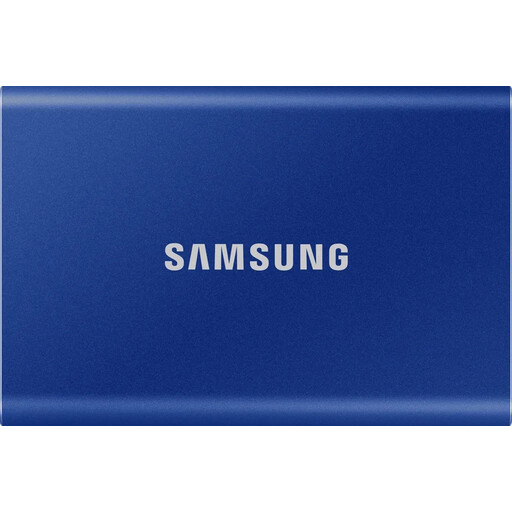
Samsung T7, 1 TB
For photo project folders that fit on a 1 TB SSD. It’s listed with USB 3.2 Gen 2 and sequential speeds of up to 1,050 MB/s for reading and 1,000 MB/s for writing. USB-C to USB-C and USB-C to USB-A cables are included.
View at Joybuy
 No image available
Samsung T7, 2 TB
For larger photo project folders, if 2 TB suits your planned storage needs. It’s listed with USB 3.2 Gen 2 and sequential speeds of up to 1,050 MB/s for reading and 1,000 MB/s for writing. USB-C to USB-C and USB-C to USB-A cables are included.
View at Joybuy
 No image available
KIOXIA Exceria Plus G2 Portable SSD, 2 TB
For an external photo archive with 2 TB of storage planned. It’s listed with USB 3.2 Gen 2 and sequential speeds of up to 1,050 MB/s for reading and 1,000 MB/s for writing. Cables for USB-C and USB-A are included.
View at Joybuy
 No image available
MOVESPEED Portable SSD, 1 TB, model YSPSRX20M-1TTG
For frequent transfers, provided your computer and cable support the USB mode you need. It’s listed with USB 3.2 Gen 2×2 and speeds of up to 2,060 MB/s for reading and 1,800 MB/s for writing; the product description names Windows, macOS, Android and iPhone.
View at Joybuy
Frequently asked questions
Is it enough to move my costume photos to the new SSD and nowhere else?
No, not if you want to recover your photos after a drive failure, theft or accident. Germany’s Federal Office for Information Security recommends keeping an additional backup and advises checking that you can restore or open the files.
Do I need to prepare the SSD before using it with different computers?
Check the connection and cable, and test whether you can read and write files on each computer you plan to use. Compatibility may depend on the file system and host device capabilities. Back up any existing data elsewhere before reformatting a drive.
Does an IP rating mean damage to the SSD or photo archive is covered by the warranty?
Not automatically. Samsung describes the T7 Shield’s IP65 rating as the result of controlled testing and expressly excludes liquid and dust damage from its warranty. Check the terms for the specific model and keep a separate copy of your photos.
Do the same data protection rules apply when I store carnival photos for personal use as for a club or commissioned archive?
No. Personal or family use isn’t automatically subject to the same rules as an archive for a club or a work commission. Germany’s Federal Commissioner for Data Protection and Freedom of Information describes an exemption from the GDPR for processing carried out solely for personal or family activities. For club or professional use, or when publishing images of other people, this exemption may not apply; you’ll need to check the appropriate legal basis and the specific purpose separately. Buying an SSD doesn’t give you permission to publish photos.


