Design teams with large project archives
If you keep several large projects and older versions on a portable SSD, make sure there’s still room for new files.


Start by choosing a capacity that can hold your current design projects as well as any new files you expect to add. Then check the ports and cables on every computer you use. Manufacturers’ top speeds depend on compatible devices and don’t automatically tell you how quickly a large project will transfer. A working SSD is no substitute for a separate backup of important files.
If you keep several large projects and older versions on a portable SSD, make sure there’s still room for new files.
If you regularly copy large project folders, check whether your computer, port and cable can work together to deliver the advertised speed.
If you switch between computers, check that the connections and file system are suitable. Back up your files before formatting a drive.
A good fit if: Your computers don’t support Gen 2x2 and a model such as the Kingston XS1000, available with up to 2 TB of storage, is sufficient. Kingston quotes sequential top speeds of up to 1,050 MB/s for reading and 1,000 MB/s for writing.
Bear in mind: The manufacturer’s figures don’t guarantee the speed you’ll get when copying large projects over a long period.
A good fit if: The computers and cables involved support Gen 2x2, and you regularly transfer large files. Kingston quotes sequential top speeds of up to 2,000 MB/s for reading and writing for the XS2000, as does Samsung for the T9.
Bear in mind: Without a compatible host, you won’t reach these top speeds. Kingston notes that the XS2000 performs below its advertised Gen 2x2 speed on Mac.
A good fit if: Your computer has a suitable high-speed port and a USB4 SSD such as the SanDisk Extreme PRO with USB4 suits the way you work.
Bear in mind: SanDisk quotes speeds of up to 3,800 MB/s for reading and 3,700 MB/s for writing for the 2 TB model. Older USB ports won’t deliver USB4’s top speed.
| Buying priority | What to check before buying | Who should consider this? |
|---|---|---|
| Room for growing projects | The size of the files you need at the same time and the capacity of the specific model; usable storage may differ from the stated capacity. | If I want to keep several projects and versions, I need space for what I have now as well as new files. Around 29% of consumers rank capacity as their top buying priority. |
| Speed when transferring large files | The connection protocol and cable; for long transfers, also look for test results for the specific model under a suitable workload. | If I regularly copy large project folders, I want to cut down on waiting time without assuming a top speed is the same as a sustained copy speed. Around 29% of consumers prioritise transfer speed. |
| Using the drive with multiple computers | The ports and data cables on all your computers, as well as the file system and compatibility with Mac and Windows; back up files separately before formatting. | If I switch between Mac and Windows, I want to be able to use the drive with my computers and avoid losing files while setting it up. Around 24% of consumers prioritise switching between computers. |
| Protecting important files | Check the protection features of the specific SSD and their terms; access protection and separate data backups serve different purposes. | If my work files are confidential or hard to replace, I want to consider both unauthorised access and data loss. Around 18% of consumers prioritise protecting their files. |
The connector shape alone doesn’t tell you what transfer speed your computer and SSD can achieve. Kingston requires a compatible USB 3.2 Gen 2x2 host for the XS2000 and notes that it performs below its advertised Gen 2x2 speed on Mac.
Before you buy, check the connection protocol on every computer you use regularly, as well as the cable you’ll need.
If the drive fails or goes missing, you may lose access to the files on your working SSD. Germany’s Federal Office for Information Security recommends keeping backup copies for situations like these.
Keep another copy of important project files on a separate backup drive.
Apple notes that formatting a drive or volume deletes all the files stored on it.
Check which format you need for Mac and Windows beforehand. Before reformatting, copy any files you want to keep to another volume.
The XS1000 and XS2000 offer portable SSDs in different connection classes and capacities.
The Portable SSD T9 is available in models up to 4 TB and is designed for devices with a compatible USB 3.2 Gen 2x2 connection.
The X10 Pro is another portable SSD with USB 3.2 Gen 2x2, available in models up to 4 TB.
The Extreme PRO with USB4 is available in 2 TB and 4 TB models, making it an option for computers with a suitable high-speed port.
This Joybuy selection includes portable external SSDs with 2 TB or 4 TB of storage and USB 3.2 Gen 2, designed for taking large project files with you.
 No image available
The 2 TB model is ideal for storing larger collections of project files on the move.
USB 3.2 Gen 2; quoted sequential top speeds of up to 1,050 MB/s for reading and 1,000 MB/s for writing. The product description lists Windows and macOS compatibility, plus USB-C to USB-C and USB-C to USB-A cables.
 No image available
The 2 TB model gives you space for larger project files on a portable SSD.
USB 3.2 Gen 2; quoted sequential top speeds of up to 1,050 MB/s for reading and 1,000 MB/s for writing. The product description lists an aluminium casing, optional hardware encryption, and compatibility with Mac and PC.
 No image available
The 4 TB model gives you more capacity for large or growing collections of project files.
USB 3.2 Gen 2; quoted sequential top speeds of up to 1,050 MB/s for reading and 1,000 MB/s for writing. The product description lists AES 256-bit hardware encryption, plus USB-C to USB-C and USB-C to USB-A cables.
 No image available
The 2 TB model is designed for storing work files on the move with an external SSD.
The product title lists USB Type-C and USB 3.2 Gen 2. The description lists Mac and PC compatibility, plus USB-C to USB-C and USB-C to USB-A cables.
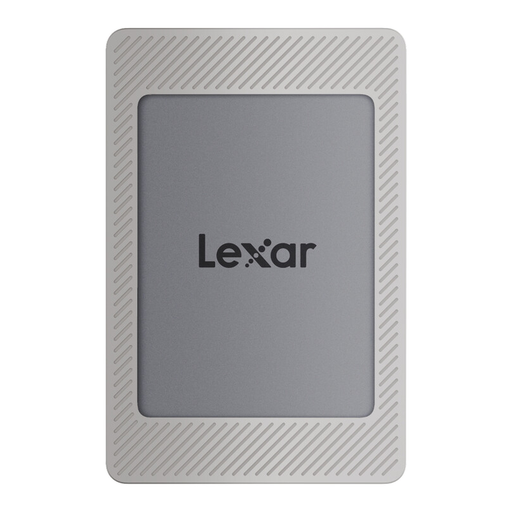 No image available
The 2 TB model is designed for storing large files on a portable SSD.
USB 3.2 Gen 2; the product title quotes sequential top speeds of up to 1,050 MB/s for reading and 1,000 MB/s for writing. The description lists Mac and PC compatibility, plus USB-C and USB-A cables.
No. The host and cable need to support the required interface. For the XS2000, Kingston specifies a USB 3.2 Gen 2x2 host and a suitable cable, and notes that performance is lower on Mac. Check the ports on the specific computers you use.
Yes. According to Apple, a suitably formatted external drive can be used with both systems. Check which format you need beforehand, and back up any files on the drive or volume before formatting it, as formatting deletes them.
No, not if you want to be able to recover your files if the drive fails or goes missing. Germany’s Federal Office for Information Security recommends keeping backup copies for situations like these. Keep another copy of important projects on a separate backup drive.
For consumer purchases, statutory rights apply against the seller; a manufacturer’s warranty is an additional voluntary service with its own terms. The Verbraucherzentrale states that, for new goods, the retailer is generally liable for two years. The rights that apply in an individual case depend on factors including the purchase and the specific fault.
No. According to Germany’s Federal Environment Agency, electrical waste must be collected separately from unsorted household waste. The Federal Office for Information Security also recommends securely deleting personal data before disposing of or passing on a device.