Backing up a family archive
If you want to keep scans, photos and research files without using the cloud, make sure you’ll still have a readable copy if a device fails.


For a family archive without cloud storage, an external SSD shouldn’t be your only copy. Germany’s Federal Office for Information Security points out that the lifespan of storage media cannot be predicted precisely, while the Library of Congress recommends keeping copies on at least two different types of media in separate locations. Choose an SSD to suit the size of your archive and the connections on your devices, and plan to keep a separate second copy. If you’re storing sensitive documents, proper encryption is important, as is keeping your recovery key somewhere safe.
If you want to keep scans, photos and research files without using the cloud, make sure you’ll still have a readable copy if a device fails.
If you’re digitising lots of documents, compare the capacity you need and your devices’ connections with the SSD’s specifications.
If you store information about living relatives or take your archive with you, reliable access protection and a securely stored recovery key are essential.
| Consideration | What to look for | Who is it important to? |
|---|---|---|
| Recoverable backup | Plan to keep a separate second copy, and test that you can restore and open important files. | If I only have one copy of my scans, I want a separate backup and to check that I can restore it. Around 28 % of consumers say a recoverable backup is their main concern. |
| Space for your archive | Check how much data you already have and allow for future additions; compare the exact capacity option. | As my collection of scans and photos grows, I want to leave enough room for what I already have and for new files. Around 22 % of consumers say archive size is their main concern. |
| Privacy without cloud storage | Check that the data is genuinely encrypted, and keep the recovery key safe locally. | If my archive contains sensitive details about relatives, I want to protect access and be able to find the key in an emergency. Around 22 % of consumers prioritise privacy. |
| Connections and readability | Check that the USB ports and cables you need are compatible with the devices you’ll use to open the files later. | If I want to restore my archive on the devices I already own, a compatible connection matters more than a high speed rating on its own. Around 17 % of consumers say device compatibility is their main concern. |
| Portability and enclosure protection | Compare the protection rating of the specific model with the conditions you’ll carry it in, and check the warranty terms. | If I take the SSD between different locations, I want to understand the protection its enclosure offers and its limitations. Around 11 % of consumers say portability and enclosure protection matter most. |
A new SSD can fail too. Germany’s Federal Office for Information Security points out that the lifespan of storage media cannot be predicted precisely; the Library of Congress recommends keeping copies on different types of media in separate locations.
Keep a second copy somewhere separate, and test restoring selected files.
Setting up and safely storing the recovery key takes time.
Manufacturers’ maximum transfer-rate claims depend on factors including the host device and cable. High speed is no substitute for a second copy or a tested recovery process.
Check capacity, connections and your backup routine first; then compare the speed ratings with the connections on your devices.
Samsung lists the T7 Shield as IP65, but the manufacturer’s warranty excludes damage caused by liquids or dust.
Read the protection rating and warranty terms separately, and keep a second copy even if you carry the SSD with you.
The T7 Shield 2 TB may be worth considering if you carry your drive around often; the T9 1 TB was listed as a faster model in an independent German test comparison.
The XS1000 is available in 1 TB and 2 TB versions; the XS2000 is another option if you have a compatible high-speed connection.
The X9 Pro 2 TB is a compact SSD. Check that its stated protection rating and connection options suit the way you plan to use it.
This Joybuy selection includes external SSDs for local file copies. Match the capacity and connection details to your archive and the devices you’ll use to open the files later.
 No image available
An option for local file copies if 1 TB is enough for your archive.
USB-C; up to 500 MB/s according to the product name. Check that the connection is compatible with your devices.
 No image available
The 256 GB version may suit you if it’s large enough for your existing archive.
USB 3.1; up to 500 MB/s according to the product name. Allow for the space you’ll need for future additions.
No image available
A local storage option if 512 GB is enough for your existing files and planned additions.
Up to 500 MB/s according to the product name; check that you can connect it to your devices.
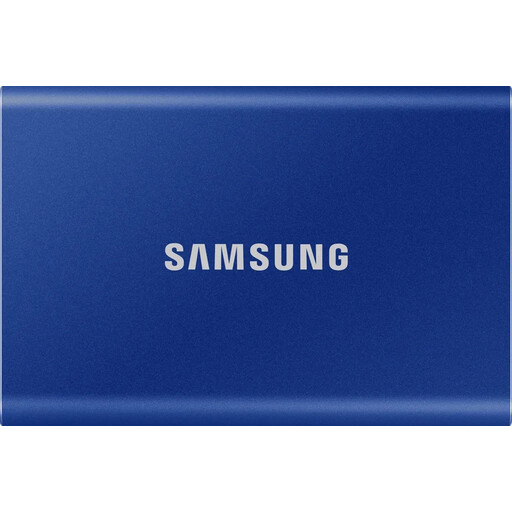 No image available
The 1 TB version may suit local backups if it offers enough space for your archive.
Compare the stated capacity with your existing files and planned additions.
 No image available
The 2 TB version is worth considering if its capacity suits your current archive and planned additions.
Compare the available storage with the size of your complete archive copy.
No, not as your only copy. Germany’s Federal Office for Information Security points out that the lifespan of storage media cannot be predicted precisely. For personal digital archives, the Library of Congress recommends keeping copies on at least two different types of media in separate locations.
Restore some important files and open them. Germany’s Federal Office for Information Security lists recoverability as part of an effective backup.
Not necessarily. According to Germany’s Federal Office for Information Security, a drive password can block access to data that is otherwise unencrypted. So check that the specific solution genuinely encrypts your data, and keep the recovery key you need somewhere safe.
If a product is faulty, your statutory rights against the seller are separate from any voluntary guarantee. Germany’s consumer advice centre explains that the right to cancel an online purchase generally applies for 14 days from the date the contract is made or the goods are received; the specific conditions of your purchase apply.
No. The European Commission considers information about identifiable living people to be personal data; whether an exception applies to a particular use depends on the circumstances. Simply buying an SSD does not determine how a later publication or sharing of the information would be treated.