Choose an external SSD with enough capacity for your family’s data and planned file versions, and make sure it works with your backup method and both computers’ connections. If you regularly transfer large files, only consider higher speed ratings if your computer and cable support the stated interface. The Federal Office for Information Security recommends keeping an additional backup separately and checking that important files can be restored.
Who should consider this SSD selection?
Families backing up their archives
If you want to back up photos, documents and other personal files regularly, check that the drive’s capacity suits the amount of data you have and your backup method. The Federal Office for Information Security also points out that important data should be recoverable.
People who work with files on the go
If you take your SSD and work computer with you, check the connections on both devices, the cables you need and the required file system. Protection ratings apply to the specific model and the conditions stated for it.
People who prioritise privacy
If you carry private or confidential files with you, consider encryption that suits your backup method. The Federal Office for Information Security describes software-based encryption for individual files, folders or entire drives; keep any recovery password somewhere safe.
What should you look for when buying an SSD?
| Buying consideration |
What to check |
Who needs to consider this? |
| Capacity |
Allow for the data you already have and space for future backups. For Time Machine, Apple recommends a backup device with at least twice the storage capacity of the Mac in question. |
If I want to back up my entire family’s collection, including planned file versions, the SSD needs enough space. Around 29% of consumers put capacity first. |
| Recovery |
Check that the backup method is compatible with your operating system, then test restoring important files. The Federal Office for Information Security also recommends keeping a backup separately. |
If I want to be able to retrieve important family files later, I need a backup I can run regularly and check. Around 23% of consumers prioritise recoverability. |
| Connection and format |
Check that the USB ports and supplied cables work with both computers. For Time Machine, also check Apple’s format requirements: a volume formatted for Windows cannot be used directly as a Time Machine destination. |
If I want to use the SSD with both the family computer and my mobile work computer, I need a connection and format that suit each device. Device compatibility is the main concern for around 18% of consumers. |
| Privacy |
Check whether your backup method offers encryption and how to keep the recovery password safe. Protection for the casing and protection against unauthorised access are separate features. |
If I take private or confidential files with me, I want to protect access to them. Around 18% of consumers prioritise data privacy. |
| Transfer speed |
Compare the interfaces supported by the SSD, computer and cable. Samsung states that the T9’s advertised maximum speeds require USB 3.2 Gen 2x2 and the appropriate UASP mode. |
If you regularly transfer large files, you’ll only benefit from the advertised interface speeds if your mobile computer supports them. Around 12% of consumers put transfer speed first. |
Common mistakes with external SSDs
-
Keeping your only backup on an SSD you carry with you all the time
If the SSD is lost or damaged along with your computer, your only backup could be affected too. A copy kept outside your home can help if something happens to your home.
Keep an additional copy somewhere separate and check that you can restore important files.
Keeping another backup somewhere separate requires extra storage space and organisation.
-
Assuming USB-C alone means you’ll get the advertised top speed
A USB-C connector alone doesn’t tell you whether your computer and cable support the transfer method required to reach the stated maximum speed. For the T9, Samsung specifies USB 3.2 Gen 2x2 and an enabled UASP mode.
Before buying, compare the USB standard supported by your computer and cable with the SSD’s specifications.
A faster drive may not deliver its intended speed advantage if you don’t have the right port or cable.
-
Using a drive with Time Machine without checking its format
According to Apple, a volume formatted for Windows cannot be used directly as a Time Machine destination. If you need to reformat it, existing files may be deleted.
Before setting it up, back up any files already stored on the drive elsewhere and check which volume is intended for each task.
Files on the drive may be lost if reformatting is required.
-
Assuming an IP rating or warranty offers complete data protection
A stated protection rating applies under specific test conditions. It doesn’t automatically prevent unauthorised access to files or every kind of data loss. Samsung explicitly excludes liquid and dust damage from the warranty for the T7 Shield 2 TB.
Check the protection and warranty conditions for the specific model. Treat encryption and separate backups as separate considerations.
Despite its IP65 rating, liquid and dust damage to the Samsung T7 Shield 2 TB is not covered by Samsung’s warranty.
A guide to notable SSD brands
Kingston
The XS1000 is worth considering for compact backups, with USB-A and USB-C connectivity. With USB 3.2 Gen 2x2 and a supplied rubber sleeve, the XS2000 is better suited to frequent transfers of larger files on the go.
- Kingston lists XS1000 models up to 2 TB and XS2000 models up to 4 TB.
- The XS2000’s up to 2,000 MB/s is a manufacturer’s claim for the relevant interface. The IP55 rating applies when using the removable sleeve.
Samsung
The T7 Shield in the listed 2 TB version is an option for data you take with you. The T9 is particularly relevant if your computer and cable support USB 3.2 Gen 2x2.
- Samsung gives the T7 Shield 2 TB an IP65 rating and claims speeds of up to 2,000 MB/s for the T9 under the stated host and cable conditions.
- Samsung excludes liquid and dust damage from the T7 Shield’s warranty.
Crucial
Crucial describes the X9 range as portable SSDs for storing files and making backups, and lists compatibility with Windows File History and Apple Time Machine. Whether a specific backup works also depends on how the drive is set up and formatted.
- Crucial claims read speeds of up to 1,050 MB/s for the X9 and lists models up to 4 TB.
- According to Crucial, maximum sequential performance was measured on a high-performance test computer and may vary on other devices. Check the specific model and whether it suits your devices.
SanDisk
The SanDisk Extreme Pro Portable SSD V2 is a specific range of portable SSDs. This description refers only to the 1 TB version listed by COMPUTER BILD in a comparison test.
- The COMPUTER BILD comparison test lists the 1 TB SanDisk Extreme Pro Portable SSD V2 as a specific model.
- Check the capacity and device compatibility of the version you’re actually considering.
External SSDs at Joybuy
The following portable external SSDs are worth considering for backups and file transfers. Make sure the capacity, connections and, where applicable, encryption suit your devices and backup plan.
 No image available
KIOXIA Exceria Plus G2 Portable SSD 2 TB
A good fit if 2 TB is enough for your backup collection and you want to use the SSD with computers that have a USB-A or USB-C port.
USB 3.2 Gen 2; 2 TB; USB-C to USB-C and USB-C to USB-A cables are listed.
The description lists password protection with 256-bit AES through the SSD management software.
Joybuy
 No image available
MOVESPEED Portable SSD 1 TB, YSPSRX20M-1TTG
A good fit if 1 TB is enough for your backups and you regularly transfer larger files using a suitable port.
USB 3.2 Gen 2x2 Type-C; claimed speeds of up to 2,060 MB/s read and 1,800 MB/s write. Actual transfer speeds depend on the connection used.
The description lists compatibility with Windows, macOS and Android, as well as magnetic attachment for iPhone 12–15.
Joybuy
 No image available
Samsung Portable SSD T7 4 TB, Titanium Grey
A good fit if 4 TB suits your family’s collection and planned growth, and your devices support USB 3.2 Gen 2.
USB 3.2 Gen 2; claimed speeds of up to 1,050 MB/s read and 1,000 MB/s write.
The description lists optional AES 256-bit hardware encryption, as well as USB-C to USB-C and USB-C to USB-A cables.
Joybuy
 No image available
Samsung MU-PG2T0B 2 TB
A good fit if 2 TB is enough and you regularly transfer large files using a suitable USB 3.2 Gen 2x2 port.
USB 3.2 Gen 2x2; claimed read and write speeds of up to 2,000 MB/s.
The description lists protection against drops from up to 3 m, as well as USB-C to USB-C and USB-C to USB-A cables.
Joybuy
 No image available
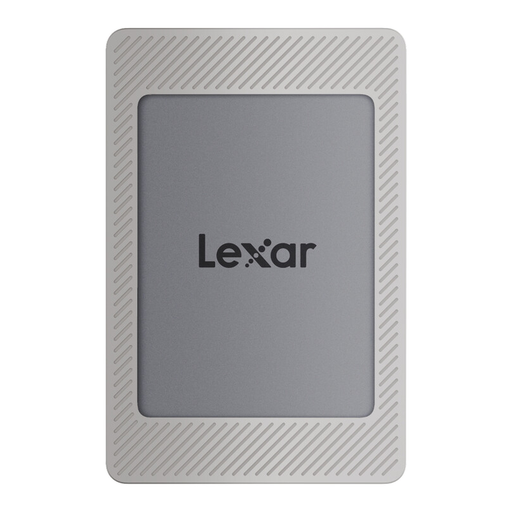
Lexar ES4 Portable SSD Magnetic Set 2 TB
A good fit if 2 TB is enough for your backups and you want encryption for files you carry with you.
USB 3.2 Gen 2; claimed speeds of up to 1,050 MB/s read and 1,000 MB/s write.
The description lists 256-bit AES software encryption, as well as USB-C to USB-C and USB-A to USB-C cables. PCs, Macs and laptops are listed as compatible devices.
Joybuy
Frequently asked questions about external SSDs
How do I set up an external SSD for a Windows file backup?
According to Microsoft, you can set up File History in Windows 11 using a connected external drive: select the drive, turn on File History and then test restoring a file. Also check whether you need to back up any folders beyond the libraries it covers.
Can the same SSD store a Time Machine backup and regular files?
Apple recommends using the Time Machine backup volume only for Time Machine. Other files may be stored on an additional APFS volume on the same device, if appropriate; both volumes then share the available storage space. A volume formatted for Windows cannot be used directly as a Time Machine destination, and reformatting may delete existing files.
Is a manufacturer’s warranty the same as your statutory rights when buying in Germany?
No. For purchases that meet the legal requirements, claims relating to defects are made against the seller; a manufacturer’s warranty is an additional voluntary benefit with its own terms. For ordinary claims relating to defects, Section 438 of the German Civil Code generally provides for a two-year limitation period from delivery. Section 439 covers subsequent performance. These statutory rights are not replaced by a longer manufacturer’s warranty.


