What should you look for when buying?
First, check that your backup method includes your recipe folders and lets you restore files. Then choose the capacity, connection and, if needed, access protection to suit your everyday needs.
| What you need |
What to check before buying |
Who will find this especially important? |
| Restoring files and storage space |
How much space your scans take up and how much backup history you want to keep; usable capacity and the ability to restore a test file. |
If I’m backing up recipe scans that can’t be replaced, I want enough space and to be able to retrieve a file when I need it. Around 36% of consumers say the ability to restore files is their top priority. |
| Local access protection |
Local storage, suitable encryption and a secure place to keep the key separately. |
If other people might access the SSD, I want to decide whether to encrypt my scans. Around 29% of consumers prioritise local access protection. |
| Connection and backup method |
USB-A or USB-C on your computer, a suitable cable, the operating system and which folders are included. |
If I’m backing up from the devices I already own, I want to include my recipe folder without any extra steps. Around 21% of consumers say device compatibility is their top priority. |
| Transport and storage |
How often you’ll transport the drive, the protection rating for the exact model variant and a separate place to store it. |
If I’m taking a copy to a relative’s home or another location, I want to transport the drive appropriately and store it separately. Around 14% of consumers say secure transport is their main priority. |
Joybuy products
The models below cover basic local USB backups and external SSDs with a stated encryption feature. Before choosing, check that the capacity and connection suit your collection and devices.
 No image available
KEXIN external SSD 1 TB
For locally stored recipe scans, provided 1 TB is enough for your collection. It’s listed with USB-C and speeds of up to 500 MB/s; the product description includes cables and adapters for USB-A and USB-C.
View at Joybuy
 No image available
KEXIN M.2 SATA external SSD 256 GB
The 256 GB version may suit a smaller collection of scans. The title lists USB 3.1 and speeds of up to 500 MB/s; the product description includes USB-C-to-USB-C and USB-A-to-USB-C cables.
View at Joybuy
No image available
KEXIN external SSD 512 GB
The 512 GB version offers more stated storage than the smaller KEXIN option. The title lists USB 3.1 and speeds of up to 500 MB/s; the product description includes cables and adapters for USB-C and USB-A.
View at Joybuy
 No image available
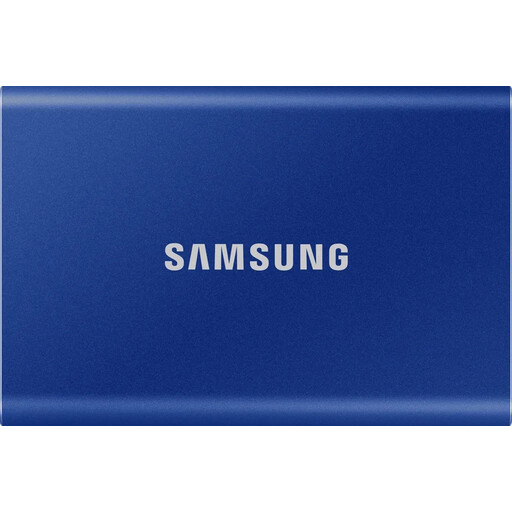
Samsung T7 external SSD 1 TB
For anyone considering a local backup with stated access protection. The product description lists AES-256 hardware encryption and USB-C-to-C and USB-C-to-A cables. Make sure you have a secure place to store the password.
View at Joybuy
 No image available
Samsung T7 external SSD 2 TB
The 2 TB version may suit you if your collection needs more storage. The product description lists hardware encryption, a password and USB-C-to-C and USB-C-to-A cables. Keep the password somewhere secure so you can restore your files.
View at Joybuy
Frequently asked questions
Can I automatically back up recipe scans to an external SSD without using the cloud?
Yes, provided your device and backup method are compatible. Microsoft describes using File History with an external drive, while Apple Time Machine works with directly connected storage. Check that the folder containing your recipe scans is included, then try restoring a file.
How large should an SSD be for Time Machine?
For a backup of an entire Mac, Apple recommends a volume with at least twice the Mac’s storage capacity and using it only for Time Machine backups. This isn’t a general minimum for a collection of recipe scans alone. Work out how much space you actually need and take your chosen backup method into account.
What happens if I lose the password for an encrypted backup?
As Apple explains, you’ll need the password you set up to restore an encrypted Time Machine backup later. Keep it somewhere secure and separate from the SSD, and test that you can restore your files before relying on the backup.
Is a manufacturer’s warranty the same as the statutory guarantee?
No. According to Your Europe, when you buy goods as a consumer from a trader in the EU, you’re generally entitled to a minimum two-year legal guarantee from the seller, starting when you receive the goods. Any additional manufacturer’s warranty is separate and subject to its own terms.


