
Lieferung heute & morgen

Qualitätsgarantie

Willkommens-Angebote freischalten: KOSTENLOSE Lieferung | Bis zu 80 % RABATT | Kostenlose 30-Tage-JoyPlus-Testphase
App herunterladen
As a Joybuy Product Recommendation Officer, I analyse the market to give you objective, hands-on advice. The introduction of the USB-C port on the iPhone 15 Pro and Pro Max has unlocked a new world for videographers and content creators: direct recording of high-resolution ProRes video to an external drive. However, choosing the right external SSD for your iPhone 15 is more complex than it seems. Marketing promises can quickly lead to expensive mistakes.
This guide highlights the most common pitfalls and explains which technical specs truly matter, ensuring your external storage can meet the demands of professional video production.
Before you invest in a new external drive for your iPhone 15 Pro, you should be wary of these common issues:
To avoid these traps, focus on the following three core aspects. These define whether an SSD is suitable for your use case.
Pay close attention to the USB port specification. For use with an iPhone 15 Pro, an SSD with a USB-C interface compliant with the USB 3.2 Gen 2 standard is ideal. This delivers real-world transfer rates of up to 1050 MB/s and perfectly matches the iPhone's capabilities.
For recording external storage for 4K video in ProRes format, sustained write performance is crucial. Apple recommends a speed of at least 220 MB/s. For higher frame rates like 4K at 60 fps, correspondingly higher, stable rates are required. Look for manufacturer specs that explicitly confirm suitability for ProRes workflows.
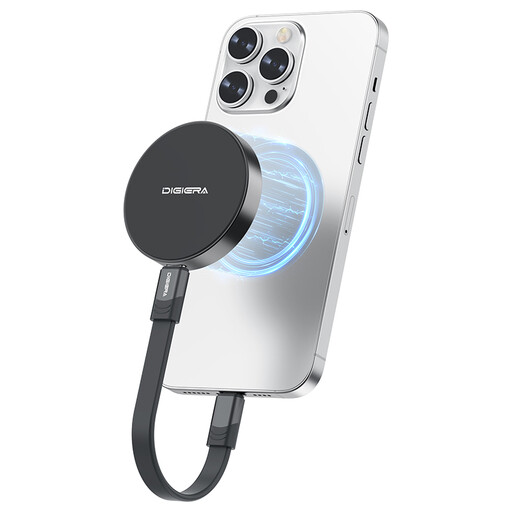
For mobile videographers, a compact and lightweight design is essential. A portable SSD with 1TB or more of storage should fit easily into a bag. Models with an integrated magnetic SSD function offer a clear advantage here, as they enable a clean, cable-free setup without additional mounts. However, always check the quality and strength of the magnetic connection.
Think about your entire workflow. A fast external SSD should also work seamlessly with other devices like a Mac or PC. If you plan to use the SSD for other purposes, such as an external drive for a PS5 SSD, a model with a higher speed (USB 3.2 Gen 2x2) can be a sensible investment, provided your other devices support this standard.
Here are some recommendations tailored to specific user profiles that meet the criteria mentioned above.
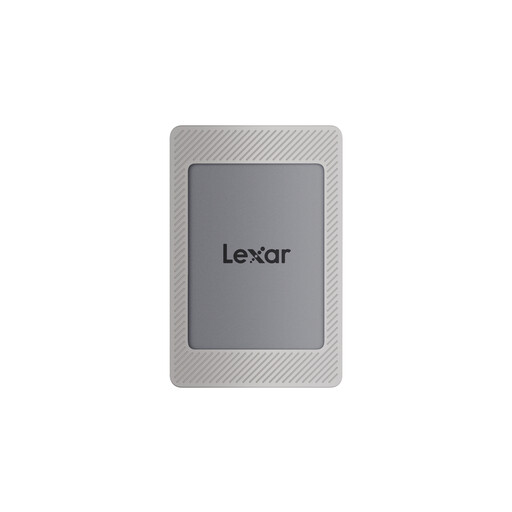
Why This Fits Their Persona: Ideal for users who film directly with their iPhone and want a seamless, integrated solution. The included magnetic kit ensures a stable attachment, while the speed is perfectly matched to the ProRes workflow and the iPhone 15 Pro's USB-C port.
This model bypasses the speed trap, as its 1050 MB/s read speed perfectly matches the maximum output of the iPhone 15 Pro. The dedicated magnetic kit also prevents the problem of a wobbly mount.
Complete package with a magnetic case and ring for immediate use; supports 256-bit AES encryption to protect your data.
Why This Fits Their Persona: Perfect for professionals who need maximum speed for data transfers between various devices (iPhone, Mac, PC). The USB 3.2 Gen 2x2 interface offers future-proofing and significantly speeds up the workflow at the editing station.
Although its full speed isn't achievable on the iPhone, it's not a bad buy for users who also work on a PC or Mac with a Gen 2x2 port. The SSD is explicitly designed for direct ProRes recording and features a stable magnetic mount.
Extremely high transfer speeds of up to 2000 MB/s for fast backups and transfers; shock and vibration-resistant design for mobile use.
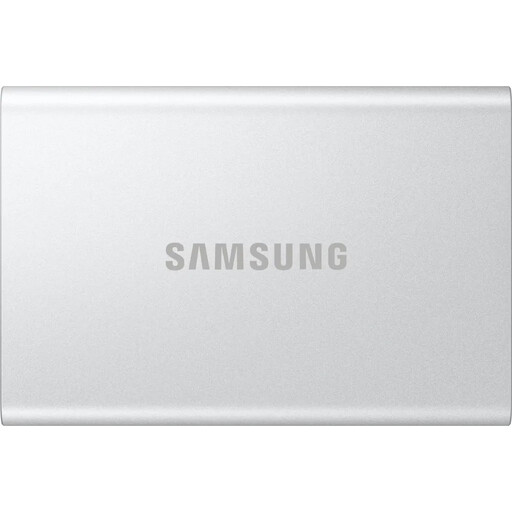
Why This Fits Their Persona: A reliable workhorse for users who need a versatile SSD for backups, data transfers between Mac/PC, and occasional ProRes recording. The proven T7 platform offers solid performance and high compatibility.
This model focuses on the essentials: reliable performance up to 1050 MB/s without superfluous features. It provides stable performance for ProRes and avoids the pitfalls of exaggerated speed claims.
Robust aluminium casing with drop protection from up to 2 metres; optional password protection with AES 256-bit hardware encryption.
We've compiled a complete, real-time updated list of products that fully meet these strict selection criteria and UK safety regulations.
In most cases, no. Most external SSDs come pre-formatted with the exFAT file system. This format is fully compatible with macOS, Windows, and iOS/iPadOS. This means you can usually connect the SSD to your iPhone right out of the box and start recording.
No. While theoretically any SSD with sufficient speed should work, the reality is more complex. For stable ProRes recording, especially at 4K 60 fps, the drive must be able to maintain a high write speed without any dips. Cheaper models can overheat and cause the recording to stop. It is advisable to choose a model whose manufacturer explicitly states its compatibility with ProRes.
Yes. A magnetic SSD attached to the back of the iPhone physically blocks the position of the MagSafe charging coil. To charge your iPhone wirelessly, you will need to remove the SSD first. This is an important practical consideration for daily use.