Joybuy products for CAD projects
This selection includes external HDDs for extra storage and SSDs for additional space or frequent file transfers. Check the capacity against your complete project folders and make sure the computer port and cable are suitable. If you’re working actively in AutoCAD, test the complete project set.
 No image available
WD Elements 2 TB, USB-C, USB 3.2 Gen 1, 2.5-inch
This external HDD is an option for additional storage if 2 TB is enough for your project folders.
The title lists USB-C, USB 3.2 Gen 1 and a 2.5-inch form factor. According to the description, the drive comes pre-formatted in exFAT for Windows and macOS.
Joybuy
 No image available
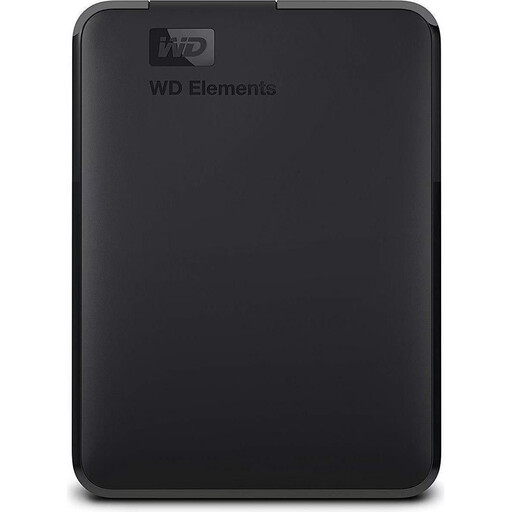
WD Elements 2 TB, USB 3.0
This external HDD provides extra storage, as long as 2 TB is enough for your complete project folders.
The product title lists USB 3.0 and formatting for PC and Mac. Check that it’s suitable for your computer before reformatting any project files.
Joybuy
 No image available
KEXIN 256 GB external SSD, USB 3.1, up to 500 MB/s
This SSD adds storage for files if 256 GB is enough for the projects you plan to keep on it.
The product title lists USB 3.1 and speeds of up to 500 MB/s; this isn’t a guarantee of performance in a CAD workflow. The title lists PC, Mac, Android and games consoles as compatible devices; check compatibility with your computer.
Joybuy
No image available
KEXIN 512 GB external SSD, USB 3.1, up to 500 MB/s
This version can provide additional storage for project files if 512 GB is enough for your folders.
The product title lists USB 3.1 and speeds of up to 500 MB/s; this doesn’t indicate any specific CAD performance. PC, Mac, Android and games consoles are listed as compatible devices. Check compatibility with the computer you plan to use.
Joybuy
 No image available
Samsung Portable SSD T7 1 TB, USB 3.2 Gen 2
The T7 is an external SSD option for extra storage and frequent file transfers if 1 TB is enough for your project collection.
The title lists USB 3.2 Gen 2; the product description gives read speeds of up to 1,050 MB/s and write speeds of up to 1,000 MB/s, and includes USB-C and USB-A cables. Check your computer’s port and connection before basing your choice on the advertised figures.
Joybuy
Frequently asked questions
Can I edit AutoCAD projects directly from an external SSD?
It may work, but you should test it with your own workflow. Autodesk warns that AutoCAD files on external drives can experience delays. If you run into problems, it recommends comparing performance with the complete project, including references and images, on the local drive.
What should I include when moving an AutoCAD project folder?
As well as the DWG files, transfer any external references and other dependent files you need. Autodesk recommends using ETRANSMIT to bundle project components such as Xrefs and font files. Then check the transferred folder on the computer you plan to use.
Can one external drive serve as both a working drive and a backup?
Keeping the only copy of a project on this drive doesn’t count as a separate backup. Keep another copy and test that you can restore a complete project folder. The German Federal Office for Information Security highlights the importance of recovery.
How important is the USB standard for an external SSD?
The drive, computer and cable connections need to be compatible if you want to take advertised data rates into account. USB 3.2 Gen 2x2 requires a suitable host connection, so check the standards supported by every part of the connection. Don’t treat peak speeds as a guarantee of performance with CAD files.
Do I need to encrypt CAD files on a portable drive?
The label ‘CAD project’ alone doesn’t mean that encryption is always required. If an organisation processes personal data, the GDPR requires risk-appropriate technical and organisational measures, according to the European Data Protection Board. What’s needed in each case depends on the processing context. For sensitive files, you should also check how they’re protected if the drive is lost.


