Designers working on active, large projects
If you regularly open or transfer large project folders, consider an SSD alongside the USB port actually available on your computer.


For frequently opening and editing large, active project files, an external SSD is the obvious choice. For a substantial archive that you rarely edit, an HDD may also be suitable. Before buying, check the capacity you need, your devices’ USB ports and their file systems. The German Federal Office for Information Security recommends making backups in a way that allows you to restore your files. That means a single drive for work or archiving is no substitute for a separate, verified backup.
If you regularly open or transfer large project folders, consider an SSD alongside the USB port actually available on your computer.
For storing lots of completed versions, ample space and a separate, recoverable backup matter most. The fastest access times may not be a priority.
When switching between operating systems or sharing files, the file system and write access matter just as much as the connection.
A good fit if: You frequently open, edit or take large, active project folders between work locations.
What to consider: The advertised maximum speed depends on the drive, computer, cable and supported USB features. You’ll also need to plan your backup separately.
A good fit if: You mainly store large project files and rarely work directly from the drive.
What to consider: An HDD is less suitable for frequent work directly from the drive. Check the file system, connection and cable for the specific model, too.
| Buying priority | What to check | Who it matters most to |
|---|---|---|
| Space for projects and versions | Consider folder sizes, expected growth and extra backup copies together; check the capacity of the specific model. | If I want to keep lots of large files and older project versions, I’ll allow space for both. Around 33% of consumers say capacity is their main priority. |
| Speed when working and copying files | Compare the USB capabilities of your computer and cable with the drive’s requirements. Samsung’s maximum T9 transfer rate applies only under certain connection conditions. | If you often edit active files or move large folders, pay particular attention to the connection you can actually use. Around 27% of consumers put working speed first. |
| File system and connection | Check the pre-installed file system, available ports and cable. Apple Support describes exFAT as an option for sharing files between Mac and Windows; formatting erases existing files. | If I share files between Mac and Windows, I need the right write access on both devices. Around 20% of consumers prioritise switching between devices and file systems. |
| Backup and confidentiality | Plan for a separate copy and how to restore it; if you handle personal data, assess the level of protection needed for your specific use. | If you need to preserve important project files and potentially protect customer data, think beyond a single drive. For around 20% of consumers, data backup is the main priority. |
Samsung quotes up to 2,000 MB/s for the T9 under certain conditions: the host and cable must support USB 3.2 Gen 2x2, and UASP must be enabled. Actual performance may therefore differ on your computer.
Check your computer’s USB specifications and the cable you plan to use before factoring an advertised maximum speed into your decision.
A compatible plug alone doesn’t guarantee that you can save files on every device. Apple Support notes that a Mac can read an NTFS drive but can’t write to it without additional steps. Toshiba supplies its documented Canvio Basics range formatted as NTFS for Windows; reformatting erases the files on the drive.
Check the file system and cable before transferring files. Back up any existing files elsewhere before formatting a drive.
A drive can be lost or fail, and protective features on its casing can’t prevent every kind of data loss. The German Federal Office for Information Security recommends making backups and ensuring you can restore them.
Keep a separate copy of important originals and project versions, and check that you can restore the files from it.
The Canvio Basics range is a line of portable HDDs for storage and backup. Toshiba lists models with capacities of up to 4 TB; the exact capacity depends on the model.
The portable T9 SSD is designed for workstations with a compatible high-speed USB port; the T7 Shield is another SSD range for mobile use.
The X9 Pro is a compact external SSD for active files and mobile use.
The XS1000 is a compact external SSD range available in 1 TB and 2 TB models.
This Joybuy selection includes HDDs for project archives and backups, as well as an SSD for frequently used files.
 No image available
For a larger project archive, when rarely edited files and project versions are your priority.
5 TB; USB-C.
No image available
For a growing archive, if you’re looking for a portable HDD with a USB-C connection.
4 TB; USB-C.
 No image available
For an archive you want to use on Mac and Windows; check first that the connection and file system are compatible with your devices.
2 TB; USB-C; USB 3.2 Gen 1; exFAT.
 No image available
For a substantial archive, if a desktop drive with its own power supply suits your workspace.
8 TB; USB 3.0. The included power adapter is required for operation. The drive is formatted as NTFS; according to the product description, it needs to be reformatted for Mac use.
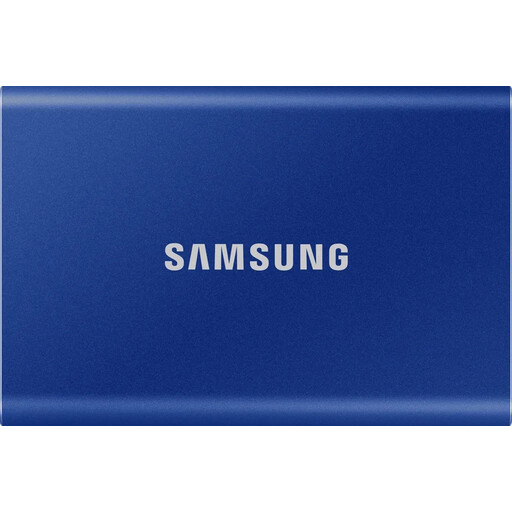 No image available
For frequently used files, if you’re looking for an external SSD to take between work locations.
1 TB. Password encryption is optional and, according to the product description, must be set up.
Add together the space used by your current project folders, the versions you need to keep and your expected growth. Then check the capacity of the specific drive model and allow room for a separate backup. The largest available model isn’t a one-size-fits-all minimum.
First check the existing file system and back up any files already stored on the drive. Apple Support describes exFAT as an option for use with both Mac and Windows; formatting erases the files on the volume concerned. An NTFS drive isn’t automatically ready for write access on a Mac.
No, not if it contains the only copy of important files. The German Federal Office for Information Security recommends regular backups and points out that restoring them must work, too. Keep a separate copy and test that you can restore files from it.
No. The maximum quoted speed applies only under the specified connection conditions. To reach the up to 2,000 MB/s quoted by Samsung for the T9, the host and cable must support USB 3.2 Gen 2x2, and UASP must be enabled. Check that your computer meets these requirements before using the figure to compare drives.
No official guidance requires a particular drive model. If you process personal data, the GDPR requires appropriate technical and organisational measures that reflect the level of risk. The German Federal Commissioner for Data Protection and Freedom of Information highlights encryption as an important measure when transporting mobile data storage devices. Assess the level of protection needed and how it will be set up for your specific use.