Producers with growing project folders
If your projects include recordings and related files, work out how much space the complete folder needs before you buy.


If you regularly work with projects and samples directly from an external drive, first consider an SSD with a suitable connection. For large folders that are mainly for storage, an HDD may also be suitable. Work out how much storage you need based on complete project folders, check compatibility with your computer and file system, and keep a second, independent copy: moving your original elsewhere does not make it a backup.
If your projects include recordings and related files, work out how much space the complete folder needs before you buy.
If you open samples or projects directly from your external drive while working, pay particular attention to the connection and how it works with your setup.
If your projects contain important original recordings, plan for a separate copy as well as your working drive.
A good fit if: you open projects frequently or use samples directly from the drive.
Bear in mind: The transfer rate you achieve depends on factors including your host device and cable. You’ll still need a second copy for backup.
A good fit if: you mainly store large project folders and don’t access them constantly while producing.
Bear in mind: A USB interface specification alone does not guarantee a particular working speed.
| What you need | What to check when buying | Who is this important to? |
|---|---|---|
| Space for growing folders | Use several complete project folders, including collected media, as the basis for planning capacity. | As my sessions grow to include recordings and related files, I want to plan for complete folders, not just the set file. Around 31% of consumers put space for complete, growing project folders first. |
| Access to active files | Choose between an SSD and HDD based on how often you access files; check that the connection, host and cable are compatible with the specific model. | If I use samples directly from the drive while producing, access within my own workflow matters. Around 25% of consumers prioritise access to active projects and samples. |
| Separate backup | Set aside space for an independent copy and open a sample of backed-up project folders to check them. | If important original recordings are stored on just one drive, I need a separate copy as well. Around 31% of consumers put independent backups first. |
| Using the drive with multiple computers | Check operating systems and connections; back up any existing data before reformatting. | If I want to use the same drive with different computers, its file system needs to suit the way I switch between devices. Around 13% of consumers prioritise using a drive with multiple computers. |
If you move your only copy to an external drive, you still only have one copy. If it’s lost or fails, your project could be gone.
Treat your working or archive drive and your separate backup as two different things.
You may need extra storage for an independent copy.
Ableton Live may link to external files in a saved set. So a single set file may not include all the audio files you need; copying the project folder won’t install any plug-ins either.
Before moving your project, use your DAW’s features to collect the media you need, then open the project on the destination computer.
A hard drive’s USB specification isn’t necessarily its measured transfer rate. SSD maximum speeds also apply only under the relevant connection and test conditions.
Check the port and cable requirements for the specific model, and distinguish interface specifications from stated performance figures.
The documented Toshiba Canvio Basics comes pre-formatted with NTFS for Windows and, according to the manufacturer, needs reformatting for macOS. The format can therefore affect whether you can use the drive as intended.
Check operating system and file system compatibility before adding files, and back up any existing data before formatting.
Reformatting erases the data already stored on the drive.
The Portable SSD T7 Shield in the documented black 2 TB version is an option for mobile access to active files.
The 2 TB X9 Pro CT2000X9PROSSD9 is a portable SSD option for active files and taking your work with you.
Canvio Basics is a portable HDD range. One documented version offers 4 TB for large folders that are mainly stored rather than regularly accessed.
Expansion Portable is an HDD range for storing additional files.
This selection includes external HDDs for large folders that are mainly stored, and portable SSDs for projects or samples you use more often. The right type of drive depends on how often you work directly from it; you’ll still need a second copy for an independent backup.
 No image available
For large project folders that you mainly want to store and take between workstations.
Described as a 5 TB portable HDD with USB-C and USB 3.2 Gen 1; the product details state that the drive is pre-formatted for Windows and Mac.
No image available
For larger archive folders if you want to use a portable HDD between workstations.
Described as a 6 TB portable HDD with USB-C and USB 3.2 Gen 1; the product details state that the drive is pre-formatted for Windows and Mac.
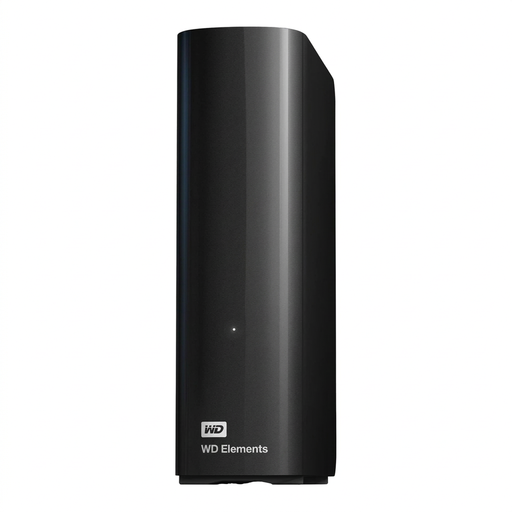 No image available
For very large project folders that are mainly stored at a fixed workstation.
Described as a 14 TB desktop HDD with USB 3.0 and NTFS; according to the product details, it requires an external power supply. Reformatting is specified for use with macOS.
 No image available
For projects or samples you regularly access directly from a portable SSD.
Specified as 2 TB with USB 3.2 Gen 2. The product description quotes sequential speeds of up to 1,050 MB/s for reading and 1,000 MB/s for writing; these figures are not guaranteed with every host device and cable. Cables for USB-C and USB-A connections are listed.
 No image available
For projects or samples you use regularly, if you’re looking for a portable SSD to connect to USB-C or USB-A devices.
Specified as 2 TB with USB 3.2 Gen 2. The product description quotes sequential speeds of up to 1,050 MB/s for reading and 1,000 MB/s for writing; the performance you achieve depends on your host device and cable. USB-C-to-C and USB-C-to-A cables are listed.
Not necessarily with Ableton Live: a saved set may only link to external files. For moving a project, Ableton recommends collecting the media you need and transferring the entire project folder; plug-ins are not installed as part of this process. For other DAWs, check how their project management works.
First check the current format and back up your data before making any changes. Apple recommends exFAT for shared external drives over 32 GB; formatting erases the files stored on the drive. Also check your DAW’s requirements.
For Ableton Live, Ableton recommends installing the application and third-party plug-ins on your main drive. Storing projects and samples externally is a separate matter; if you switch computers, plug-ins need to be installed separately.
Only if you also have your important files on a separate storage device. If you move the only copy to the external drive, it’s still your only copy. Open a sample of backed-up project folders to check they’re complete.