Producers who transfer projects frequently
If you regularly move sessions and audio files between workstations, usable transfer speeds and the right connections are important factors to consider.


For music projects that you copy or edit frequently, an external SSD is usually the better choice for day-to-day work. An HDD is more suited to large archives or extra copies when transfer time matters less. Before you buy, check how much space your projects and versions need, the USB mode and cable, and whether the file system works with all your computers. A working drive is no substitute for a separate backup that you can verify.
If you regularly move sessions and audio files between workstations, usable transfer speeds and the right connections are important factors to consider.
For completed sessions, versions and sample libraries, it’s worth keeping storage for current work separate from space for your archive.
If you use the same drive with both systems, consider the read and write access you need, as well as any files already on the drive, before formatting it.
A good fit if: you often move sessions, stems or sample folders and transfer times matter in your day-to-day work.
The trade-off: advertised peak speeds rely on having compatible connections and cables. You should also plan for a separate backup.
A good fit if: you want to store older projects or backup copies that take up a lot of space and don’t need to transfer them often.
The trade-off: if transfer time is less important, an HDD may suit large backups. PC-WELT describes this use for backups where time is not critical.
| Priority | What to check | Who should consider this? |
|---|---|---|
| Speed for repeated transfers | Check the USB mode, computer connection, cable and, where relevant, dock. | If I often copy large project folders, I want to keep waiting times to a minimum as part of my workflow. Around 33% of consumers put frequent transfers first. |
| Space for projects and versions | Allow for the size of complete sessions, saved versions and any extra space you may need. | If I want to keep completed sessions and older versions, available archive space matters to me. Around 27% of consumers prioritise space for projects and versions. |
| Access on Mac and Windows | Check the connections, cable and file system; back up existing files before reformatting. | If I switch between Mac and Windows, I need to be able to open and save project files as intended on both computers. Around 20% of consumers prioritise system compatibility. |
| Projects you can recover | Plan for a separate copy and test whether you can restore important files from it. | If I want to keep my sessions safe in the event of drive failure, I need a separate backup that I can verify. Around 20% of consumers put recoverability first. |
Manufacturers’ maximum SSD speed claims apply under specific connection and testing conditions. A USB-C connector alone doesn’t tell you which USB mode your computer and drive will use.
Compare the USB modes supported by the drive and computer, and check the cable and dock too. Assess the potential benefits based on your own project transfers, not just a peak speed figure.
A drive can fail or go missing. If that happens, a working copy stored on it won’t protect you from data loss. The German Federal Office for Information Security recommends keeping backup copies.
Keep a separate copy and test that you can restore important project folders.
According to Apple Support, formatting deletes the files on the volume concerned.
Decide in advance how you’ll use the drive with Mac and Windows, and back up any existing files to another device before formatting it.
Some of the stated capacity won’t be available for your own files because of formatting and other functions.
Work out how much space you need for complete sessions and the versions you want to keep, and leave some room to spare. This will help you judge when you might need additional archive space.
You may run out of space for projects sooner than expected, making another drive necessary.
The portable SSD T9 is designed for frequent transfers with a compatible USB 3.2 Gen 2x2 connection. The T7 Shield is a separate product line with a stated level of enclosure protection.
The XS2000 is a portable SSD range for users with a compatible USB 3.2 Gen 2x2 connection.
The 2 TB X10 Pro is a portable Gen 2x2 SSD for frequent transfers, provided the computers you use support this mode.
The Expansion Portable is an HDD option for larger project libraries where transfer time is less critical, or for extra copies.
The My Passport portable HDD is another option for large archives and separate backup copies.
This selection includes external SSDs for frequent file transfers and use as working drives.
 No image available
Described as a portable SSD for frequent file transfers. Check that the connection and cable are compatible with your computer.
The product title lists USB 3.2 and transfer speeds of up to 2060 MB/s. Actual throughput depends on the connection you use.
 No image available
The 4 TB version may suit larger project folders. Work out how much space your sessions and versions need.
The product title lists USB Type-C and USB 3.2 Gen 2. Check the connection on every computer you plan to use with the drive.
 No image available
It’s a possible choice for a working drive if you transfer files frequently, provided the computers involved support the connection.
The product title lists USB 3.2 Gen 2x2 and read and write speeds of up to 2,000 MB/s. Samsung Germany quotes this sequential maximum for the 1 TB T9 when used with a compatible host and cable and with UASP enabled.
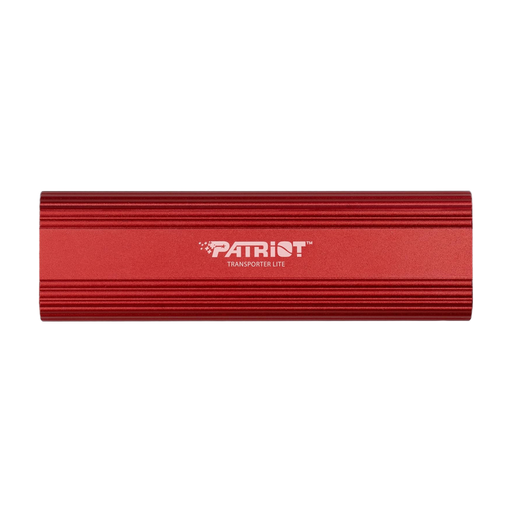 No image available
Described as a portable external SSD for use with a desktop or laptop. Check compatibility with your computers before buying.
The product title lists USB Type-C and USB 3.2 Gen 2.
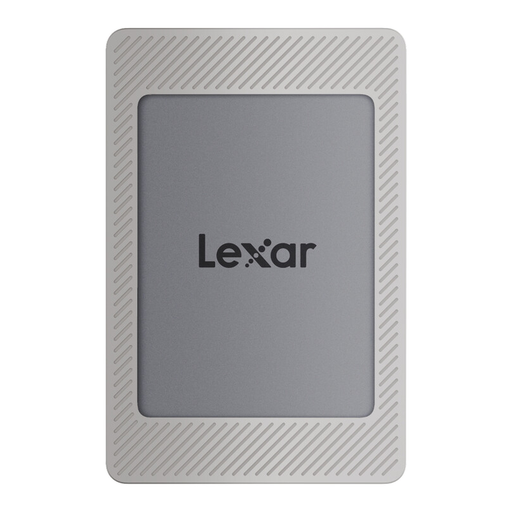 No image available
The 2 TB version may suit larger project folders. Check how much storage you need and whether the connection works with your computers.
The product title lists USB 3.2 Gen 2 and read speeds of up to 1,050 MB/s and write speeds of up to 1,000 MB/s. It also lists compatibility with PC and Mac.
Yes, as long as the file system and connection allow the access you need on both computers. Apple Support describes ExFAT as a formatting option for shared drives larger than 32 GB; formatting deletes any files already on the drive. Back them up first, then test access before transferring important projects.
No. For the Samsung T9’s stated maximum, Samsung Germany specifies a host and cable with USB 3.2 Gen 2x2, as well as UASP enabled. Check the supported USB mode, not just the shape of the connector.
If you want to be able to recover your projects after a drive failure or loss, you should plan for a separate backup. The German Federal Office for Information Security explains the importance of keeping backup copies. Test that you can restore the project files you need.
Add up the space needed for complete sessions, audio files, exports and the versions you want to keep, then allow some extra room. You won’t be able to use the full stated capacity for your own files. Seagate also notes in its user manual that some space is used for formatting and other functions.
Encryption can protect stored files from unauthorised access if the drive is lost or stolen, but it isn’t a substitute for a backup. The German Federal Office for Information Security recommends considering the protection of confidential data separately from its recoverability. Keep the key somewhere safe so you can still access your files.