Edit RAW files directly
If you regularly open or move large project folders, choosing a suitable working drive is key. Also check that your computer and cable support the connection you need.


An external SSD makes a good working drive for frequently opening and editing large RAW project folders, provided its capacity and connection suit your computer. An HDD may also be suitable for a large archive or a separate backup, but a drive holding your originals is not, by itself, a backup.
If you regularly open or move large project folders, choosing a suitable working drive is key. Also check that your computer and cable support the connection you need.
For completed projects that you mainly want to keep, the capacity of the specific drive variant is an important factor. Allow for both your existing files and the growth you expect.
If your originals are already stored in one location, a separate drive can serve as an additional backup destination. Make sure the project files you need are actually included, and check the copies from time to time.
First decide whether the drive will be used for active editing, archiving or a separate backup. Then check that its capacity and connections match your needs.
| What matters | What to check before buying | Who is it important to? |
|---|---|---|
| Working speed | Check the SSD, its capacity and your computer’s connection. Samsung lists USB 3.2 Gen 2, a suitable cable and UASP as requirements for the advertised top speeds of the T7 Shield. | If I regularly open or move large project folders directly, having a suitable working drive matters most to me. Around 31% of consumers put working speed first. |
| Archive capacity | Add up your existing project folders and allow extra space for new files. Check the capacity of the specific variant, not just the maximum capacity in a product range. | If you want to keep completed RAW projects together, make sure the specific variant on offer has enough space. Around 25% of consumers put archive capacity first. |
| Separate backup | Decide where your originals and backup copy will be stored. Adobe states that Lightroom Classic’s catalogue backup includes only the catalogue file; photo files need to be backed up separately. Germany’s Federal Office for Information Security recommends checking that backups can be read. | If I need a copy separate from my working drive, it must include the original RAW files and other important project files too. Around 25% of consumers prioritise an independent backup. |
| Connections and switching between devices | Check that the ports and supplied cables work with your devices. Also make sure the operating system and file system suit your intended use. | When switching between compatible computers, I want to be confident that the connections are suitable and the files can be read. Around 19% of consumers put use across different devices first. |
If the drive fails or gets lost, your only original files could be lost too.
Treat working or archive storage and an independent backup as separate tasks. Check regularly that you can read the copy.
According to Adobe, Lightroom Classic’s backup contains only the catalogue file, not the original photos or exported files.
Back up the catalogue and the photo files you need separately, and check that you can restore both.
The shape of the connector alone doesn’t tell you which USB mode your computer supports. Samsung’s top speeds for the T7 Shield depend on the host device, cable and UASP.
Compare the interfaces on your computer and drive, and check the conditions for the advertised speed.
A drive mainly used to store large folders has a different job from one you work from frequently.
Before comparing models, decide whether active editing, archive capacity or a separate backup matters most.
The portable T7 Shield SSD is worth considering for project folders you use frequently and take with you.
The My Passport is a portable HDD option for an archive or a separate backup destination.
The Canvio Flex is designed for users who want to move portable project folders between compatible USB-A and USB-C devices.
The One-Touch HDD is another portable option for archiving or keeping a backup copy.
This selection includes external SSDs for active project folders, as well as portable and desktop HDDs for archives or separate backups. The key factors are the specific capacity, where you’ll use the drive and the connections on your devices.
 No image available
A portable HDD option for a growing archive or files you want to take with you.
 No image available
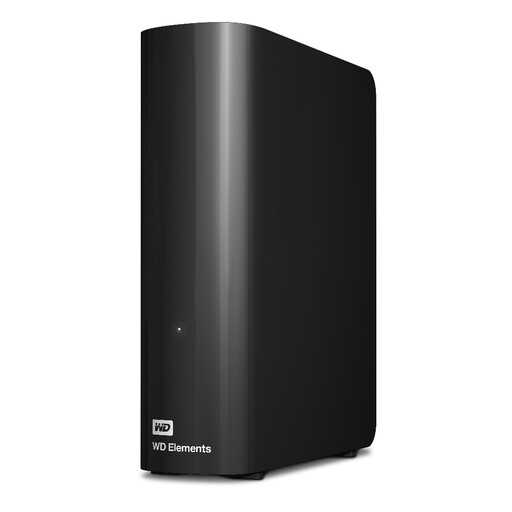
A desktop HDD for a large archive kept in one place.
 No image available
An external SSD for frequently opening and copying large project folders, provided its capacity and connection suit your computer.
 No image available
A portable SSD for active project folders, provided the stated capacity suits your files.
 No image available
A portable SSD for active projects, provided your computer’s connection supports the stated USB mode.
No. According to Adobe, the in-app backup covers only the catalogue file; original photos and exported files need to be backed up separately. This applies to Lightroom Classic and not necessarily to all photo software.
Check that the ports and supplied cables work with your devices, and check the supported operating systems and file system for the specific variant. Toshiba lists USB-A and USB-C cables for the Canvio Flex, as well as pre-formatting for compatible devices.
Decide which original files and project folders need to be backed up, update the copy regularly, and check from time to time that the data is complete and readable. Germany’s Federal Office for Information Security recommends checking that backups can be read.
No. In Germany, statutory rights in the event of a fault are against the seller; a manufacturer’s warranty is an additional voluntary service subject to its own terms. The German Consumer Advice Centre says that new goods are generally covered by a two-year statutory warranty.
No. Germany’s Federal Environment Agency advises collecting electrical waste separately and not disposing of it with household rubbish. Secure and remove your personal data before passing on or disposing of the drive.