If you often edit or transfer large design projects and RAW files directly from a drive, a portable SSD is an obvious choice. Check, though, that your computer’s port and cable support the advertised interface. For large collections that you rarely access at a fixed workstation, a desktop HDD may be suitable. Either way, irreplaceable files need a separate, verifiable backup, as explained by the German Federal Office for Information Security (BSI).
Which option is right for you?
Creative professionals with ongoing large projects
If you regularly open large design files and RAW sequences directly from external storage, the right connection and your actual workflow matter more than a headline figure on the packaging. Kingston notes that the host device and interface are important factors in its SSD specifications.
Photographers with a growing archive
If you keep lots of RAW originals and completed project files, plan for the storage you need as well as an additional backup. The BSI explains how data loss, for example through device theft, can leave you without your files if you have no other copy.
Creative professionals on the move with client files
If you carry projects between workplaces, consider the connections available and how well the specific drive is protected. For clients’ personal data, the European Data Protection Board recommends technical and organisational safeguards that are appropriate to the risk.
What should you look for when buying?
First decide whether the drive will store active projects or mainly serve as a stationary archive. Make separate backup arrangements as a task in their own right.
Portable SSD as a working drive
A good choice if: you regularly edit, transfer or take large project files with you.
Bear in mind: your computer’s port and cable may limit the speed you can achieve. Kingston outlines the host requirements for the XS2000.
Desktop HDD for archiving or backups
A good choice if: you mainly keep large collections of completed RAW and project files at a fixed workstation.
Bear in mind: depending on the model, you may need a power supply. Its stationary design makes it less practical as a portable working drive.
| What you need |
What to check before buying |
Who is this important to? |
| Space for projects and RAW files |
Check the size of complete folders and how much they are likely to grow; make separate arrangements for a backup too. |
If I want to store complete project folders and RAW sequences long term, my main concern is having enough space for them to grow. Around 33% of consumers who need a capacity-focused archive prioritise this. |
| Working and transfer speeds |
Check the USB standard supported by the drive, computer and cable. Don’t assume the manufacturer’s maximum figures are the speeds you will achieve. |
If I regularly open or transfer large work files, I want a drive that works with my computer. Around 25% of consumers prioritise speed when editing and moving project files. |
| Recovering your files |
Keep your working copy and backup on separate devices; back up important files regularly and test that you can restore them. |
If my RAW originals and completed projects are irreplaceable, I want to be able to recover them if a drive fails. Around 25% of consumers prioritise a separate, verifiable backup. |
| Protection on the move and confidentiality |
Check the protection rating and the conditions under which it was tested for the exact model. For client data, decide what access controls are needed in your own processing context. |
If I take projects with me or handle clients’ personal data, the protection needs to suit how I use the drive. Around 17% of consumers prioritise portability and, where relevant, the protection of confidential files. |
Avoid common misconceptions
-
Assuming that moving originals elsewhere counts as a backup
If RAW files are kept only on an external drive, a failure could destroy your only copy. The BSI also highlights risks such as theft or damage to the place where files are stored.
Keep your working and archive storage separate from an additional backup, and check that you can restore files from it.
A separate backup requires another storage device and regular maintenance.
-
Assuming a USB-C connector guarantees top speed
The connector alone doesn’t tell you whether your computer and cable support the drive’s interface. Kingston notes that the XS2000 does not reach its advertised Gen 2x2 performance on a Mac.
Compare the USB specifications of the specific drive, your computer’s port and the cable you use.
-
Assuming a protection rating means you’re safe from data loss
Samsung says the T7 Shield’s IP65 rating is based on controlled tests. Samsung excludes liquid and dust damage from its warranty; a protection rating is no substitute for a separate copy.
Check the conditions and warranty limits for the specific model, and keep another copy of irreplaceable files on a separate device.
-
Choosing a stationary archive drive for mobile use
The documented Seagate Expansion Desktop model STKP8000400 comes with a power supply. Seagate also says that reformatting is required for Time Machine.
Before buying, decide where you’ll use the drive, which connections are available and which backup software you want to use. Check the requirements for the specific variant.
Brands and product ranges to consider
Samsung
The Portable SSD T7 Shield 2 TB is a portable SSD option to consider if protection ratings and the right USB interface matter to you.
- Samsung gives sequential maximum speeds for this model of up to 1.050 MB/s read and 1.000 MB/s write, as well as an IP65 rating under controlled test conditions.
- Samsung says the host configuration can affect performance; liquid and dust damage are excluded from the warranty. These details apply to the model named here, not all Samsung drives.
Kingston
The XS2000 is a portable SSD range with models up to 4 TB. The XS1000 is a separate product range with USB 3.2 Gen 2 and models up to 2 TB.
- Kingston gives speeds of up to 2.000 MB/s for the XS2000 over USB 3.2 Gen 2x2, as well as an IP55 rating when the protective sleeve is fitted.
- You need a compatible host and suitable cable to achieve the advertised Gen 2x2 speeds. Kingston notes that the XS2000 does not reach its advertised performance on a Mac.
Crucial
The X10 Pro 2 TB is a portable SSD option for large work files. Check that its protection and interface specifications suit your device.
- Crucial gives sequential maximum speeds for the X10 Pro of up to 2.100 MB/s read and 2.000 MB/s write, as well as an IP55 rating.
- These speed figures apply under certain conditions. Crucial says the drive must not be submerged; performance and compatibility also depend on the host and formatting.
Seagate
The Expansion Desktop is a range of stationary HDDs that may suit large archives or an additional backup.
- For the documented 8 TB model STKP8000400, Seagate lists a power supply and USB-A cable as included.
- Seagate says reformatting is required for Time Machine. Check the specific model variant and its requirements before buying.
Western Digital
The My Book desktop HDD range is another option for stationary photo and project archives.
- The manufacturer’s data sheet lists capacity options up to 26 TB, exFAT formatting and a power adapter.
- The product numbers listed in the data sheet are explicitly for other regions. Check that the specific variant and what’s included are right for your needs.
Joybuy products for work and archiving
The products below include portable drives for work files on the move and stationary HDDs for large archives.
 No image available
WD Elements Portable 5TB USB-C
This portable drive is designed for a collection of photos and projects you can take with you.
5 TB; USB-C; USB 3.2 Gen 1; 2.5-inch form factor.
Joybuy
 No image available
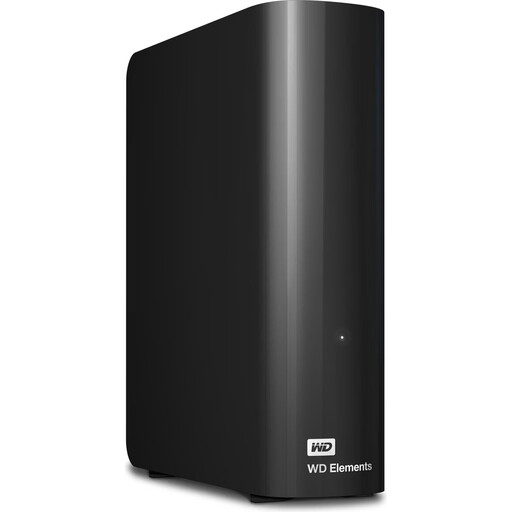
WD Elements 24TB Desktop External Hard Drive
This stationary desktop HDD is designed for large collections and planned local backups.
24 TB; USB 3.2 Gen 1; 3.5-inch form factor; the product description says it comes with an external power adapter.
Joybuy
 No image available
KIOXIA Exceria Plus G2 Portable SSD 2 TB
This portable SSD is designed for accessing project and photo files on the move; host compatibility may affect how you use it.
2 TB; USB 3.2 Gen 2; sequential maximum speeds of up to 1.050 MB/s read and 1.000 MB/s write; 256-bit AES hardware encryption. The product description lists USB-C-to-C and USB-C-to-A cables.
Joybuy
 No image available
Samsung Portable SSD T7 4TB
This portable SSD offers space for large project folders and RAW collections.
4 TB; USB 3.2 Gen 2; up to 1.050 MB/s read and 1.000 MB/s write; AES-256 hardware encryption. The product description lists USB-C-to-C and USB-C-to-A cables.
Joybuy
 No image available
Samsung MU-PG2T0B 2 TB USB Type-C 3.2 Gen 2
This portable drive is designed for project files on the move and connecting to a range of devices.
2 TB; USB 3.2 Gen 2; the product description lists USB-C-to-C and USB-C-to-A cables, as well as compatibility with PCs and Macs.
Joybuy
Frequently asked questions
Is an external hard drive enough as the only place to store RAW originals?
No, not if you want to be able to recover your files after damage or loss. Keep a separate, regularly updated copy and check that you can actually open files from it. The BSI highlights risks such as theft and damage to the place where files are stored.
Why doesn’t an SSD always reach its advertised MB/s?
These are model-specific maximum figures under certain conditions. Kingston Technology lists a USB 3.2 Gen 2x2-compatible port and a suitable cable as requirements for the XS2000, and notes that the SSD does not reach its advertised Gen 2x2 performance on a Mac.
What should I consider before formatting a drive for Windows and Mac?
Check the file system, operating system and backup software you want to use with the specific drive. Crucial notes that reformatting the X10 Pro will delete existing data; Seagate says its documented Expansion Desktop model needs to be reformatted for Time Machine.
Who can help if a drive is faulty: the retailer or the manufacturer?
For consumer purchases in Germany, statutory rights relating to faulty goods generally apply against the seller. A manufacturer’s warranty is separate and voluntary. The Verbraucherzentrale says that requesting a repair or replacement is the first step when goods are faulty.
Does a drive containing client photos always need a particular type of encryption built in?
You can’t infer a blanket requirement for every drive covered here. If you process personal data as a controller or processor, the GDPR requires technical and organisational measures appropriate to the risk. The right access controls depend on the specific processing context. The European Data Protection Board explains this risk-based approach.


