Portfolio owners with large folders
If you want to copy complete image and project folders, including selected versions, choose a capacity that suits the amount of data you actually have.


For frequent, on-the-go copies of large image folders, a portable SSD is a good choice. A desktop HDD may suit a fixed workstation if copying time matters less. In a comparison published in January 2026, CHIP recommends an external SSD when transfer speed is important. Before choosing, check the size of your folders, as well as your computer’s connection and cable. You’ll also need a separate, restorable backup for important originals.
If you want to copy complete image and project folders, including selected versions, choose a capacity that suits the amount of data you actually have.
When transferring large folders regularly, any time saved depends on the drive, computer connection and cable all being compatible.
If you want to recover files after accidental deletion or drive failure, plan for a separate backup as well as copying, and check that your files can be restored. The German Federal Office for Information Security stresses that data must also be recoverable.
When choosing a drive for large portfolio and project folders, your priorities will depend on how you work: storage space, transfer time, recovery and portability.
| Priority | What to check before buying | Who it matters to |
|---|---|---|
| Space for complete project folders | Add up your folders and the versions you plan to keep. Bear in mind that formatting means the full stated capacity may not be available for file storage. | If you want to store complete folders and planned versions on one drive, capacity is the main consideration; around 31 % of consumers put it first. |
| Copying speed | Check that the drive, computer and cable connections are compatible. Treat manufacturers’ figures as maximum speeds achieved under specific conditions. | If you transfer large folders regularly, shorter waiting times matter; around 25 % of consumers prioritise copying speed. |
| Recoverable copy | Plan for the original and a separate backup. After copying, check that files can be opened and restored. | If you want to recover important portfolio files after deletion or drive failure, simply moving them elsewhere isn’t enough; around 25 % of consumers prioritise recoverability. |
| Portability and connections | Check where you’ll use the drive, whether a power socket is available and which cables you’ll need. For a desktop HDD, remember to account for its separate power supply. | If you need to take image folders between work locations, a handy option without a separate desktop power supply is useful; around 19 % of consumers prioritise portability. |
If your image library is only on the external drive after you move it, it’s still at risk if the drive fails or you accidentally delete files.
Plan for a separate backup and regularly check that your files can be restored.
A separate backup may require another storage device, as well as time for backups and recovery tests.
Samsung’s maximum sequential speeds for the T9 require a compatible host and cable with USB 3.2 Gen 2x2, as well as UASP enabled.
Before buying, check the specifications of the whole transfer setup. For long copying sessions, results for the exact model variant are also relevant.
Paying more for a faster interface may not be worthwhile if your computer or cable can’t make use of it.
According to Seagate, the Expansion Desktop STKP8000400 needs a power supply, so you’ll need a socket where you use it.
If you plan to carry the drive around frequently, check the power supply, cables and space you’ll need beforehand. A desktop HDD is easier to plan for if you have a fixed workstation.
The power supply and cables take up extra space and make it less convenient to use the drive on the go.
The Portable SSD T9 is worth considering for frequent transfers, provided your computer and connection support its interface.
The XS2000 is a compact SSD option for image folders, provided you have a compatible connection.
The X9 Pro is a portable SSD alternative if top speeds from a Gen 2x2 connection aren’t essential.
The Expansion Desktop STKP8000400 is an example of a desktop HDD for large folders.
This selection includes portable drives for copying files on the go, as well as a desktop HDD option for large collections of data at a fixed workstation.
 No image available
Its portable design is worth considering if you want to store or copy large image and project folders while you’re out and about.
Capacity: 6 TB. Connection listed in the product name: USB-C.
 No image available
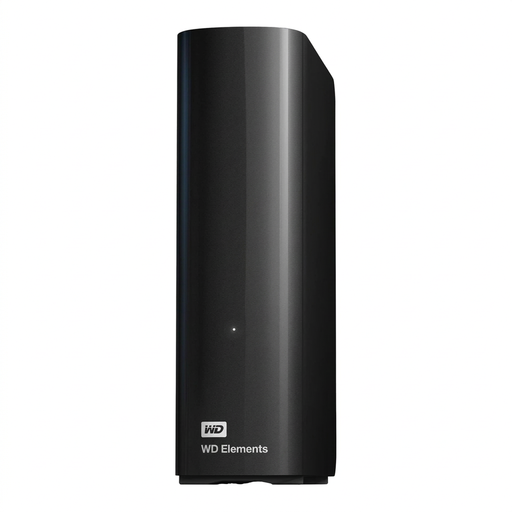
The desktop design is an option for large folders at a fixed workstation. According to the product details, the drive needs a power adapter and a mains socket while in use.
Capacity: 14 TB. USB 3.0, 3.5-inch design and NTFS are listed in the product name. According to the product description, it needs to be reformatted for use with macOS.
 No image available
This portable SSD is worth considering if you want to transfer larger project folders on the go and need 4 TB of capacity.
Capacity: 4 TB. The product name lists USB Type-C and USB 3.2 Gen 2.
 No image available
The Gen 2x2 interface may be useful for frequent transfers, provided your computer and cable are compatible.
Capacity: 1 TB. The product name lists USB 3.2 Gen 2x2 and read and write speeds of up to 2,000 MB/s. To reach the maximum sequential speeds quoted by Samsung, your host and cable must support USB 3.2 Gen 2x2, and UASP must be enabled.
 No image available
Its portable design is an option if you want to transfer image files on the go and your device has a compatible interface.
Capacity: 1 TB. The product name lists USB 3.2 Gen 2x2, read and write speeds of up to 2,000 MB/s, and an IP65 rating. According to the product details, the drive isn’t designed to be submerged in water. Performance may be lower on systems without USB 3.2 Gen 2x2.
Add up the complete folders and the versions you want to keep, then compare the total with the usable storage space. There’s no one-size-fits-all TB capacity for every portfolio.
No. For the Samsung T9’s maximum sequential speeds, Samsung specifies a USB 3.2 Gen 2x2-capable host, a compatible cable and UASP enabled as requirements. So check the whole transfer setup.
No, not if that leaves you with only one copy. Keep a separate backup and check that you can restore your files. The German Federal Office for Information Security highlights the importance of being able to restore backups.
It depends on the model. Seagate lists a supplied power supply for the Expansion Desktop STKP8000400. Check the power requirements of the specific drive before buying.
Check whether you’ll need another storage device for a separate backup, and whether the cables and, for a desktop model, the power supply are included. You can also check the warranty and recovery terms for the exact model. A data recovery service is no substitute for your own backup.