Choose a capacity based on the amount of data you currently have and how many backup versions you want to keep. Then check the connections, cables and level of protection you need. A higher advertised transfer rate matters most when your computer and cable also support the required USB standard. For confidential invoices, you should also have a protection solution in place, keep a backup separately and test how to restore your files.
Who is this selection suitable for?
Project archives that need extra space
If you want to back up large, growing project folders alongside invoices and keep several backup versions, check how much data you have before choosing a capacity. Allow extra room for future files, too. The Federal Office for Information Security recommends backing up data regularly.
Anyone responsible for confidential documents
For invoices or project files containing personal or confidential information, protection, separate storage and the ability to restore files are important factors to consider. The right measures depend on how you use the drive; the Federal Commissioner for Data Protection and Freedom of Information highlights the importance of suitable technical and organisational measures.
Frequent backups of large files
If you regularly transfer large amounts of data and want to reduce backup times, compare the advertised data rates with the connections and cables on your computer.
What should you look for when buying?
| Consideration |
What to check when buying |
Who should pay particular attention? |
| Space for folders and backup versions |
Check your current data and how quickly it is growing. Factor in how many backup versions you plan to keep, as well as the reduction in usable storage after formatting. |
If I want to keep growing project folders and several older versions, I need enough spare capacity. Around 36% of consumers focus primarily on the capacity they need. |
| Protection and recovery |
Check how the SSD and operating system handle encryption. Disconnect the drive after backing up and test restoring a file. |
For confidential invoices, I want to restrict access and know that I can restore a copy. Around 29% of consumers put protection and recoverability first. |
| Time needed for large backups |
Check that the USB standards supported by the SSD, computer and cable are compatible. Don’t treat peak speeds as a guaranteed time for backing up an entire folder. |
If I regularly back up large project files, it’s important that my computer’s connection is compatible with the drive. Around 21% of consumers prioritise transfer times. |
| Portability and switching between devices |
Check the connector, cable and file system for the version you choose. Don’t assume that a protection rating means the drive can be submerged. |
If I want to use the SSD with several devices or in different locations, I pay particular attention to the connector and file system. Around 14% of consumers prioritise portability and switching between devices. |
Common buying mistakes
-
Assuming the stated capacity will leave enough room for all future backups
The storage you need depends on the data you currently have, how quickly it is growing and how many backup versions you want to keep. After formatting, the full stated capacity is not available for storing files.
Check how much data you currently have and plan how many backup versions to keep before choosing a capacity.
If you run out of space sooner than expected, you’ll need to adjust your backup plan or arrange additional storage.
-
Taking the maximum MB/s figure as a guaranteed backup speed
The peak speeds quoted by Samsung and Crucial depend on factors including the host device, cable and test conditions. They don’t guarantee how long it will take to back up a mixed project folder.
Check your system’s connections and cables, and don’t mistake manufacturers’ figures for a guaranteed backup time.
-
Leaving your only backup SSD connected all the time
A permanently connected backup remains accessible from your computer. The Federal Office for Information Security describes separate offline backups as a protective measure and recommends preparing for recovery in practice.
Disconnect the drive after each backup and regularly test that you can restore files.
-
Assuming a copy of e-invoices counts as a compliant archive
Certain records that must be retained are subject to availability and readability requirements. The 2025 amendment to the GoBD also covers which structured part of certain e-invoices must be retained; a standard SSD copy does not automatically meet these requirements. The relevant provisions are § 147 AO and the guidance from the Federal Ministry of Finance, each within the scope of the records concerned.
For business records, check separately from your SSD purchase which format you need and how you’ll access your documents in future.
A suitable archiving and retrieval solution may require additional planning and a dedicated recovery process.
Brands to consider
Samsung
The T7 Shield and T9 have different strengths: physical protection and high stated interface performance, respectively.
- Samsung says the T7 Shield has an IP65 rating, tested under controlled conditions.
- Samsung says liquid and dust damage are not covered by the warranty. The T9’s speeds of up to 2,000 MB/s require a compatible host and cable, as well as UASP enabled.
Kingston
According to Kingston, the XS1000 is designed for compact backups with USB 3.2 Gen 2. The XS2000 is available in capacities up to 4 TB and with USB 3.2 Gen 2x2.
- Kingston quotes read speeds of up to 1,050 MB/s for the XS1000 and read and write speeds of up to 2,000 MB/s for the XS2000.
- These are advertised maximum speeds, not measured times for backing up a specific folder. The host device must also be compatible to achieve the higher interface speed.
Crucial
The X10 Pro is worth considering if, alongside capacity, you also care about switching between devices, physical protection and the password feature described by the manufacturer.
- Crucial lists 1, 2 and 4 TB versions, as well as an IP55 rating. According to Crucial, the stated peak speeds are sequential measurements taken on a high-performance test computer.
- To get the full Gen 2x2 performance, you’ll need a compatible USB-C host. The SSD comes formatted as exFAT; reformatting erases the data on the drive.
SanDisk
The Extreme PRO Portable SSD with USB 3.2, described in the German datasheet, is a product range designed for transferring large files.
- SanDisk lists an aluminium enclosure that also acts as a heatsink, and speeds of up to 2,000 MB/s.
- These are manufacturer specifications for the USB 3.2 range described. Versions with similar names are not necessarily identical.
Joybuy products for backups
These external SSDs are designed for backing up invoices and project folders. Choose a capacity based on the amount of data you’ve measured and how many backup versions you want to keep.
 No image available
Samsung Portable SSD T7, 1 TB, Grey
An option if 1 TB is enough for the data you’ve measured and the backup versions you plan to keep.
USB 3.2 Gen 2; read speeds of up to 1,050 MB/s and write speeds of up to 1,000 MB/s.
The optional AES hardware encryption with password protection, as described, must be set up using Samsung software.
Joybuy
 No image available
Samsung SSD External Storage T7, 2 TB, Indigo Blue
The 2 TB version is a good fit if this capacity is enough for the data you’ve measured and the backup versions you plan to keep.
USB 3.2 Gen 2; read speeds of up to 1,050 MB/s and write speeds of up to 1,000 MB/s.
The optional password encryption described must be set up using Samsung software.
Joybuy
 No image available
KIOXIA Exceria Plus G2 Portable SSD, 2 TB
An option if 2 TB is enough for your data and the backup versions you want to keep.
USB 3.2 Gen 2; read speeds of up to 1,050 MB/s and write speeds of up to 1,000 MB/s. The stated weight is 42 g.
According to the product description, the password protection with 256-bit AES hardware encryption requires KIOXIA SSD management software.
Joybuy
 No image available
Lexar ES5 Portable SSD, 1 TB
An option for frequent transfers of large files, if your host supports USB 3.2 Gen 2x2 and 1 TB is enough for your planned backups.
USB 3.2 Gen 2x2; advertised peak read and write speeds of up to 2,000 MB/s. Performance may be lower on systems without Gen 2x2.
The stated IP65 rating does not mean the drive can be submerged, according to the product description.
Joybuy
 No image available
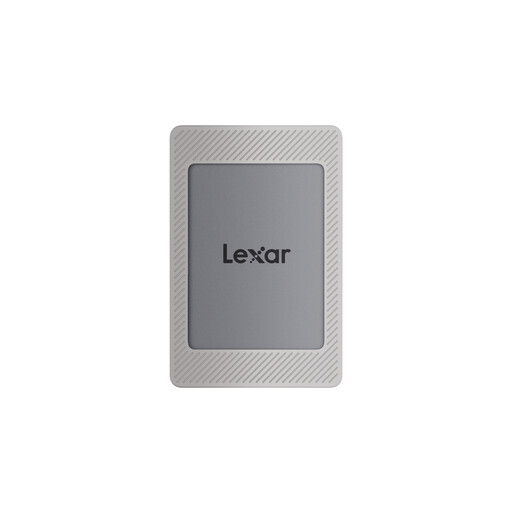
Lexar ES4 Portable SSD with magnetic set, 2 TB
An option if 2 TB is enough for your backup needs and the encryption software described suits your setup.
USB 3.2 Gen 2; advertised speeds of up to 1,050 MB/s for reading and 1,000 MB/s for writing.
The 256-bit AES encryption software described must be activated using Lexar DataShield.
Joybuy
Frequently asked questions
How do I set up the SSD for backups?
Decide which invoices and project folders you want to back up, check how much space is available and create your first backup. Then restore a test file. For an offline backup that’s disconnected from your computer, unplug the SSD after backing up; the Federal Office for Information Security recommends preparing for recovery.
Does USB-C guarantee the advertised speed?
No. USB-C alone doesn’t determine the data rate you can achieve. For the Samsung T9’s stated maximum speed, Samsung requires a USB 3.2 Gen 2x2-compatible host, a suitable cable and UASP enabled.
Do I need an SSD with hardware encryption for confidential invoices?
Not necessarily. If you process personal data, appropriate technical and organisational safeguards should be chosen based on the risks. The Federal Commissioner for Data Protection and Freedom of Information lists encryption as one possible measure. Check the specific protection solution, including its setup and key management, rather than assuming a product name means it is legally suitable.
Does a simple SSD copy meet German retention requirements for business invoices?
Not automatically. The records listed in § 147 paragraph 1 number 4 AO must be retained for eight years. The provision also requires data stored on storage media to remain available, readable and machine-readable throughout that period. The 2025 amendment to the GoBD by the Federal Ministry of Finance clarifies which structured part of certain e-invoices must be retained. The requirements that apply to your records depend on the specific business transaction.
What else should I check as part of my backup plan?
Check whether your setup requires another separately stored copy, a suitable cable or a compatible connection. Whether you need additional equipment depends on the devices and backups you already have.


