Back up your video library locally
You want to copy your growing collection of landscape footage without using the cloud, and restore it later. The BSI notes that backed-up data must also be restorable.


For storing landscape videos locally, choose an SSD with enough space for your existing files and planned backup versions, and check that you can restore files from it. When working outdoors, stated dust and splash protection may matter more than a high advertised speed. Faster USB is only relevant if your computer and cable support the standard. Germany’s Federal Office for Information Security (BSI) stresses that backups must be restorable and recommends keeping a separate copy of important data.
You want to copy your growing collection of landscape footage without using the cloud, and restore it later. The BSI notes that backed-up data must also be restorable.
You copy footage in different locations and weigh stated casing protection against the conditions you’ll actually encounter. Manufacturers’ protection ratings apply to specific models and conditions.
You regularly transfer large video files and want to check whether your computer and cable actually support the advertised interface. Samsung and Crucial make their maximum speed claims subject to using compatible connections.
Start by considering your files and how you plan to restore them. Then check device compatibility and the protection you need when carrying the drive. Only after that, consider whether faster transfers are relevant to your computer.
| What you need | What to check | Most important for |
|---|---|---|
| Capacity and recovery | Check the size of your existing files and expected growth in GB or TB, allow room for planned backup versions, and test restoring files. | If I want to keep my video library and planned backups locally, I need enough space and want to be able to restore my files too. Around 31% of consumers put capacity and recoverability first. |
| Protection outdoors | Check the IP rating and test conditions for the specific model. Also check warranty exclusions and keep a separate backup of important footage. | If I copy footage while out and about, stated protection against dust and splashes matters more to me than a general promise of durability. Around 25% of consumers prioritise protection outdoors. |
| Speed for large files | Compare the USB standards supported by the drive, computer and cable. Don’t assume manufacturers’ maximum sequential speeds are guaranteed on your device. | If I regularly transfer large video files, I want to factor in faster speeds only if my computer and cable support them. Around 19% of consumers say transfer speed is their top priority. |
| Device compatibility | Check the connections and software support on the devices you plan to use. For access with an iPhone, Apple lists exFAT and APFS, among other requirements, as well as a data partition. | If I want to use the SSD with my existing computers or mobile devices, I check the connection and file system before reformatting any files. Around 13% of consumers prioritise device compatibility. |
| Access protection | For confidential files, check that encryption and unlocking work on the devices you plan to use, and test that you can access the files again. | If I store confidential footage on a drive I carry around, I want to protect access and still be able to open the files myself later. Around 12% of consumers prioritise access protection. |
A fault, theft or damage where the drive is stored could affect your only external copy too. The BSI also stresses that backups must be restorable.
For important footage, keep another copy somewhere separate and regularly test that you can restore your files.
If you lose your only copy, you may not be able to recover your footage.
Samsung states that the T9 can reach sequential speeds of up to 2,000 MB/s only when the host and cable support USB 3.2 Gen 2x2 and UASP is enabled.
Before buying, compare the interfaces supported by your computer, cable and drive. Then choose a speed class that suits your setup.
IP ratings apply to specific models and test conditions. Samsung excludes liquid and dust damage to the T7 Shield from its warranty, while Crucial warns that the X9 Pro should not be submerged.
Check the protection rating and its limits for the specific model, and keep a separate copy of important footage too.
The T7 Shield and T9 portable SSDs cater to different priorities: stated casing protection on the one hand, and high maximum transfer speeds when used with compatible connections on the other.
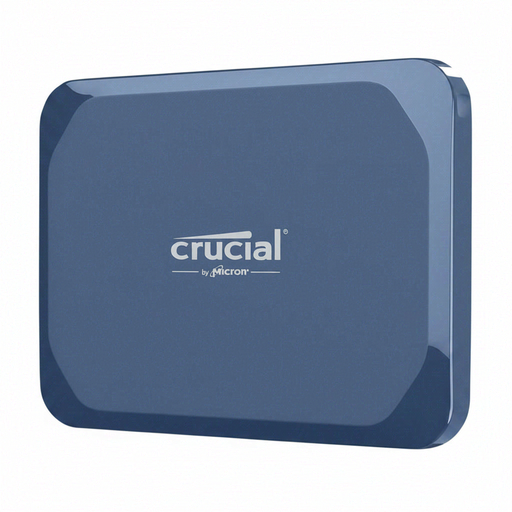
The X9 Pro and X10 Pro are portable SSDs with an IP55 rating stated by the manufacturer.
According to Kingston, the XS1000 and XS2000 differ in interface generation and stated protection rating.
This Joybuy selection includes portable SSDs with 1 TB or 2 TB of storage for backing up videos and other files locally.
 No image available
For local video copies, if 1 TB suits the size of your library and backup plan.
1 TB; USB 3.2 Gen 2 (3.1 Gen 2).
 No image available
For a larger local video library, if 2 TB is enough for your planned files and backups.
2 TB.
 No image available
A portable option for storing video files locally, if 1 TB suits your backup needs.
1 TB.
 No image available
For storing video and photo files locally, if you’re looking for a portable 2 TB SSD.
2 TB.
 No image available
For local backups and frequent transfers, if 1 TB meets your needs.
1 TB; USB 3.2. The product description says that a compatible interface and suitable cable are required to achieve the advertised maximum speeds.
An external SSD gives you a local copy, but it shouldn’t be your only backup for important footage. The BSI notes that devices kept in the same place can be lost together. Keep another copy somewhere separate and test that you can restore your files.
First decide which files and backup versions you want to keep, then choose an external drive as your backup destination. The BSI recommends making sure that backed-up data can be restored, so test restoring suitable files.
No. Samsung lists USB 3.2 Gen 2x2 support on the host and cable, plus UASP enabled, as requirements for the T9’s stated maximum sequential speeds. Check your computer and cable specifications before choosing a drive based on this speed.
That depends, among other things, on the file system and partitioning. Apple lists exFAT and APFS among the supported file systems for external storage devices, and requires a data partition. Check the requirements for your device before reformatting an SSD, and back up any existing data first.
No. An IP rating relates to specific test conditions and doesn’t mean you can submerge a drive. Samsung excludes liquid and dust damage to the T7 Shield from its warranty; Crucial advises against submerging the X9 Pro. Check the limits for the specific model.