People responsible for growing lecture archives
If you collect recordings from multiple events or semesters, plan storage, filing and recovery together. The BSI treats backup and recovery as related tasks.


Choose a capacity that suits your existing archive and expected growth, and plan for a separate, verifiable backup: a single SSD is not a complete backup. On a shared computer, compatible connections, file systems and a practical access process matter more than a high advertised speed. Germany’s Federal Office for Information Security (BSI) recommends considering backup and recovery together. If recordings contain personal data, you must also establish the legal basis for processing and put appropriate safeguards in place.
If you collect recordings from multiple events or semesters, plan storage, filing and recovery together. The BSI treats backup and recovery as related tasks.
If several authorised users need to transfer or find files, compatible connections, file systems and a manageable unlocking process all matter. For recordings containing personal data, you must also establish the legal basis for processing and put appropriate safeguards in place, as the Federal Commissioner for Data Protection and Freedom of Information also points out.
If you regularly copy large folders of recordings, prioritise a faster interface only if your computer port and cable support it. Kingston and SanDisk specify the interface requirements for their respective models.
First, check how much data you already have and allow for growth and a separate backup. Then check access and compatibility before choosing a faster interface.
| What matters | What to check before buying | Who should pay particular attention |
|---|---|---|
| Archive capacity | Work out how much space your existing recordings take up and how much you expect them to grow. Allow for usable file storage rather than filling the drive to its stated capacity. | If I want to keep my existing files and future recordings on one working drive, its capacity needs to suit my archive plan. Around 28% of consumers put the capacity they need for their archive first. |
| Confidentiality and access | Establish who is allowed to view recordings and how the drive will be unlocked and locked after use. Check that encryption works on the computers you need to use. | If you need to stop unauthorised people from viewing recordings at a shared workstation, you need clear access rules as well as an SSD feature. Around 22% of consumers prioritise confidentiality and controlled access. |
| Recoverability | Decide where the original files will be kept and where the separate backup will be stored. Test whether you can actually restore a recording from it. | If you need to be able to retrieve a lecture file that was accidentally deleted or damaged, keeping a single copy on one drive is not enough. Around 22% of consumers put recoverability first. |
| Computer compatibility | Check operating systems, USB ports and cables. If you use both Windows and Mac, check the file system and unlocking process together; formatting can delete existing files. | If you need to use recordings on several computers with different ports or systems, check compatibility before transferring files. Around 17% of consumers prioritise compatibility at a shared workstation. |
| Transferring large files | Check how often you copy files and how much data you transfer, then compare the USB specifications of the SSD, computer and cable. Advertised maximum speeds depend on compatible equipment. | Faster transfer times can be important if you often copy large folders of recordings, provided your computer supports the interface. Around 11% of consumers put transfer speed first. |
If the drive fails or files are accidentally deleted, you could lose your only archive copy. The BSI includes recovery in its backup approach.
Decide which copy is the original and which is the backup, store one copy separately and test recovery using a recording.
A separate backup requires additional storage and regular maintenance.
The connector shape alone does not tell you whether your computer supports the advertised interface. Kingston says the XS2000 requires a compatible USB 3.2 Gen 2x2 host and a suitable cable.
Before buying, compare the specifications of your computer port, SSD and cable.
An unlocking feature does not automatically determine who can access recordings containing personal data once the SSD has been unlocked at a shared workstation.
Set out who is authorised to use the drive and establish a separate procedure. For personal data, you must also check the legal basis for processing and put appropriate safeguards in place.
Apple points out that formatting a drive or volume deletes the files stored on it.
Check which file system you need first, and back up any existing recordings before formatting the SSD.
Files that have not been backed up elsewhere may be lost when you format the drive.
The T7 Shield is worth considering if you want an archive SSD that you can carry around regularly, with a protective casing and password protection.
The XS2000 is an option for frequent large transfers on a computer with a compatible USB 3.2 Gen 2x2 port.
The X9 is a USB-C option if a choice of capacities and a simple connection matter more than a particularly fast interface.
The Ultra Compact SSD is worth considering if you want a small drive with a direct USB-C connection for carrying around.
The Extreme PRO with USB4 is worth considering for frequent large transfers if your computer supports USB4 appropriately.
This selection includes external SSDs with USB 3.2 Gen 2 for archiving and file transfers. Choose a capacity that suits your existing files and expected growth, and plan for a separate backup independently of the drive.
 Image unavailable
A suitable option if 1 TB is enough for your existing files and planned growth, and you need password protection.
USB 3.2 Gen 2; rated for read speeds of up to 1,050 MB/s and write speeds of up to 1,000 MB/s. Optional password protection with AES 256-bit hardware encryption is available; Samsung Magician is required.
 Image unavailable
This model is worth considering if your archive, including planned growth, needs 2 TB and you want optional password protection.
USB 3.2 Gen 2; rated for read speeds of up to 1,050 MB/s and write speeds of up to 1,000 MB/s. Password protection with AES 256-bit hardware encryption must be set up using Samsung Magician.
 Image unavailable
An option to consider if 2 TB suits your archive and you can incorporate software-based password protection into your workflow.
USB 3.2 Gen 2; rated for read speeds of up to 1,050 MB/s and write speeds of up to 1,000 MB/s. Password protection with AES 256-bit hardware encryption requires KIOXIA SSD Utility software. USB-C to USB-C and USB-C to USB-A cables are listed.
 Image unavailable
If your archive plan calls for 4 TB, this model offers the stated capacity. It is not a substitute for a separate backup.
USB 3.2 Gen 2; rated for read speeds of up to 1,050 MB/s and write speeds of up to 1,000 MB/s. Password protection with AES 256-bit hardware encryption is available and must be set up using Samsung Magician.
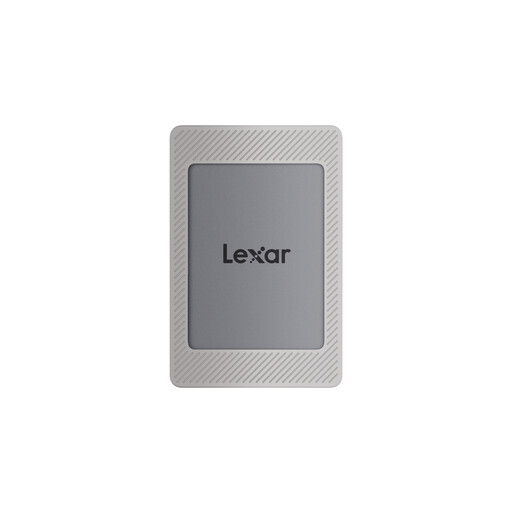 Image unavailable
This 2 TB model is worth considering if the capacity suits your archive and you can incorporate Lexar DataShield into your workflow.
USB 3.2 Gen 2; rated for read speeds of up to 1,050 MB/s and write speeds of up to 1,000 MB/s. According to the description, Lexar DataShield with 256-bit AES encryption requires installation and activation. Magnetic attachment for iPhone 15/16 is listed.
Not if you need to recover files after a drive failure or accidental deletion. The BSI considers creating a backup and recovering files together. So keep a separate copy and test whether you can retrieve a recording from it.
If you use both systems, Apple lists exFAT as a format that works across them for drives over 32 GB. Also check that any encryption or unlocking method you plan to use works on both computers. Back up existing files before formatting, as this will delete them.
There is no one-size-fits-all answer. If personal data is being processed, you need an applicable legal basis. Consent is just one possible basis and, if used, must meet the relevant requirements. The Federal Commissioner for Data Protection and Freedom of Information explains these legal bases. You will need to consider factors including the content, who is responsible and the purpose of the recording. An SSD feature does not replace this assessment.
The appropriate retention period depends on the purpose of the archive and the requirements that apply to the recordings. For personal data, the storage limitation principle applies. The BSI explains that how long an archive is kept depends on legal and other requirements, as well as its intended use. Check the requirements that apply to your organisation before planning to keep recordings indefinitely.