Choose a capacity based on the total size of your original scans and all the project versions you want to keep. However, a single SSD is not a complete archiving strategy: plan for a separate backup and check that you can open the files from it. Make sure the ports and cables suit your computers. Higher advertised speeds matter most if you regularly transfer large files.
Who is this relevant to?
Keepers of irreplaceable letters
If you digitise letters that would be difficult to replace, keep a separate backup as well as your archive drive, and check that the files are readable. The German Federal Office for Information Security recommends checking backups for completeness and readability.
Collectors of multiple project versions
If you want to keep the original scans alongside revised versions, you need to account for the storage required by your entire collection. The German Federal Office for Information Security recommends leaving enough space for backup copies.
People using several computers
If you use your archive on different devices, make sure the ports, cables and file systems fit the way you work. The German Federal Office for Information Security also recommends checking that your backup is readable.
What should you look for when buying?
Start by working out how much space you need for all your scans and project versions. Then check that you have a separate backup, that the drive is compatible with your devices and that access is protected. Transfer speeds matter most if you regularly copy large files.
| What you need |
What to check before buying |
Who is this important for? |
| Recoverable backup |
Keep the backup in a separate location; open files from the copy to test it. |
I want to be able to access my letters if the drive fails or I delete something by mistake. Around 33% of consumers put recoverability first. |
| Space for scans and versions |
Compare the total size of all versions and expected growth with the usable capacity. |
If I want to keep the original scans and earlier edits, I need space for the whole collection. Around 27% of consumers prioritise storage for multiple versions. |
| Access on several computers |
Check the USB ports, supplied cables or adapters, and file system on all your devices. |
I want to be able to open and edit my archive on different computers without reformatting the drive without checking first. Around 20% of consumers put device compatibility first. |
| Protecting confidential letters |
Check the encryption and password features of the specific model, and consider how you would regain access. |
If I keep sensitive letters, I don’t want just anyone to be able to access them if the SSD is lost. Around 13% of consumers prioritise protecting confidential files. |
| Speed when transferring large files |
Compare how often you copy files and the USB capabilities of your computer, SSD and cable. |
I regularly transfer large project folders and don’t want to spend longer than necessary copying them. Around 7% of consumers put transfer speed first. |
Common mistakes when choosing an SSD for your archive
-
Moving your only archive copy to a new SSD
Any physical storage device can fail, and older versions can also be deleted by mistake.
Don’t delete your originals just because you’ve bought an SSD. Make a separate copy and check that you can open the files from it.
Keeping an additional backup requires another storage device or a different backup location, as well as time for regular checks.
-
Choosing capacity based only on the finished letter collection
Original scans and several complete project versions take up more space together than the final versions alone. Formatting also means that not all of the advertised capacity is available for your files.
Add up your entire existing collection, including older versions, and allow for any further versions you plan to keep when choosing capacity.
-
Assuming a USB-C connector guarantees top speeds
The speed you can actually achieve also depends on the USB capabilities supported by your computer and cable.
Before buying an SSD with USB 3.2 Gen 2x2, check that all the components in your setup support this connection.
SSD brands to consider
Samsung
The Portable SSD T9 is worth considering if you regularly transfer files or want built-in password protection in your chosen model.
- For the German 1-TB version, MU-PG1T0B/EU, Samsung lists USB 3.2 Gen 2x2, speeds of up to 2.000 MB/s, AES-256 hardware encryption and two USB cables included.
- The manufacturer’s speed claim does not guarantee the same transfer rate on your computer. An additional readable backup is still essential.
Kingston
The XS1000 is an option if you use computers with USB-A and USB-C ports. The XS2000 offers a Gen-2x2 option with a protective sleeve.
- Kingston lists 1 or 2 TB variants of the XS1000, with a cable and adapter included. For the XS2000, the manufacturer claims speeds of up to 2.000 MB/s and IP55 protection with the sleeve.
- The speed and protection claims for the XS2000 do not automatically apply to the XS1000.
Crucial
The X10 Pro could be a good option for frequent large transfers on compatible USB-C computers.
- Crucial lists 1, 2 and 4 TB versions, with IP55 protection. In its own tests, the X10 Pro reached maximum read speeds of 2.100 MB/s and write speeds of 2.000 MB/s.
- Results can vary depending on the host device. According to Crucial, full Gen-2x2 performance is only possible with compatible USB-C hosts. A USB-A adapter is not listed as included.
SanDisk
The Extreme PRO Portable SSD V2 could be a fast option, provided the specific version suits your device and archiving workflow.
- For model SDSSDE81-1T00-G25, SanDisk lists a capacity of 1 TB, USB 3.2 Gen 2x2 and speeds of up to 2.000 MB/s.
- The manufacturer’s speed claim does not guarantee the transfer rate on your computer. This model also does not replace an additional readable copy.
Joybuy models for letter scans and project versions
The Joybuy models below are compact external SSDs for letter scans and multiple project versions. Compare their capacity, connections and, where relevant, access protection with your devices and backup routine.
 No image available
KIOXIA Exceria Plus G2 Portable SSD, 2 TB
The 2-TB version has room for an archive with multiple project versions.
Read speeds of up to 1.050 MB/s and write speeds of up to 1.000 MB/s; optional password protection with 256-bit AES hardware encryption. USB-C-to-A and USB-C-to-C cables are listed.
Joybuy
 No image available
Samsung Portable SSD T7, 2 TB, Titanium Grey
The 2-TB version is suitable for an archive containing original scans and multiple versions.
Read speeds of up to 1.050 MB/s and write speeds of up to 1.000 MB/s; hardware encryption with password protection. USB-C-to-C and USB-C-to-A cables are listed.
Joybuy
 No image available
Samsung Portable SSD T7, 4 TB, Titanium Grey
The 4-TB version offers more stated storage for extensive scans and project versions.
Read speeds of up to 1.050 MB/s and write speeds of up to 1.000 MB/s; AES-256 hardware encryption with password protection. USB-C-to-C and USB-C-to-A cables are listed.
Joybuy
 No image available
Samsung MU-PG2T0B, 2 TB, USB Type-C 3.2 Gen 2
The 2-TB version is designed for an archive containing multiple letter and project files.
The product description lists USB-C-to-C and USB-C-to-A cables, along with a shock-resistant casing.
Joybuy
 No image available
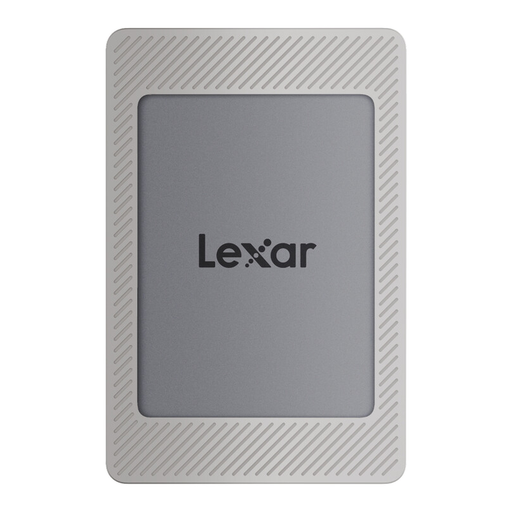
Lexar ES4 Portable SSD Magnetic Set, 2 TB
The 2-TB version is an option for scans and multiple project versions, including if you switch between USB-A and USB-C devices.
Read speeds of up to 1.050 MB/s and write speeds of up to 1.000 MB/s; Lexar DataShield with 256-bit AES encryption. USB-A-to-USB-C and USB-C-to-C cables are listed.
Joybuy
Frequently asked questions about archiving letters on an SSD
How can I keep several versions of a letter project without losing older ones?
Keep the original scans and the edited versions you want in separate folders, with clear names. Include older versions in your backup routine and test by opening files from the separate copy. Don’t assume that synchronisation is a version archive: it may also sync deletions.
Do I need to format a new SSD for Windows and Mac?
Not necessarily. First check whether both computers can read and write to the file system on the specific SSD. Crucial says the X10 Pro is supplied in exFAT format and warns that reformatting deletes the data on the drive.
What happens to statutory rights and the manufacturer’s warranty if an SSD fails?
When you buy from a business seller in the EU, you have at least a two-year legal guarantee from the date you receive the goods. A voluntary manufacturer’s warranty is separate. Neither it nor your statutory rights replaces keeping a separate backup.


