Producers with lots of project versions
If you keep several versions of a project along with their audio files, check that the files you need are actually in the project folder. In Ableton Live, a Set may refer to audio files stored elsewhere.


For music projects with multiple versions, choose an external SSD with enough usable capacity for complete project folders, including all the audio files you need. Whether you use it as a working drive or a separate backup destination will determine your other requirements. For active projects, the connection and file system matter; if you’ll be carrying it around, the cable and casing matter too. An SSD containing multiple versions is no substitute for a separate backup.
If you keep several versions of a project along with their audio files, check that the files you need are actually in the project folder. In Ableton Live, a Set may refer to audio files stored elsewhere.
If you want to restore an earlier version after a drive failure or accidental change, you’ll need a separate backup and should check that you can restore from it. Germany’s Federal Office for Information Security recommends backing up your data regularly.
If you move sessions between workstations, the connections and file system need to work with the computers involved and your DAW. Ableton and Apple provide different guidance, specific to their respective software.
First, decide whether you’ll work directly from the SSD or use it as a separate backup destination. If you switch between computers, you’ll also need to consider the file system, connections and whether all project files have been transferred.
| What matters | What to check before buying | Who should pay particular attention? |
|---|---|---|
| Space for projects and versions | The size of complete project folders, including samples, and how many versions you want to keep. After formatting, the full stated capacity won’t be available for storage. | If I want to keep several complete project versions with all the audio files I need, I’ll need enough usable storage. That’s why around 36% of consumers put projects and versions first. |
| Independent backup | Plan for a separate backup destination and check that you can restore a project from it. | If I want to return to an earlier version after a drive failure, I’ll need a separate copy that I can open. Around 29% of consumers prioritise restoring earlier project versions. |
| Connection and working speed | Check that the computer’s USB standard and port match the cable; where possible, use separate ports for the SSD and audio interface. | If I open active projects directly from the SSD, I’ll want to know whether the computer, cable and connection are compatible. Around 21% of consumers prioritise connectivity and working speed. |
| Portability and compatibility | Check the file system requirements for your specific DAW and the connections on both computers. Transfer the entire project folder if needed. Apple recommends APFS for external drives containing Logic Pro projects. | If I use sessions across multiple workstations, I’ll need compatible file systems and connections, and I’ll need to transfer all the audio files. Around 14% of consumers consider switching devices and portability their top concern. |
In Ableton Live, a Set may contain only references to audio files. If those files aren’t available when you open it on another computer, the project may be incomplete.
If needed, use “Collect All and Save”, copy the entire project folder and test it on the computer you’ll use it on.
Tracking down or replacing missing samples later takes extra time.
All the versions on the same drive share its risk of failure. Ableton and Germany’s Federal Office for Information Security recommend keeping backups separately from the working drive and checking that they can be restored.
Plan for an independent copy and occasionally check that you can open a complete project from it.
You’ll need another backup destination for the separate copy.
Transfer speeds depend on the connection. According to Ableton, a shared USB hub can become a bottleneck.
Compare the USB capabilities of your computer, SSD and cable, and consider what other devices are connected to the same hub.
File system guidance varies by operating system and application. Apple recommends APFS for external drives containing Logic Pro projects or the Logic Pro Sound Library.
Check your DAW’s requirements and back up any existing content before reformatting the drive.
Reformatting may mean you need to copy existing data elsewhere first.
The T7 Shield and T7 differ in casing protection and included cables. The right option for you depends on whether portability or connecting to different computers is the priority.
The XS1000 and Dual Portable SSD cater to different capacity and connectivity needs. Check each model’s name and features separately.
The X9 range is designed for portable file storage; according to Crucial, the X9 Pro adds specified casing protection.
The Extreme Portable SSD is designed as a portable drive. Check the model number to identify the right capacity option.
The Joybuy models below are external SSDs for active music projects and multiple project versions. Compare their stated capacities and connections with your complete project folders. You’ll still need a separate SSD for an independent backup.
 No image available
As a working drive, this model can hold several project versions, as long as their combined size fits in the available storage.
The Joybuy product description lists 2 TB, USB 3.2 Gen 2, and USB-C-to-C and USB-C-to-A cables. Quoted sequential maximum speeds are up to 1,050 MB/s read and 1,000 MB/s write.
 No image available
The stated capacity could suit several project versions, provided the complete folders fit in the usable storage.
The Joybuy product description lists USB 3.2 Gen 2, USB-C-to-A and USB-C-to-C cables, and sequential maximum speeds of up to 1,050 MB/s read and 1,000 MB/s write.
 No image available
The 2 TB version is an option for active projects, provided the project folders you need fit in the available storage.
The Joybuy product description lists USB Type-C, USB 3.2 Gen 2, and USB-C-to-C and USB-C-to-A cables.
 No image available
This model is worth considering if all the project versions you need will fit in the available storage.
The Joybuy product description lists USB 3.2 Gen 2x2, USB Type-C, USB-C-to-C and USB-C-to-A cables, and sequential maximum speeds of up to 2,000 MB/s for both reading and writing.
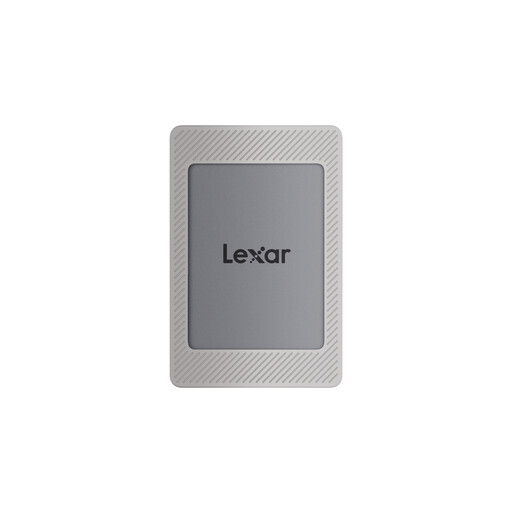 No image available
The stated capacity could suit several project versions, provided their complete folders fit in the available storage.
The Joybuy product description lists USB 3.2 Gen 2, USB-C-to-C and USB-A-to-C cables, and sequential maximum speeds of up to 1,050 MB/s read and 1,000 MB/s write.
Not if you also want protection against drive failure. Keep a separate backup and check that you can restore a complete project from it. Ableton recommends using a dedicated backup drive in addition to other backups; Germany’s Federal Office for Information Security recommends backing up your data regularly.
In Ableton Live, a saved Set may only refer to audio files stored outside the project folder. If needed, use “Collect All and Save” before transferring, then copy the entire project folder. This won’t copy plug-ins, which need to be installed separately on the destination computer.
First, check the requirements of your DAW and operating system. Ableton lists NTFS for Windows and APFS for macOS, and describes ExFAT as compatible with Windows. Apple recommends APFS for external drives containing Logic Pro projects or the Sound Library. Back up any existing content before reformatting.
When consumers buy goods in the EU, they’re entitled to a minimum two-year legal guarantee from the seller, starting from the date they receive the goods, as explained by Your Europe, the European Union’s portal. A voluntary manufacturer’s warranty is separate. This applies to consumer purchases and doesn’t automatically cover commercial studio purchases.
When monitoring the market for electronic products, Germany’s Federal Network Agency lists correct labelling and identifiable manufacturer details among the points to check. Use these to assess the specific listing; they don’t automatically confirm that a particular SSD complies with the relevant requirements.